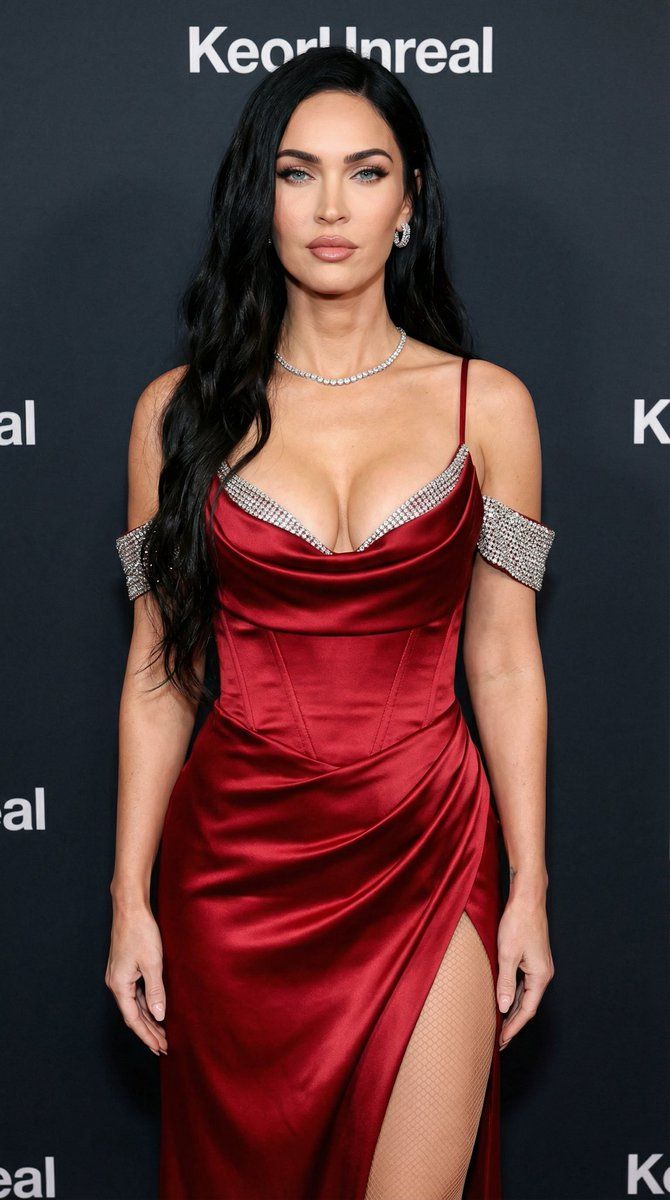
红毯名人肖像
Prompt
{
  "image_prompt_structure": {
    "subject": {
      "demographics": " female celebrity
      "hair": "Shoulder-length textured bob, dark black roots to honey blonde waves, tousled style",
      "face": "Symmetrical features, blue eyes with winged eyeliner, groomed brows, fair skin with visible texture and pores, nude glossy lips, soft rosy blush",
      "pose": "Standing front-facing, head slightly turned to the left, direct eye contact, arms relaxed by sides",
      "expression": "Poised, confident, soft glare, elegant"
    },
    "fashion": {
      "garment": "Pale ice-blue custom satin gown open on a toned leg with fishnets",
      "design_details": [
        "Deep cowl neckline with crystal-embellished trim",
        "Thin spaghetti straps",
        "Off-the-shoulder crystal-encrusted arm bands/cuffs",
        "Fitted bodice",
        "High-sheen silk satin fabric",
        "Draped silhouette"
      ],
      "jewelry": [
        "Delicate diamond tennis necklace",
        "Large diamond stud earrings"
      ]
    },
    "environment": {
      "location": "Red carpet event, step-and-repeat media wall",
      "background": "Dark navy or black press wall with white repeated logos (partially visible text like 'KeorUnreal'), shallow depth of field (bokeh) to isolate subject"
    },
    "lighting": {
      "type": "Professional event flash photography",
      "qualities": "Bright frontal lighting, high contrast, specular highlights on the satin fabric and crystals, distinct catchlights in eyes, minimal shadows"
    },
    "technical_specifications": {
      "camera_gear": "Sony A7R V with 85mm f/1.4 GM lens",
      "settings": "f/2.8 aperture, ISO 100, shutter speed 1/200",
      "style_modifiers": [
        "Ultra photorealistic",
        "Hyper-detailed",
        "8k resolution",
        "Raw photo",
        "Subsurface scattering",
        "Fashion photography",
        "Cinematic lighting",
        "Masterpiece" Ratio 3.4 change the girl to {argument name="celebrity name" default="Megan Fox"} and the dress color should be {argument name="dress color" default="red"}
      ]
    }
  }
}- Category
- 创意图片
- Model
- Nano Banana Pro
- Creator
- KeorUnreal
- Source ID
- 3ab33b37-6896-4e1d-b8cb-f5a5e4c6aa96
- Published
- Mar 8, 2026
Views0














