20

时尚社论:3D 卡通人物
Enlarge

时尚社论:3D 卡通人物

Prompt
{
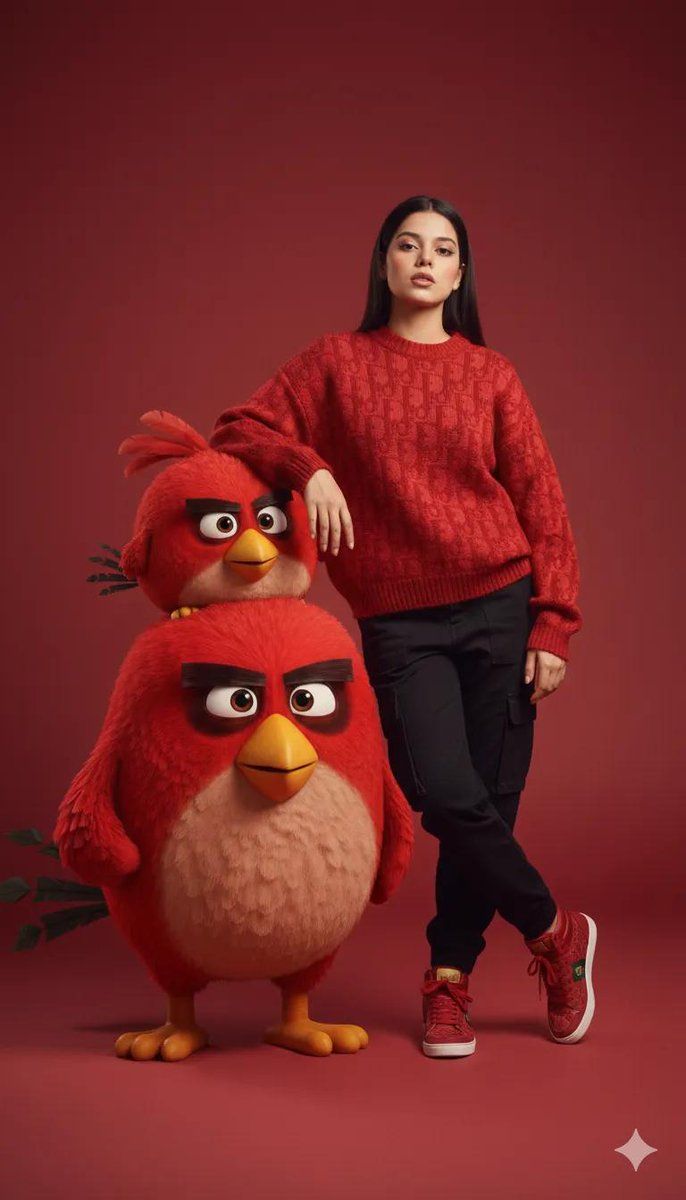
  "prompt": "A high-resolution fashion studio portrait of a confident young woman in a textured red knit sweater, black fitted pants, and red sneakers, standing casually with her arm resting on one of two oversized, round, fluffy 3D cartoon red birds with bold eyebrows and bright yellow beaks. The birds are rendered in a high-quality 3D animation style, contrasting with the photorealistic woman. The entire scene is a clean monochrome {argument name=\"background color\" default=\"red\"} studio background with soft, diffused lighting and gentle shadows, creating a playful yet premium editorial look. 8k resolution, ultra-detailed.",
  "style": "fashion editorial with 3D animated characters"
}
Category
创意图片
Model
Nano Banana Pro
Creator
Taaruk
Views0
Source ID
669d9b57-f038-4c90-8e41-3e9c8b16b49c
Published
Mar 8, 2026

Guide

About "时尚社论:3D 卡通人物"

What is this prompt for?

"时尚社论:3D 卡通人物" AI image prompt for Nano Banana Pro (创意图片). 一个用于生成高分辨率时尚影棚肖像的提示,将超写实主义与 3D 动画形成对比。画面中,一位身穿针织毛衣和长裤的超写实女性,手臂搭在两只超大、毛茸茸的 3D 卡通红鸟之一上,所有元素都置于单色红色影棚背景…

The full copyable prompt and example visuals above are ready for AI image generation or one-click recreate in Picva.

How to use this prompt

  1. Step 1

    Open the prompt detail

    Review the example visuals, category, and full prompt text for "时尚社论:3D 卡通人物".

  2. Step 2

    Copy the prompt

    Copy the prompt body from this page, or load it directly in Studio.

  3. Step 3

    Pick a model (Nano Banana Pro)

    Prefer Nano Banana Pro. If you switch models, keep subject and composition and tweak style terms.

  4. Step 4

    Generate and export

    Recreate the look in Picva, or export into your workflow for editing and publishing.

FAQ

What is the "时尚社论:3D 卡通人物" prompt?
It is an AI image-generation prompt for Nano Banana Pro in the 创意图片 category. This page includes the full prompt text, example visuals, and a one-click recreate path in Picva.
How do I use this prompt to generate an image?
Copy the prompt from this page, or use Generate / Studio. Paste it into a compatible image model, or recreate the look in Picva with optional reference images.
Which model is this prompt for?
This page lists Nano Banana Pro. Most descriptive prompts also transfer to nearby image models such as GPT Image, Flux, or Midjourney with light style tweaks.
Can I use the result commercially?
You can usually copy the prompt for creation, but commercial use of the final image depends on the model terms, reference-image rights, and the generated content. Follow the source author and platform rules.










