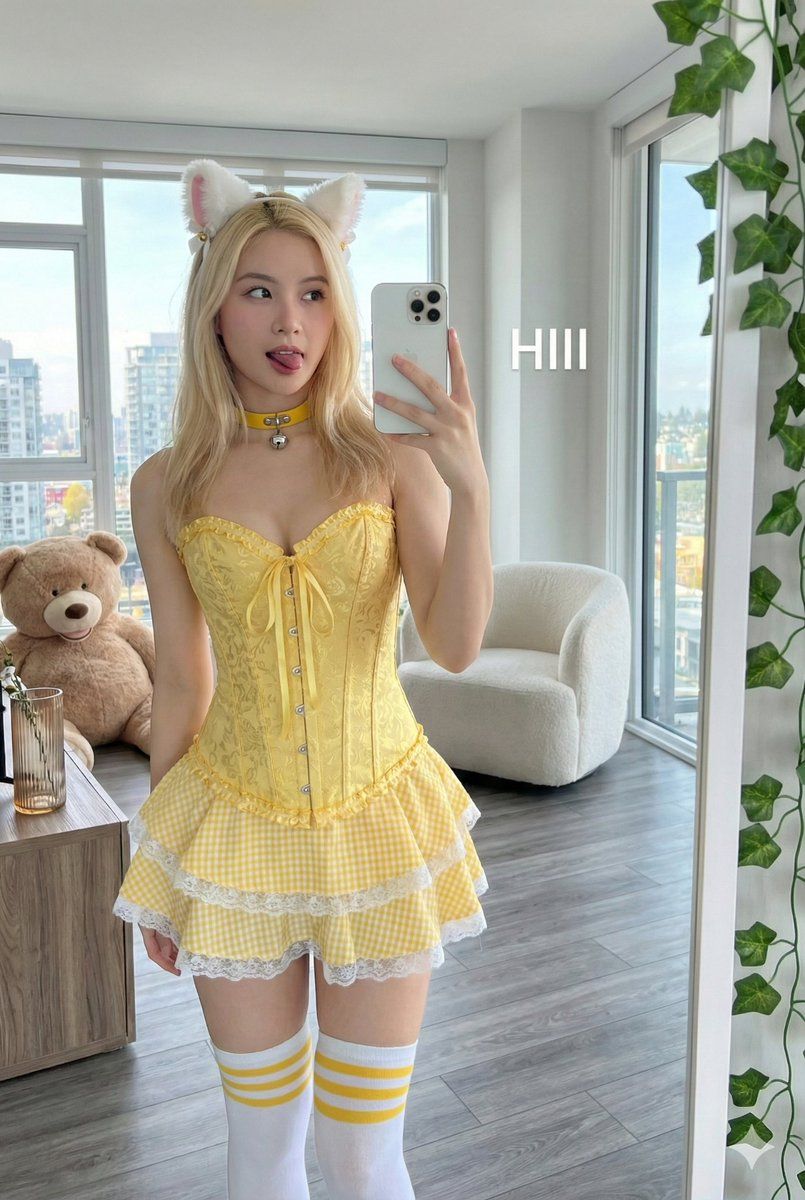
俏皮镜面自拍提示(猫耳发箍)
Prompt
{
  "image_generation_prompt": {
    "subject": {
      "demographics": {
        "gender": "female",
        "age_group": "young adult",
        "skin_tone": "fair"
      },
      "hair": {
        "color": "{argument name="hair color" default="blonde"}",
        "length": "long",
        "style": "straight/wavy",
        "accessory": "white fluffy cat ears headband"
      },
      "face": {
        "expression": {Use the face without any change.
          "mood": "playful",
          "mouth": "tongue sticking out, slight smile",
          "gaze": "looking up and to the left"
        },
        "makeup": {
          "eyes": "light makeup with winged liner",
          "lips": "pink color",
        }
      },
      "wardrobe": {
        "upper_body": {
          "item": "corset",
          "material": "brocade",
          "color": "{argument name="corset color" default="yellow"}",
          "details": ["front lacing", "trim"]
        },
        "lower_body": {
          "item": "mini skirt",
          "pattern": "gingham",
          "color": "yellow",
          "details": ["ruffled layers", "white lace trim"]
        },
        "leg_wear": {
          "item": "thigh-high socks",
          "color": "white",
          "details": "yellow stripes at the top"
        },
        "accessories": {
          "neck": "yellow collar choker with small silver bell",
          "ears": "small stud earrings",
          "wrist": "delicate gold bracelet"
        }
      },
      "pose": {
        "action": "taking mirror selfie",
        "hand_position": "holding phone in right hand",
        "posture": "standing"
      }
    },
    "scene": {
      "environment": {
        "location": "modern apartment interior",
        "flooring": "grey wood plank",
        "walls": "grey tiled section"
      },
      "lighting": {
        "source": "natural daylight",
        "direction": "from floor-to-ceiling windows",
        "quality": "bright"
      },
      "background_elements": {
        "windows": "large floor-to-ceiling, showing bright daytime cityscape and sky",
        "furniture": {
          "left": "large brown teddy bear leaning against wall",
          "right": [
            "white upholstered armchair",
            "wooden side table",
            "clear glass vase on shelf"
          ]
        }
      },
      "foreground_elements": {
        "props": "green artificial ivy plant hanging",
        "overlays": {
          "text_content": "HIII",
          "text_color": "white",
          "position": "overlaying background near the chair"
        }
      }
    },
    "technical_specifications": {
      "medium": "photography",
      "sub_genre": "mirror selfie",
      "device_prop": "white iPhone",
      "composition": "reflection showing subject and room context",
      "aspect_ratio": "2:3"
    }
  }
}- Category
- 创意图片
- Model
- Nano Banana Pro
- Creator
- Adam也叫吉米
- Source ID
- af08c64c-bc10-4be8-a300-502b78e14fb1
- Published
- Mar 8, 2026
Views0















