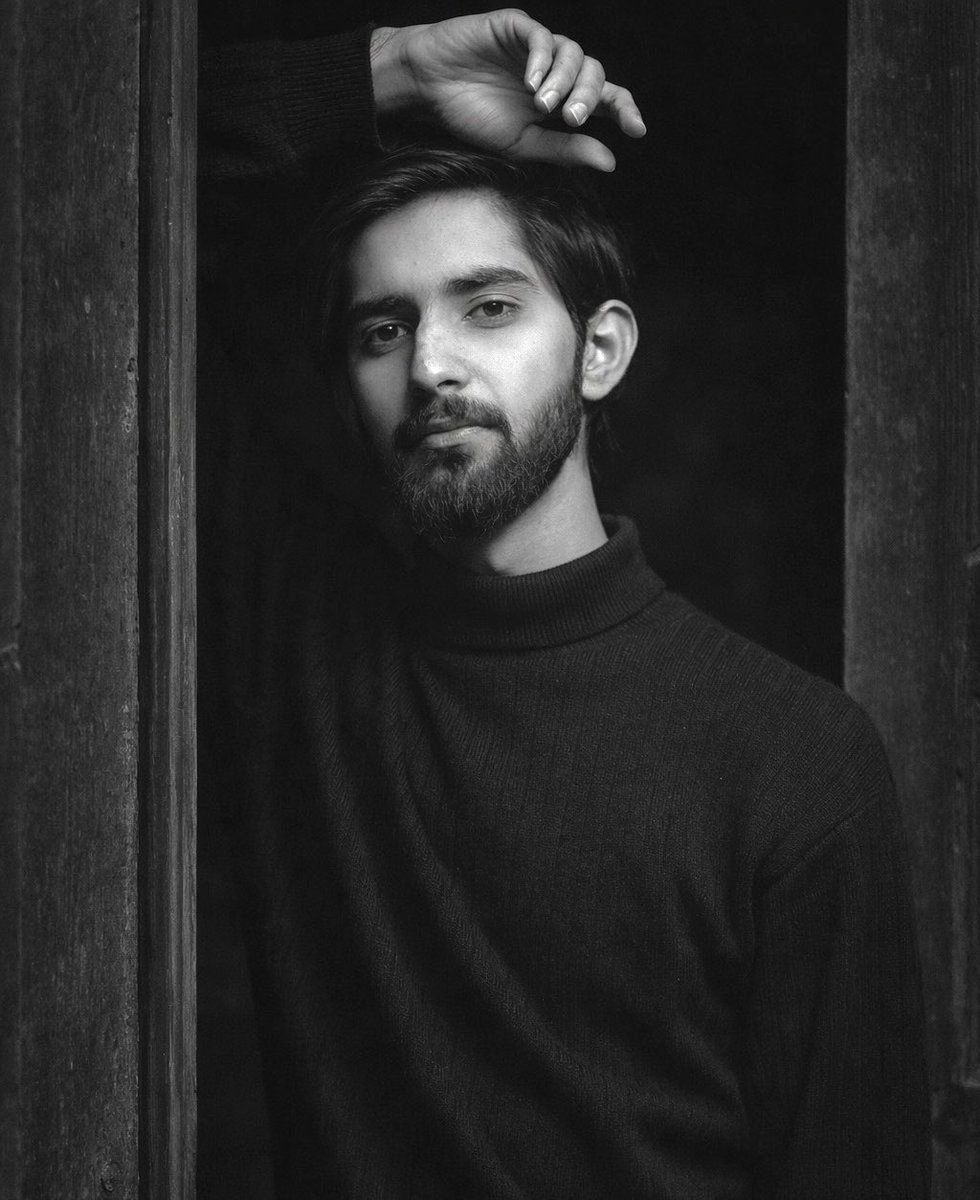
黑白艺术肖像提示,电影级对比度
Prompt
{
  "Objective": "Generate a highly realistic black-and-white fine-art portrait with a cinematic, emotional, and intimate atmosphere.",
  "Image_Type": "Photorealistic portrait photography",
  "Subject": {
    "Description": "A single person standing partially framed by a narrow doorway between two dark, weathered wooden door panels forming a strong vertical composition.",
    "Pose": {
      "Body_Position": "Body slightly angled toward the camera, torso facing forward, weight subtly shifted onto one leg for a relaxed yet introspective stance.",
      "Arms": {
        "Primary_Arm": "One arm raised above the head, bent at the elbow, hand resting against the upper edge of the door frame with loosely curled fingers.",
        "Secondary_Arm": "Other arm hanging naturally close to the body, relaxed and slightly out of focus."
      }
    },
    "Facial_Expression": {
      "Emotion": "Calm, serious, slightly melancholic",
      "Gaze": "Looking directly into the camera with a steady, intense, introspective gaze"
    },
    "Face_Accuracy": {
      "Requirement": "Face must remain identical to the real subject",
      "Details": [
        "Realistic skin texture",
        "Natural imperfections",
        "Authentic facial proportions",
        "Subtle, natural shadows"
      ]
    }
  },
  "Clothing": {
    "Garment": "Dark heavy knit sweater",
    "Texture": "Thick ribbed knit, matte and tactile",
    "Fit": "Slightly loose but well-fitted silhouette",
    "Neckline": "High, structured neckline",
    "Restrictions": [
      "No logos",
      "No patterns",
      "No accessories"
    ],
    "Style": "Minimalist, timeless, understated"
  },
  "Environment": {
    "Setting": "Narrow doorway with dark, weathered wooden door panels",
    "Background": "Softly blurred wooden elements enhancing intimacy"
  },
  "Lighting": {
    "Type": "Natural, directional side lighting",
    "Effect": [
      "Strong contrast",
      "Deep shadows",
      "Pronounced highlights across face and clothing"
    ]
  },
  "Camera": {
    "Angle": "Eye-level",
    "Distance": "Close to subject",
    "Focal_Length": "85mm portrait lens",
    "Depth_of_Field": "Shallow depth of field",
    "Focus": "Sharp focus on face and upper body"
  },
  "Color_Style": {
    "Mode": "Black and white",
    "Characteristics": [
      "Rich tonal depth",
      "High contrast",
      "Classic fine-art aesthetic"
    ]
  },
  "Mood_and_Style": {
    "Mood": [
      "Cinematic",
      "Raw",
      "Emotional",
      "Introspective"
    ],
    "Aesthetic": "Editorial and fine-art portrait photography",
    "Authenticity": "Unposed, natural, highly realistic"
  },
  "Negative_Prompt": [
    "Overly stylized or painterly effects",
    "Cartoon or illustration styles",
    "Artificial skin smoothing",
    "Distorted facial features",
"Harsh artificial lighting",- Category
- 创意图片
- Model
- Nano Banana Pro
- Creator
- MADDY
- Source ID
- 586f6d78-40d6-4328-ae67-5a492106ecb2
- Published
- Mar 8, 2026
Views0














