20

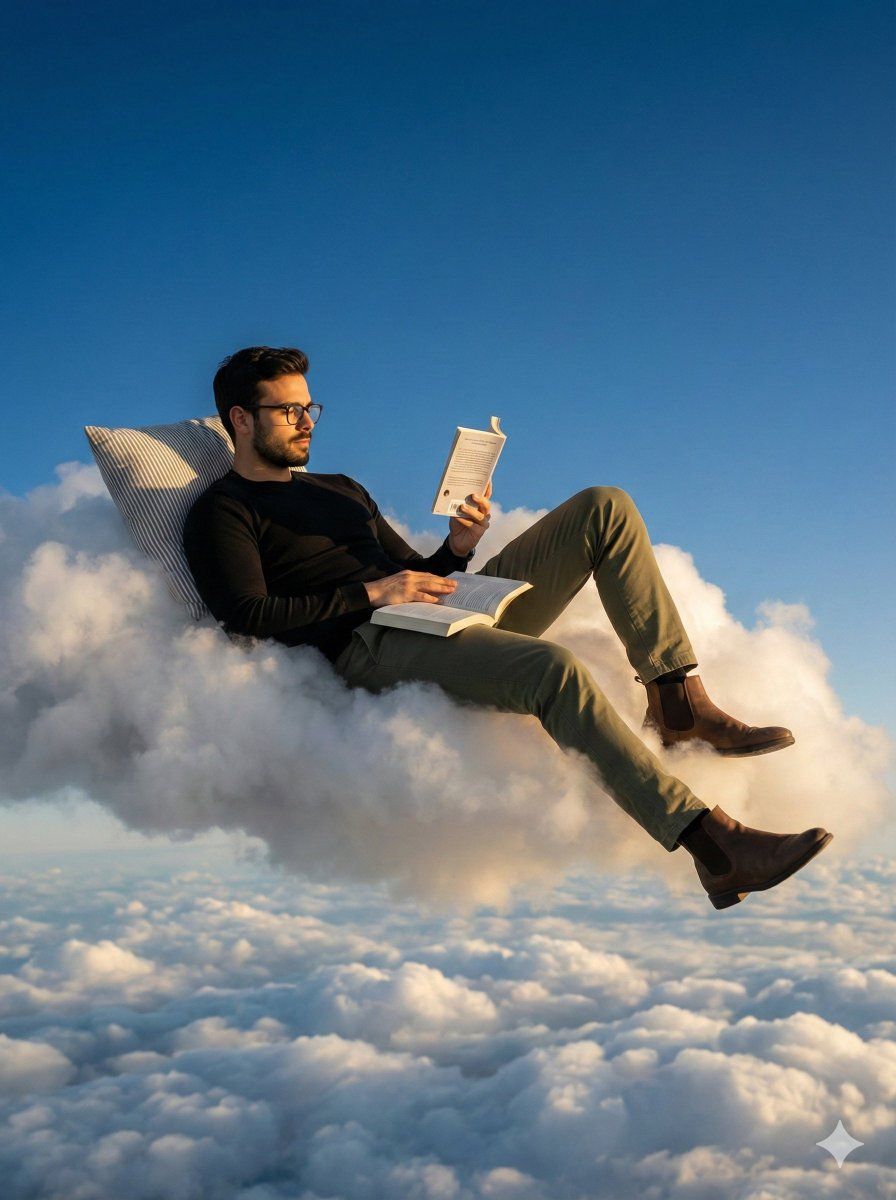
一位男士斜倚在浮云上的超现实写实场景
Enlarge

一位男士斜倚在浮云上的超现实写实场景

Prompt
A photorealistic, surreal wide shot of a man in the uploaded image reclining comfortably on a floating cloud, high in the atmosphere. The man has a short beard, and wears glasses, a black fitted long-sleeve shirt, olive green chinos, and brown Chelsea boots. He leans back against a grey-and-white striped pillow embedded in the cloud, reading a small book held up in his right hand, with a second open book resting on his chest. The lighting is warm golden-hour sunlight hitting the side of the cloud and subject, contrasting with a clear blue sky above and a dense layer of fluffy white clouds below. Cinematic composition, dreamy atmosphere, 8k resolution. 3:4 aspect ratio.
Category
创意图片
Model
Nano Banana Pro
Creator
Heisenberg
Views0
Source ID
622d09c2-0408-45e2-9e59-c01f736c340a
Published
Mar 8, 2026

Guide

About "一位男士斜倚在浮云上的超现实写实场景"

What is this prompt for?

"一位男士斜倚在浮云上的超现实写实场景" AI image prompt for Nano Banana Pro (创意图片). 一个为 Nano Banana Pro(通过 Gemini)设计的详细自然语言提示,要求生成一张超现实的广角照片,画面中一名男子斜躺在漂浮于高空中的云朵上读书,强调电影般的构图和黄金时段的…

The full copyable prompt and example visuals above are ready for AI image generation or one-click recreate in Picva.

How to use this prompt

  1. Step 1

    Open the prompt detail

    Review the example visuals, category, and full prompt text for "一位男士斜倚在浮云上的超现实写实场景".

  2. Step 2

    Copy the prompt

    Copy the prompt body from this page, or load it directly in Studio.

  3. Step 3

    Pick a model (Nano Banana Pro)

    Prefer Nano Banana Pro. If you switch models, keep subject and composition and tweak style terms.

  4. Step 4

    Generate and export

    Recreate the look in Picva, or export into your workflow for editing and publishing.

FAQ

What is the "一位男士斜倚在浮云上的超现实写实场景" prompt?
It is an AI image-generation prompt for Nano Banana Pro in the 创意图片 category. This page includes the full prompt text, example visuals, and a one-click recreate path in Picva.
How do I use this prompt to generate an image?
Copy the prompt from this page, or use Generate / Studio. Paste it into a compatible image model, or recreate the look in Picva with optional reference images.
Which model is this prompt for?
This page lists Nano Banana Pro. Most descriptive prompts also transfer to nearby image models such as GPT Image, Flux, or Midjourney with light style tweaks.
Can I use the result commercially?
You can usually copy the prompt for creation, but commercial use of the final image depends on the model terms, reference-image rights, and the generated content. Follow the source author and platform rules.










