超逼真茶叶摄影提示词(静物和分解视图)
提示词
Create a hyper-realistic studio photograph of a freshly brewed tea in a transparent glass cup.
The cup is filled with rich amber-colored tea, with loose tea leaves clearly visible settled at the bottom.

Soft aromatic steam gently rising from the surface, realistic and natural.

Tiny bubbles suspended inside the tea, subtle reflections on the glass, and accurate glass thickness.

Clean pure white background with soft studio lighting and a gentle shadow beneath the cup.

Ultra-detailed DSLR photography style, macro realism, sharp focus, natural color tones, realistic liquid physics, 8K resolution.
Minimal, clean aesthetic.

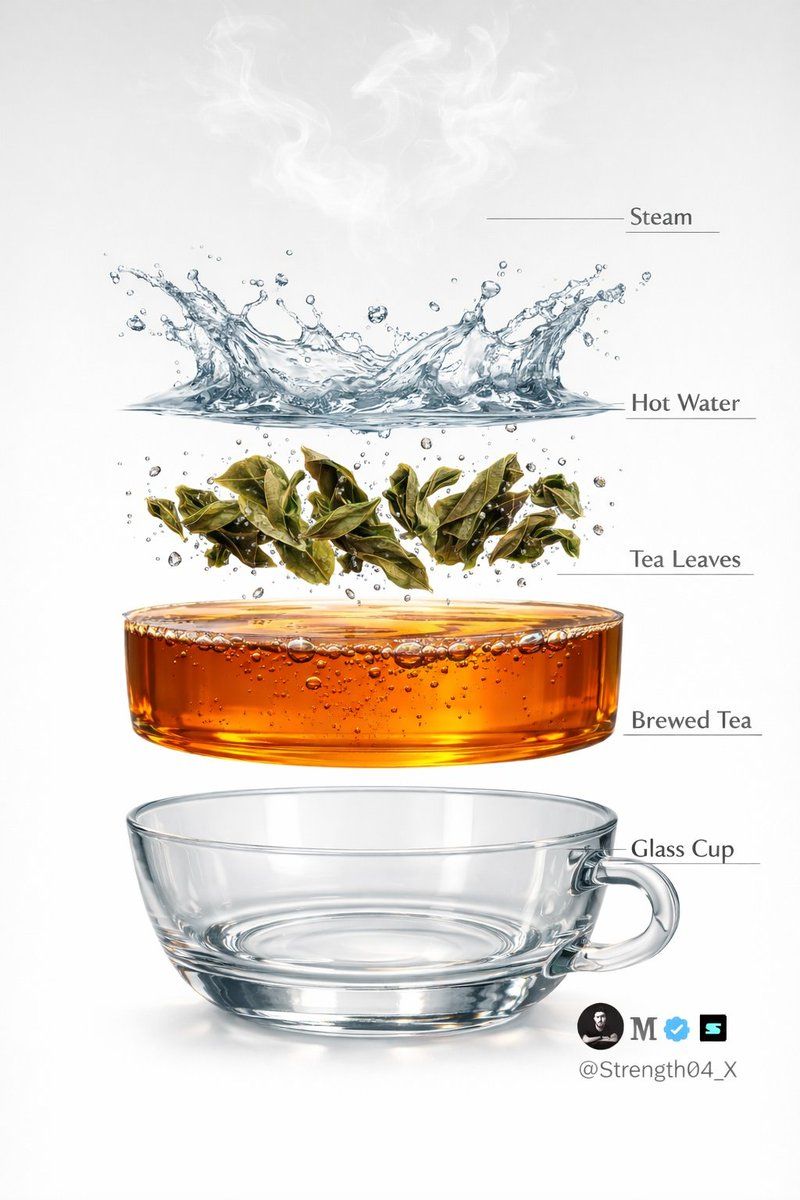
Image 2 - Create a hyper-realistic exploded vertical infographic of tea brewing on a pure white background.

At the very top, soft aromatic steam wisps floating naturally in the air.

Below it, a dynamic clear hot water splash frozen mid-motion with realistic liquid physics and droplets.

Under the water, fresh green tea leaves unfurling and suspended mid-brew with tiny air bubbles around them.

Below that, a smooth amber-colored brewed tea liquid layer, rich and transparent with subtle bubbles and reflections.

At the bottom, a crystal-clear transparent glass tea cup base, realistic glass thickness and soft shadow beneath.

Clean studio lighting, minimal aesthetic, evenly spaced floating layers, thin subtle infographic guide lines (no text labels).

Ultra-detailed DSLR photography style, macro realism, sharp focus, natural reflections, soft shadows, 8K resolution.
- 分类
- 创意图片
- 模型
- Nano Banana Pro
- 来源作者
- 𝐌
- 来源 ID
- baecb901-4428-453a-9c5d-e1af836f7f46
- 发布时间
- 2026年3月8日
浏览量0



















