20

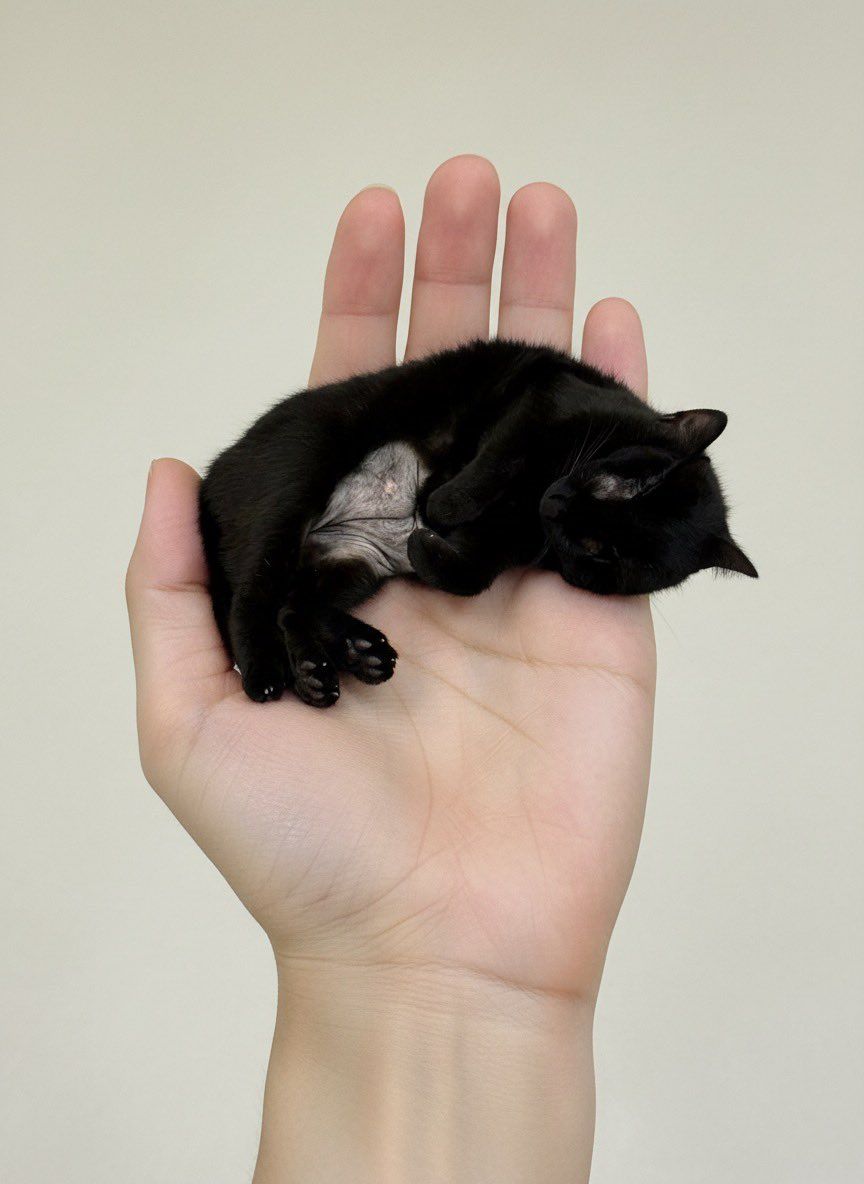
掌上迷你宠物图像生成提示
Enlarge

掌上迷你宠物图像生成提示

Prompt
사진 속 {argument name="동물" default="동물"}을 손바닥 위에 쏙 올라가는 미니어처 크기로 만들어줘. 위에서 아래로 내려다보는 구도로 잡고, 원본의 얼굴 특징과 표정은 왜곡 없이 그대로 유지해줘
Category
创意图片
Model
Nano Banana Pro
Creator
예삐
Views1
Source ID
4e2923aa-ca92-4397-aa3d-91bd80a147c1
Published
Mar 8, 2026

Guide

About "掌上迷你宠物图像生成提示"

What is this prompt for?

"掌上迷你宠物图像生成提示" AI image prompt for Nano Banana Pro (创意图片). 一个韩语提示,旨在生成一张宠物(狗或猫)的图片,宠物被微缩到刚好能放在用户手掌上,并从俯视角度观看。关键指令是保持宠物原有的面部特征和表情,不发生扭曲。 --- 将照片中的 {argument nam…

The full copyable prompt and example visuals above are ready for AI image generation or one-click recreate in Picva.

How to use this prompt

  1. Step 1

    Open the prompt detail

    Review the example visuals, category, and full prompt text for "掌上迷你宠物图像生成提示".

  2. Step 2

    Copy the prompt

    Copy the prompt body from this page, or load it directly in Studio.

  3. Step 3

    Pick a model (Nano Banana Pro)

    Prefer Nano Banana Pro. If you switch models, keep subject and composition and tweak style terms.

  4. Step 4

    Generate and export

    Recreate the look in Picva, or export into your workflow for editing and publishing.

FAQ

What is the "掌上迷你宠物图像生成提示" prompt?
It is an AI image-generation prompt for Nano Banana Pro in the 创意图片 category. This page includes the full prompt text, example visuals, and a one-click recreate path in Picva.
How do I use this prompt to generate an image?
Copy the prompt from this page, or use Generate / Studio. Paste it into a compatible image model, or recreate the look in Picva with optional reference images.
Which model is this prompt for?
This page lists Nano Banana Pro. Most descriptive prompts also transfer to nearby image models such as GPT Image, Flux, or Midjourney with light style tweaks.
Can I use the result commercially?
You can usually copy the prompt for creation, but commercial use of the final image depends on the model terms, reference-image rights, and the generated content. Follow the source author and platform rules.











