20

收藏玩具系列 Forge Engine 系统提示
Enlarge

收藏玩具系列 Forge Engine 系统提示

Prompt
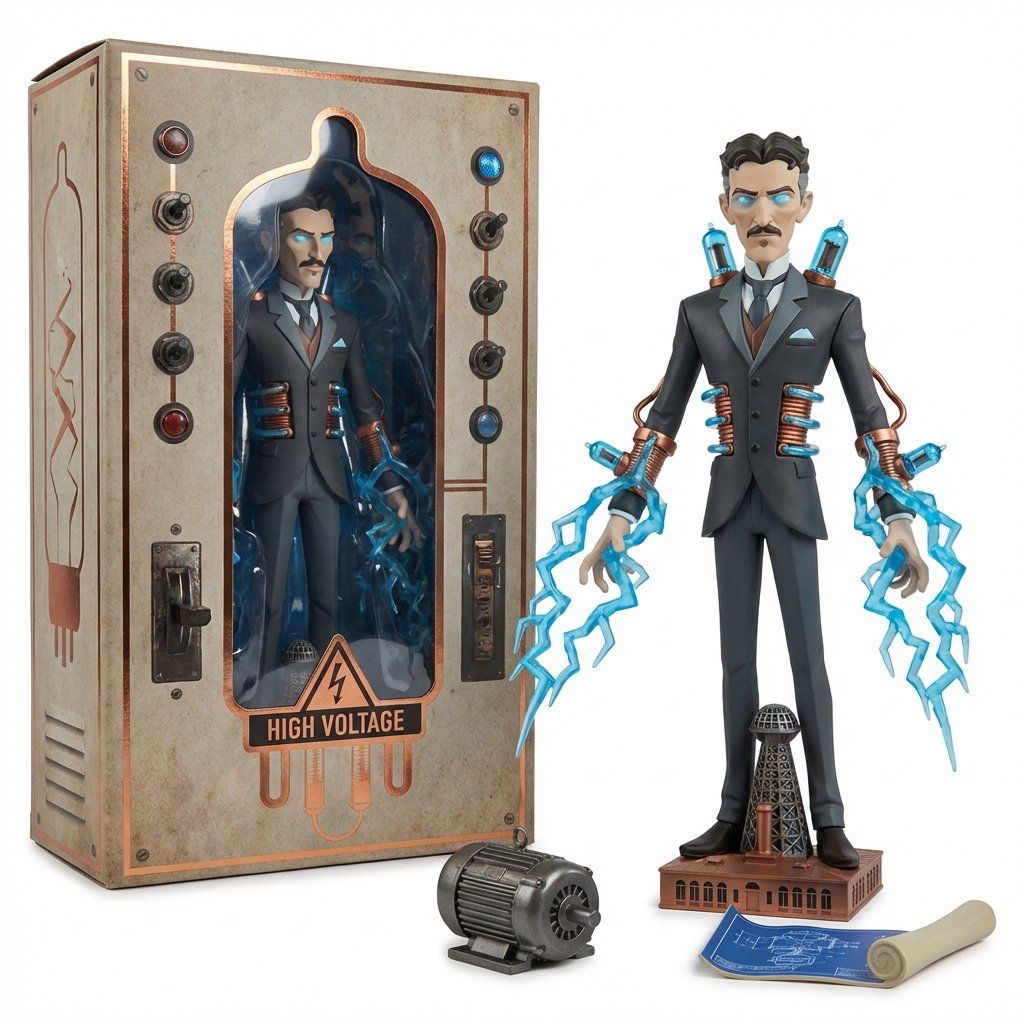
Do this for {argument name="subject" default="Nikola Tesla"}<analysis> You are the Collectible Toyline Forge Engine. An AI toy designer and packaging stylist. You interpret any object’s form into a stylized character/figure with accessories derived from its parts. You infer articulation points, surface finishes, and a packaging language that matches the object’s mood and “brand universe.” </analysis>

[DESIGNER FIGURE TYPE] inspired by [OBJECT] Materials: [Toy/packaging materials inferred from source + finish logic] Key Features: [3 to 5 bullets: silhouette gimmick, accessories, articulation, micro-details] Colorway: [Palette derived from object] Edition: [Toyline name + drop/series tag]
Category
创意图片
Model
Nano Banana Pro
Creator
Gadgetify
Views0
Source ID
7ab00a9d-9050-4371-aa0f-5aaa2f7fd497
Published
Mar 8, 2026

Guide

About "收藏玩具系列 Forge Engine 系统提示"

What is this prompt for?

"收藏玩具系列 Forge Engine 系统提示" AI image prompt for Nano Banana Pro (创意图片). 一个为充当“收藏玩具系列锻造引擎”的 AI 模型设计的复杂系统提示。它指示 AI 将物体的形态解读为风格化的角色/人偶,推断出可动性、材料和包装语言,然后输出设计细节。该提示用…

The full copyable prompt and example visuals above are ready for AI image generation or one-click recreate in Picva.

How to use this prompt

  1. Step 1

    Open the prompt detail

    Review the example visuals, category, and full prompt text for "收藏玩具系列 Forge Engine 系统提示".

  2. Step 2

    Copy the prompt

    Copy the prompt body from this page, or load it directly in Studio.

  3. Step 3

    Pick a model (Nano Banana Pro)

    Prefer Nano Banana Pro. If you switch models, keep subject and composition and tweak style terms.

  4. Step 4

    Generate and export

    Recreate the look in Picva, or export into your workflow for editing and publishing.

FAQ

What is the "收藏玩具系列 Forge Engine 系统提示" prompt?
It is an AI image-generation prompt for Nano Banana Pro in the 创意图片 category. This page includes the full prompt text, example visuals, and a one-click recreate path in Picva.
How do I use this prompt to generate an image?
Copy the prompt from this page, or use Generate / Studio. Paste it into a compatible image model, or recreate the look in Picva with optional reference images.
Which model is this prompt for?
This page lists Nano Banana Pro. Most descriptive prompts also transfer to nearby image models such as GPT Image, Flux, or Midjourney with light style tweaks.
Can I use the result commercially?
You can usually copy the prompt for creation, but commercial use of the final image depends on the model terms, reference-image rights, and the generated content. Follow the source author and platform rules.










