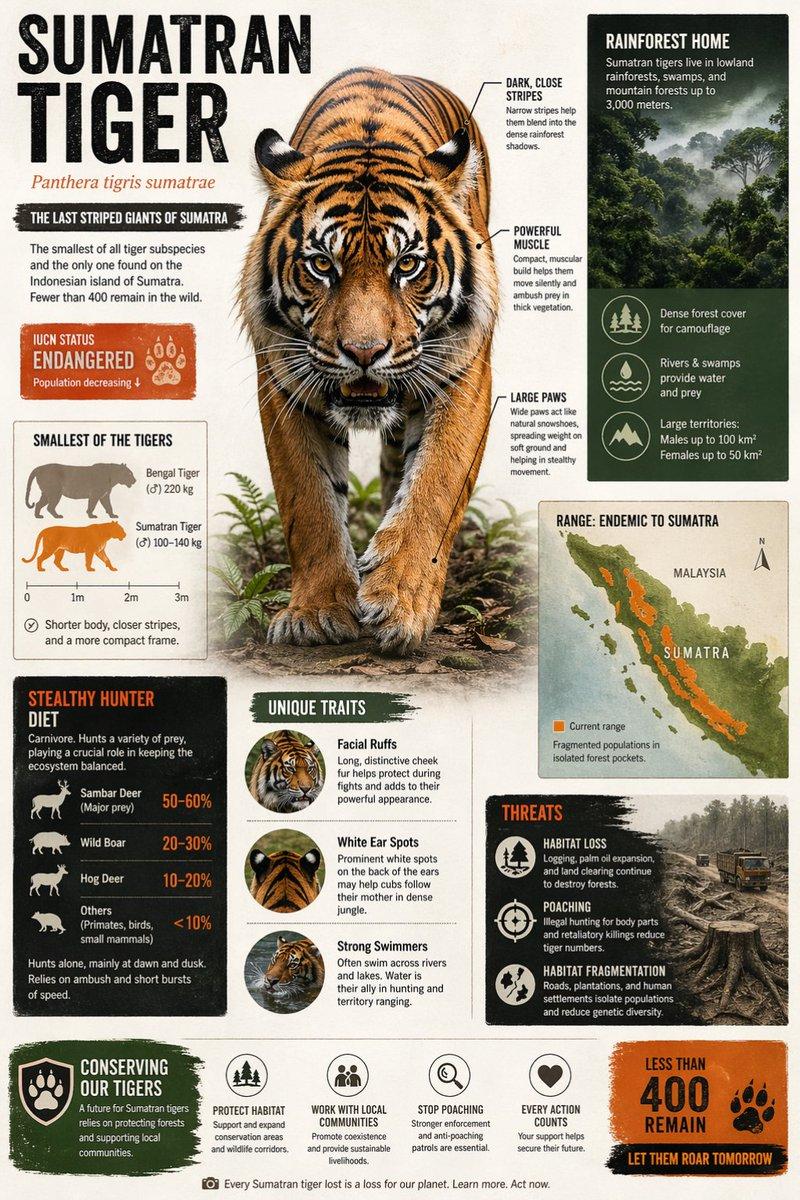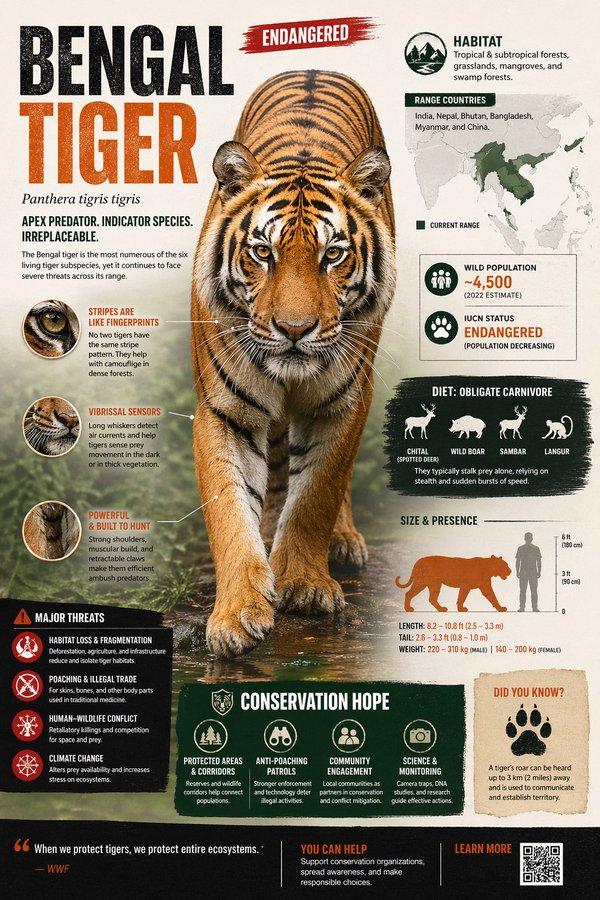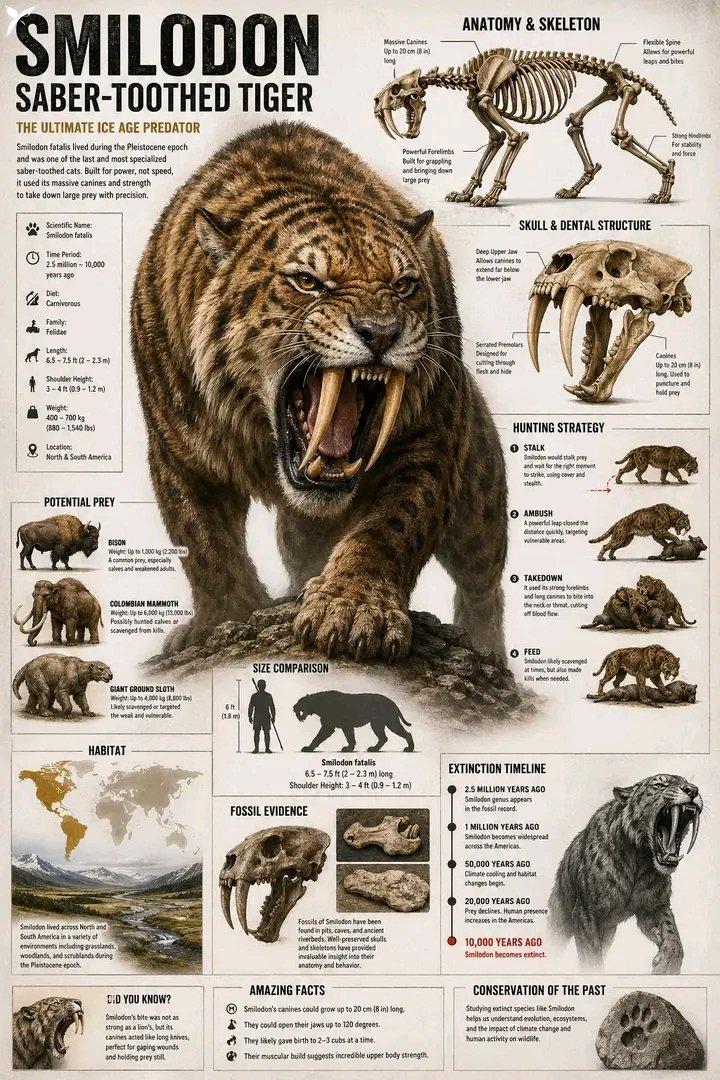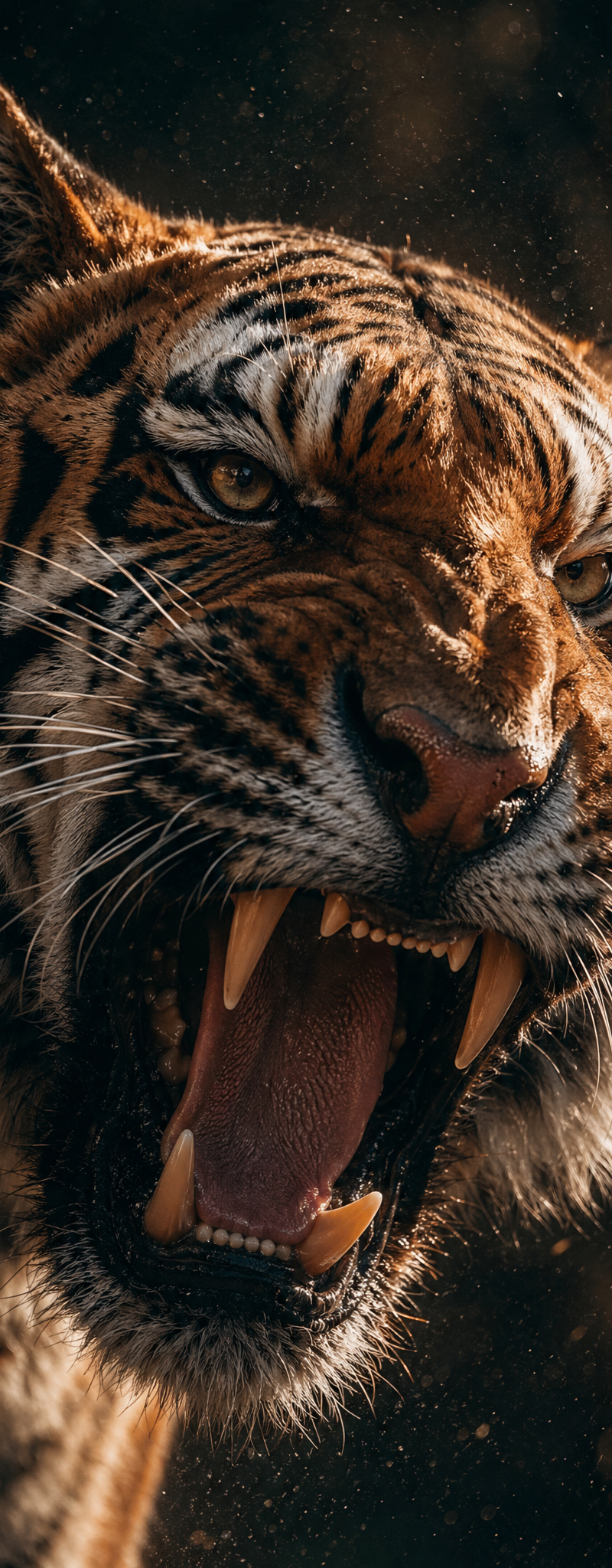
{ "type": "image_prompt", "title": "WILDLIFE TREASURY — COLLECTOR ENCYCLOPEDIA C
Prompt
{
 "type": "image_prompt",
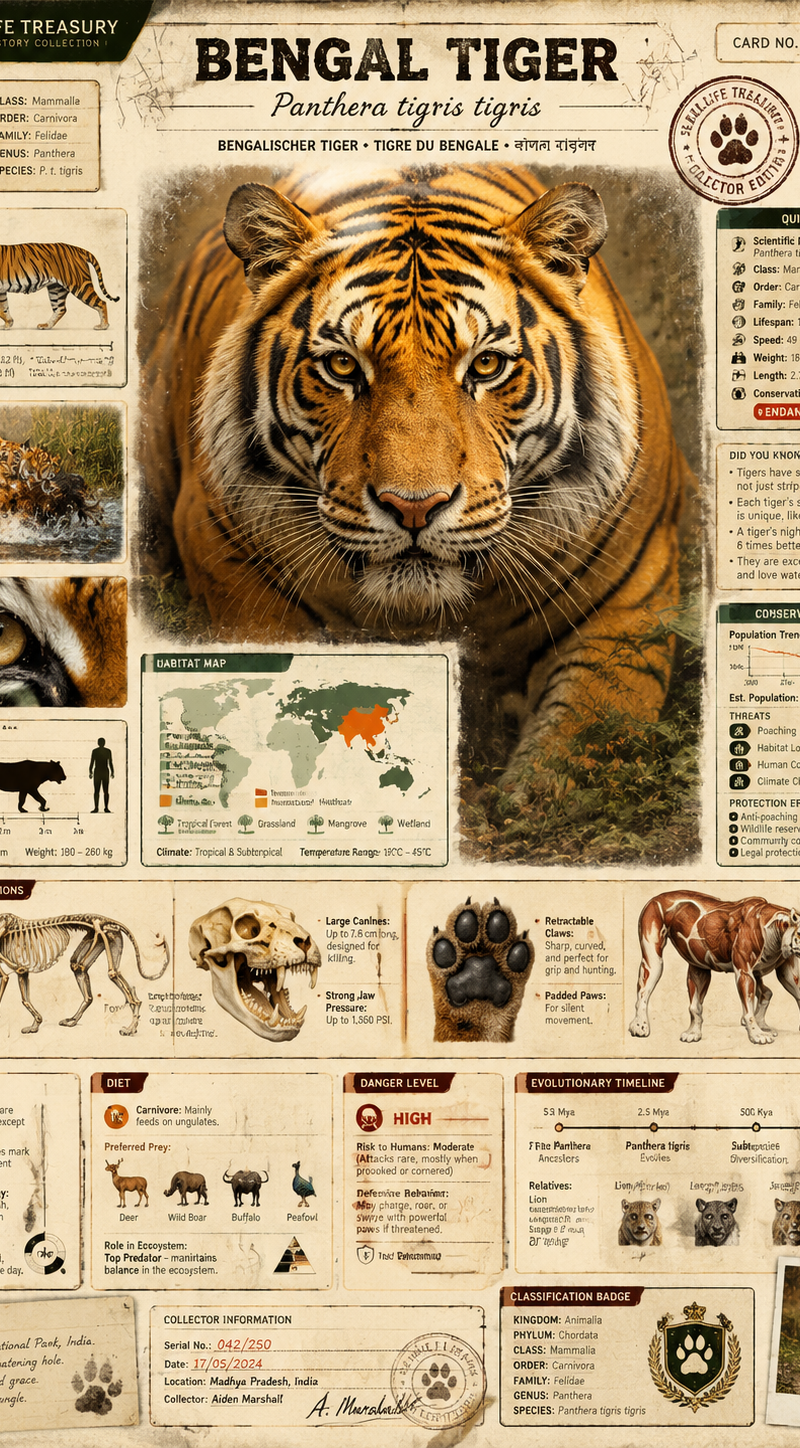
 "title": "WILDLIFE TREASURY — COLLECTOR ENCYCLOPEDIA CARD SYSTEM",
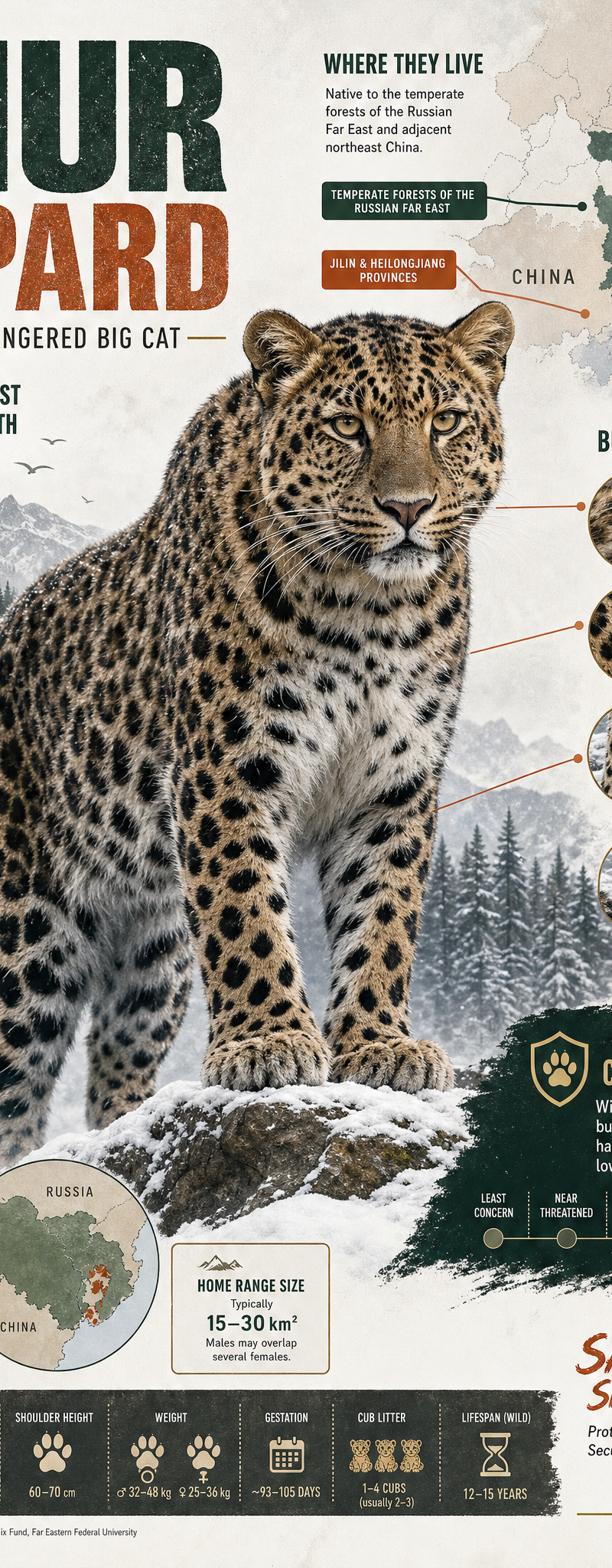
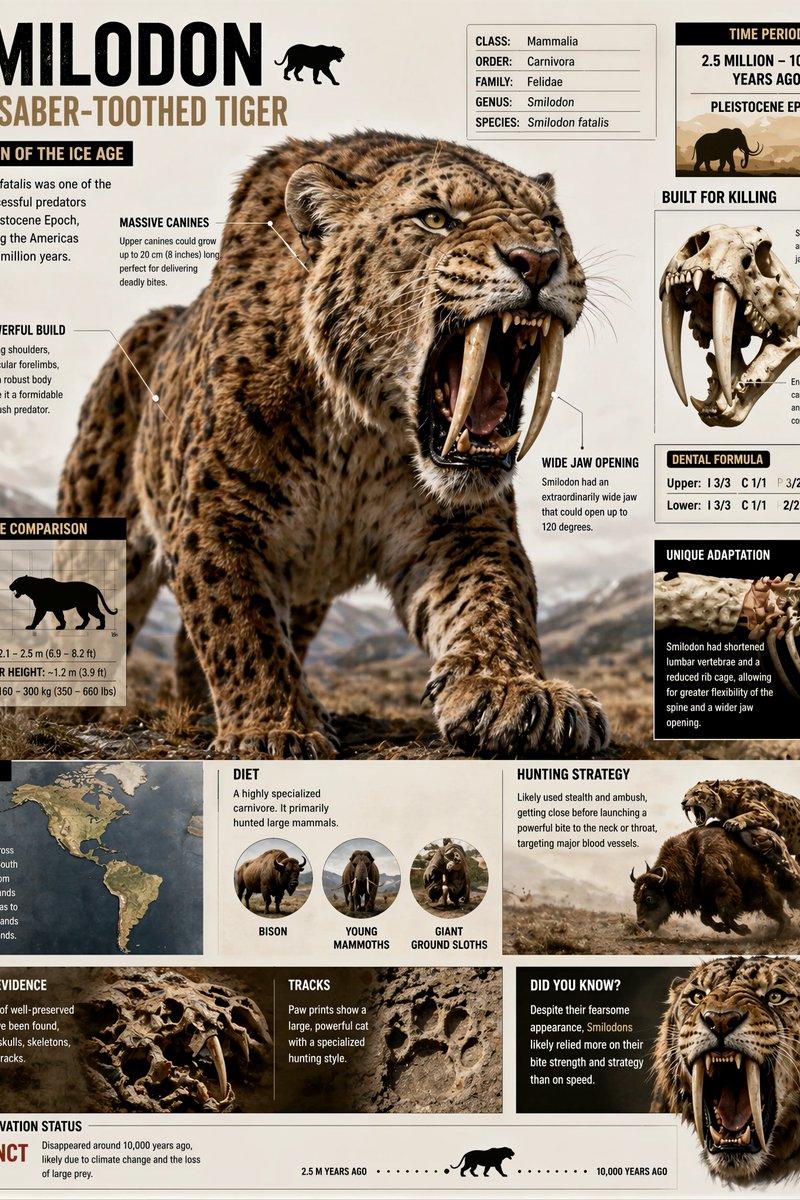
 "concept": "Premium collectible animal encyclopedia card inspired by vintage educational wildlife collections from the 1980s and 1990s, redesigned with modern cinematic infographic aesthetics.",
 "goal": "Create an ultra-detailed educational animal card that feels like a rare collectible from a legendary wildlife encyclopedia box set.",
 "style": {
 "overall": "premium natural-history encyclopedia meets cinematic editorial infographic",
 "tone": "educational, nostalgic, collectible, scientific, immersive",
 "background": "clean textured paper or subtle natural habitat backdrop",
 "palette": "natural earthy tones with elegant scientific colors",
 "lighting": "soft museum-grade lighting with cinematic highlights",
 "layout": "high information density, highly organized, modular but visually exciting",
 "render_quality": "ultra detailed, print-quality, realistic textures",
 "visual_identity": "mix of vintage encyclopedia cards, National Geographic infographics, museum exhibit boards, and premium collectible trading cards"
 },
 "composition": {
 "main_subject": {
 "type": "hero animal portrait",
 "description": "massive ultra-detailed cinematic portrait of the selected animal",
 "placement": "large dominant focal point in center or upper-center",
 "requirements": [
 "extremely detailed fur/scales/skin/feathers",
 "realistic eyes",
 "cinematic lighting",
 "dynamic natural pose",
 "sharp textures",
 "scientific realism"
 ]
 },
 "secondary_views": [
 {
 "type": "side profile",
 "purpose": "show anatomy and proportions"
 },
 {
 "type": "behavior scene",
 "purpose": "animal hunting, flying, swimming, climbing, or interacting naturally"
 },
 {
 "type": "close-up macro",
 "purpose": "detailed texture of eyes, claws, teeth, scales, feathers, or skin"
 }
 ],
 "comparison_section": {
 "title": "SIZE COMPARISON",
 "content": [
 "animal silhouette",
 "human silhouette",
 "height and length scale",
 "weight estimation"
 ],
 "visual_style": "clean infographic chart"
 },
 "map_section": {
 "title": "HABITAT MAP",
 "content": [
 "world map highlighting natural range",
 "biome icons",
 "temperature zone indicators"
 ]
 },
 "anatomy_section": {
 "title": "ANATOMY & ADAPTATIONS",
 "content": [
 "skeletal breakdown",
 "jaw or claw structure",
 "special evolutionary adaptations",
 "muscle groups or body structure"
 ],
 "visual_style": "museum-style scientific callouts"
 },
 "behavior_section": {
 "title": "BEHAVIOR",
 "content": [
 "hunting strategy",
 "social behavior",
 "migration patterns",
 "daily activity cycle"
 ]
 },
 "diet_section": {
 "title": "DIET",
 "content": [
 "main prey or food",
 "food chain role",
 "feeding strategy"
 ],
 "visual_style": "illustrated prey icons or realistic food renderings"
 },
 "danger_section": {
 "title": "DANGER LEVEL",
 "content": [
 "risk to humans",
 "defensive behavior",
 "venom/toxicity if applicable"
 ],
 "visual_style": "warning-style scientific labels"
 },
 "timeline_section": {
 "title": "EVOLUTIONARY TIMELINE",
 "content": [
 "origin period",
 "major evolutionary relatives",
 "modern descendants if applicable"
 ]
 },
 "quick_facts_panel": {
 "title": "QUICK FACTS",
 "content": [
 "Scientific Name",
 "Class",
 "Order",
 "Family",
 "Average Lifespan",
 "Average Speed",
 "Weight",
 "Length",
 "Conservation Status"
 ]
 },
 "fun_facts_panel": {
 "title": "DID YOU KNOW?",
 "content": [
 "rare or surprising biological facts",
 "intelligence facts",
 "record-breaking abilities",
 "strange adaptations"
 ]
 },
 "conservation_panel": {
 "title": "CONSERVATION STATUS",
 "content": [
 "population trend",
 "main threats",
 "protection efforts"
 ],
 "visual_style": "WWF / NatGeo style conservation indicator"
 },
 "collector_elements": {
 "include": [
 "card serial number",
 "collector badge",
 "small species icon",
 "classification stamp",
 "rarity symbol",
 "vintage-style scientific seals",
 "tiny handwritten field notes",
 "micro typography",
 "old explorer marks"
 ]
 }
 },
 "animal_input_system": {
 "replaceable_fields": [
 "Animal Name",
 "Scientific Name",
 "Habitat",
 "Diet",
 "Behavior",
 "Conservation Status",
 "Danger Level",
 "Evolutionary History"
 ],
 "auto_completion_logic": {
 "if_missing": [
 "infer scientifically accurate habitat",
 "infer prey and predators",
 "infer anatomy details",
 "infer realistic measurements",
 "infer conservation information",
 "infer visual storytelling scenes"
 ]
 }
 },
 "microdetails": {
 "requirements": [
 "paper texture",
 "subtle scratches",
 "aged encyclopedia feeling",
 "tiny labels everywhere",
 "micro scientific symbols",
 "highly realistic textures",
 "small field-note illustrations",
 "subtle fingerprints or handling wear",
 "fine print data tables",
 "microscopic texture rendering"
 ]
 },
 "final_feeling": {
 "goal": [
 "feel like a legendary collectible encyclopedia card",
 "make viewers zoom in repeatedly",
 "educational but visually epic",
 "museum-grade scientific beauty",
 "nostalgic childhood discovery feeling"
 ]
 },
 "render_settings": {
 "aspect_ratio": "4:5 or 9:16",
 "quality": "ultra detailed",
 "resolution": "8K",
 "style_strength": "highly cinematic and editorial",
 "depth": "rich layered composition"
 }
}- Category
- Charts & Infographics
- Model
- GPT Image 2
- Creator
- xie underwood
- Source language
- en
- Source ID
- 2819
- Published
- May 8, 2026
Views85