20

阳光下的静谧校园肖像
Enlarge

Example images

阳光下的静谧校园肖像

Prompt
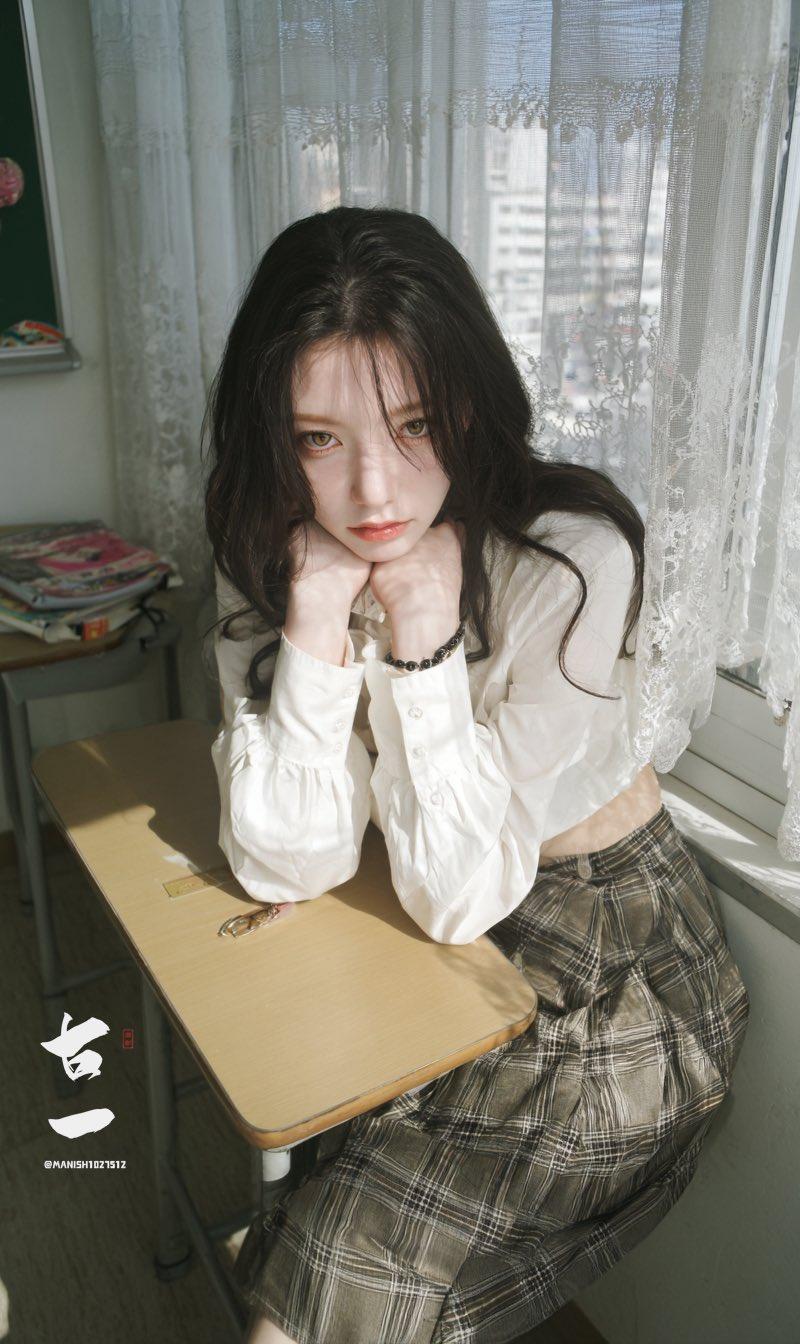
A soft, cinematic portrait of a young woman sitting in a sunlit classroom.
She rests her chin on her hands and gazes directly at the camera with a calm, quietly emotional expression.
Natural sunlight streams through delicate lace curtains, casting soft patterned shadows across her face and the desk.
Her long dark hair is slightly messy, with loose strands illuminated by the backlight.
She wears a white blouse with puffed sleeves and a plaid skirt, styled in a vintage schoolgirl fashion.
A small stack of colorful magazines sits on the wooden classroom desk beside her.
The overall atmosphere is gentle and airy, with muted tones, soft highlights, and realistic texture.
Shallow depth of field, warm window light, dust particles faintly visible, 8K high-detail portrait.
Category
Photography & Realism
Model
Unknown
Creator
古一
Source language
zh-CN
Views0
Source ID
calm-and-emotional-portrait-of-a-young-woman-in-a-sunlit-classroom
Studio

Guide

About "阳光下的静谧校园肖像"

What is this prompt for?

"阳光下的静谧校园肖像" AI image prompt for Unknown (Photography & Realism). A soft, cinematic portrait of a young woman sitting in a sunlit classroom. She rests her chin…

The full copyable prompt and example visuals above are ready for AI image generation or one-click recreate in Picva.

How to use this prompt

  1. Step 1

    Open the prompt detail

    Review the example visuals, category, and full prompt text for "阳光下的静谧校园肖像".

  2. Step 2

    Copy the prompt

    Copy the prompt body from this page, or load it directly in Studio.

  3. Step 3

    Pick a model (Unknown)

    Prefer Unknown. If you switch models, keep subject and composition and tweak style terms.

  4. Step 4

    Generate and export

    Recreate the look in Picva, or export into your workflow for editing and publishing.

FAQ

What is the "阳光下的静谧校园肖像" prompt?
It is an AI image-generation prompt for Unknown in the Photography & Realism category. This page includes the full prompt text, example visuals, and a one-click recreate path in Picva.
How do I use this prompt to generate an image?
Copy the prompt from this page, or use Generate / Studio. Paste it into a compatible image model, or recreate the look in Picva with optional reference images.
Which model is this prompt for?
This page lists Unknown. Most descriptive prompts also transfer to nearby image models such as GPT Image, Flux, or Midjourney with light style tweaks.
Can I use the result commercially?
You can usually copy the prompt for creation, but commercial use of the final image depends on the model terms, reference-image rights, and the generated content. Follow the source author and platform rules.