20

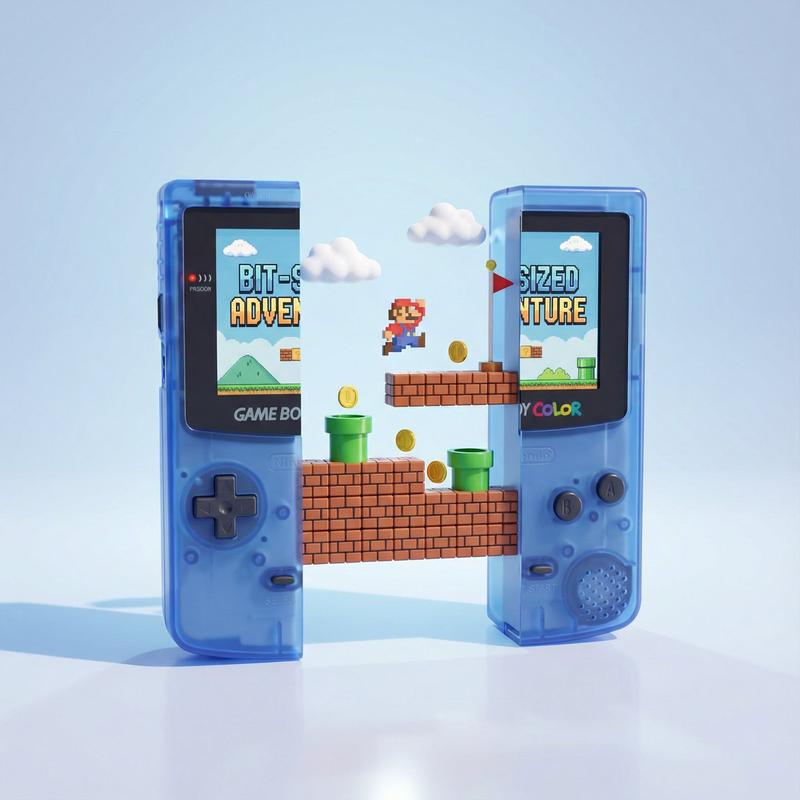
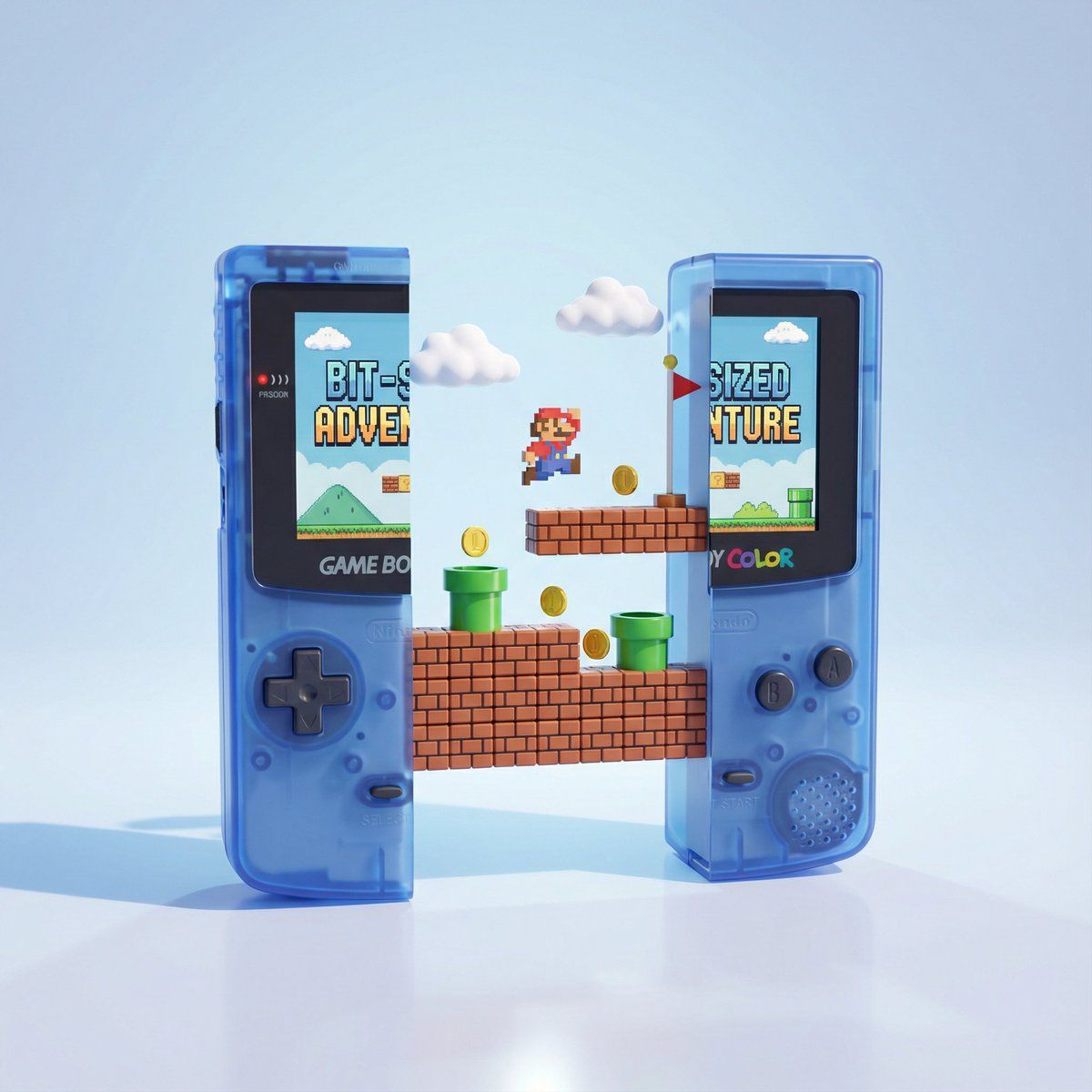
掌上游戏机的精美3D渲染图
Enlarge

掌上游戏机的精美3D渲染图

Prompt
A highly polished 3D render of a classic handheld game console split cleanly into two halves, standing upright on a glossy reflective surface. Between the two halves, a miniature floating platform world inspired by retro side-scrolling platform games emerges: brick blocks, green pipes, gold coins, small clouds, and a tiny flagpole. The level pieces are arranged in multiple layers suspended in mid-air. The console screens show a retro game title. Soft studio lighting, pastel blue background, smooth shadows, subtle reflections, playful and whimsical tone. Ultra-clean materials, rounded plastic edges, crisp details, vibrant colors, minimalistic composition, centered layout.
一台经典掌上游戏机的精美3D渲染图,被清晰地一分为二,直立于光滑的反射表面上。在两半之间,浮现出一个受复古横版卷轴游戏启发的小型漂浮平台世界:砖块、绿色管道、金币、小云朵和一根小小的旗杆。关卡组件以多层形式悬浮在半空中。游戏机屏幕上显示着一个复古游戏标题。柔和的摄影棚灯光,淡蓝色的背景,平滑的阴影,微妙的反射,营造出一种轻松诙谐的氛围。材质极其干净,塑料边缘圆润,细节清晰,色彩鲜艳,构图极简,布局居中。
Category
Photography & Realism
Model
Unknown
Creator
Ege
Views0
Source ID
exquisite-3d-render-of-handheld-console

Guide

About "掌上游戏机的精美3D渲染图"

What is this prompt for?

"掌上游戏机的精美3D渲染图" AI image prompt for Unknown (Photography & Realism). A highly polished 3D render of a classic handheld game console split cleanly into two halv…

The full copyable prompt and example visuals above are ready for AI image generation or one-click recreate in Picva.

How to use this prompt

  1. Step 1

    Open the prompt detail

    Review the example visuals, category, and full prompt text for "掌上游戏机的精美3D渲染图".

  2. Step 2

    Copy the prompt

    Copy the prompt body from this page, or load it directly in Studio.

  3. Step 3

    Pick a model (Unknown)

    Prefer Unknown. If you switch models, keep subject and composition and tweak style terms.

  4. Step 4

    Generate and export

    Recreate the look in Picva, or export into your workflow for editing and publishing.

FAQ

What is the "掌上游戏机的精美3D渲染图" prompt?
It is an AI image-generation prompt for Unknown in the Photography & Realism category. This page includes the full prompt text, example visuals, and a one-click recreate path in Picva.
How do I use this prompt to generate an image?
Copy the prompt from this page, or use Generate / Studio. Paste it into a compatible image model, or recreate the look in Picva with optional reference images.
Which model is this prompt for?
This page lists Unknown. Most descriptive prompts also transfer to nearby image models such as GPT Image, Flux, or Midjourney with light style tweaks.
Can I use the result commercially?
You can usually copy the prompt for creation, but commercial use of the final image depends on the model terms, reference-image rights, and the generated content. Follow the source author and platform rules.