17

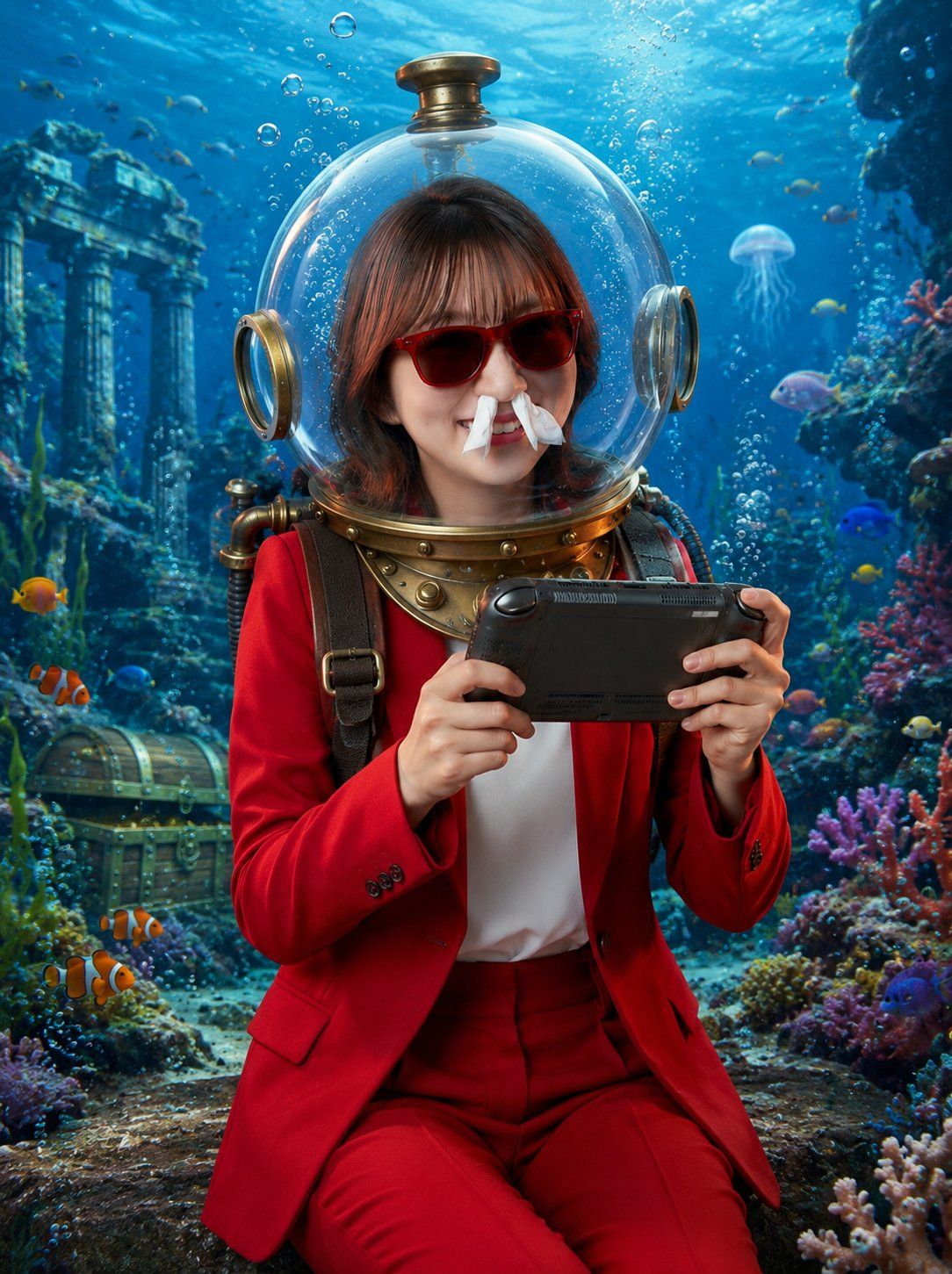
戴着潜水头盔的水下玩家
Enlarge

戴着潜水头盔的水下玩家

Prompt
Create a photorealistic vertical underwater fantasy portrait of a young woman wearing a vintage brass diving helmet with a clear spherical glass dome, seated in an ancient submerged ruin. Her face should be intentionally obscured by a centered solid square privacy block in muted brown, covering the facial features while leaving the hair, helmet, neck, and outfit visible. She has medium-length dark brown hair visible inside the dome and wears a vivid {argument name="suit color" default="red"} tailored blazer and matching trousers over a white shirt, with dark shoulder straps and brass diving gear around the collar. She holds a black handheld game console horizontally with both hands as if excitedly playing underwater. The scene is bright, cinematic, and highly detailed: turquoise-blue ocean water, sunbeams from above, rising air bubbles, colorful coral reefs on both sides, small tropical fish, two orange clownfish in the lower left foreground, a translucent jellyfish in the mid-right background, an old treasure chest on the seafloor at left, and ancient stone columns and ruins in the rear left. Use realistic lighting, glossy reflections on the glass helmet, brass metal details, soft depth of field, vibrant reef colors, and a magical adventurous mood. Vertical 3:4 composition, centered subject from knees upward, no text, no watermark.
Category
Photography & Realism
Model
GPT Image 2
Views0
Source ID
24971
Published
Jun 9, 2026

Guide

About "戴着潜水头盔的水下玩家"

What is this prompt for?

"戴着潜水头盔的水下玩家" AI image prompt for GPT Image 2 (Photography & Realism). 一张超写实的奇幻肖像,描绘了一名身着正装的女性在色彩斑斓的水下遗迹中,戴着复古潜水头盔玩掌上游戏机的情景。 Copy it on Picva and recreate the…

The full copyable prompt and example visuals above are ready for AI image generation or one-click recreate in Picva.

How to use this prompt

  1. Step 1

    Open the prompt detail

    Review the example visuals, category, and full prompt text for "戴着潜水头盔的水下玩家".

  2. Step 2

    Copy the prompt

    Copy the prompt body from this page, or load it directly in Studio.

  3. Step 3

    Pick a model (GPT Image 2)

    Prefer GPT Image 2. If you switch models, keep subject and composition and tweak style terms.

  4. Step 4

    Generate and export

    Recreate the look in Picva, or export into your workflow for editing and publishing.

FAQ

What is the "戴着潜水头盔的水下玩家" prompt?
It is an AI image-generation prompt for GPT Image 2 in the Photography & Realism category. This page includes the full prompt text, example visuals, and a one-click recreate path in Picva.
How do I use this prompt to generate an image?
Copy the prompt from this page, or use Generate / Studio. Paste it into a compatible image model, or recreate the look in Picva with optional reference images.
Which model is this prompt for?
This page lists GPT Image 2. Most descriptive prompts also transfer to nearby image models such as GPT Image, Flux, or Midjourney with light style tweaks.
Can I use the result commercially?
You can usually copy the prompt for creation, but commercial use of the final image depends on the model terms, reference-image rights, and the generated content. Follow the source author and platform rules.