20

热带日落海洋壁纸
Enlarge

热带日落海洋壁纸

Prompt
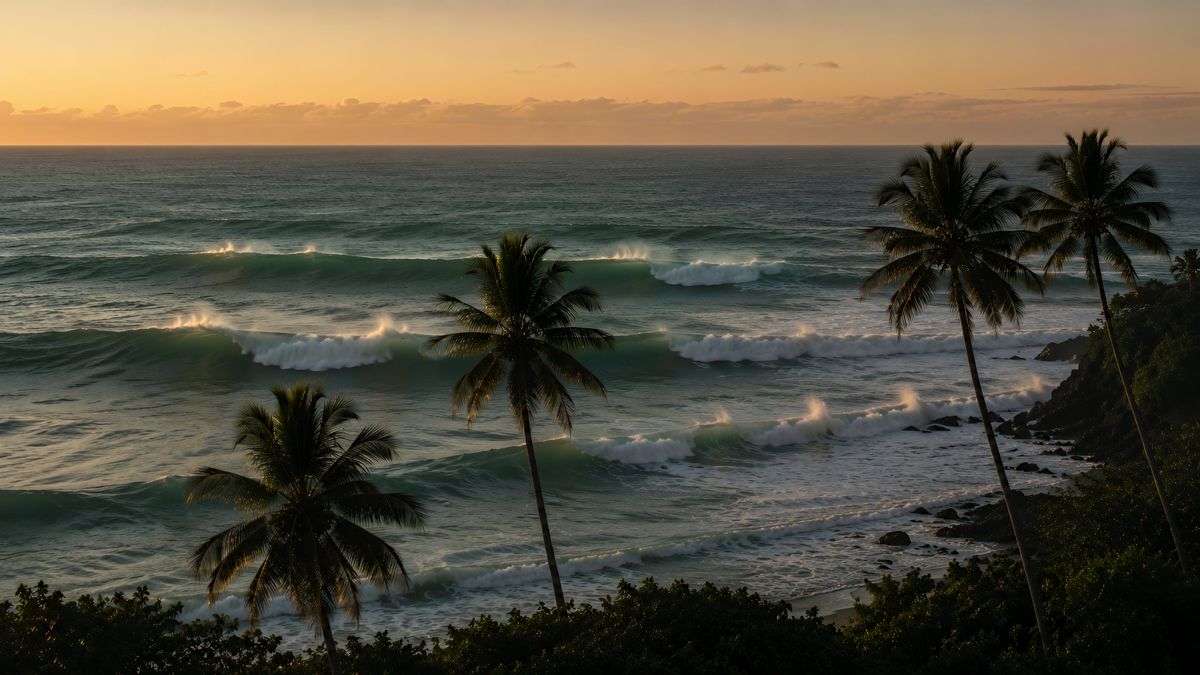
Using the provided reference image as the ocean-and-waves base, transform the scene into a cinematic 4K tropical desktop wallpaper at sunset. Change the stormy, overcast mood into warm golden-hour light with an orange sky and soft clouds near the horizon. Remove the empty chair and barren foreground. Reframe the viewpoint from a slightly elevated coastal overlook, adding lush dark foreground foliage and exactly 4 visible palm trees: one large palm in the lower left, one tall palm near the center, one tall palm on the upper right, and one slimmer leaning palm at the far right. Keep the ocean horizon and layered rolling surf as the main subject, but make the waves cleaner, teal-green, and rim-lit with glowing highlights on the crests. Add a rocky tropical shoreline on the right and a small beach below. Style should be photorealistic, serene, high-detail, widescreen 16:9, suitable for a desktop wallpaper, with no people, no text, and no watermark.
Category
Photography & Realism
Model
GPT Image 2
Creator
Aiarty
Views0
Source ID
25223
Published
Jun 11, 2026

Guide

About "热带日落海洋壁纸"

What is this prompt for?

"热带日落海洋壁纸" AI image prompt for GPT Image 2 (Photography & Realism). 将暴风雨海景参考图转化为温暖的电影感热带日落桌面壁纸,包含棕榈树和发光的浪花。 Copy it on Picva and recreate the look in one click.

The full copyable prompt and example visuals above are ready for AI image generation or one-click recreate in Picva.

How to use this prompt

  1. Step 1

    Open the prompt detail

    Review the example visuals, category, and full prompt text for "热带日落海洋壁纸".

  2. Step 2

    Copy the prompt

    Copy the prompt body from this page, or load it directly in Studio.

  3. Step 3

    Pick a model (GPT Image 2)

    Prefer GPT Image 2. If you switch models, keep subject and composition and tweak style terms.

  4. Step 4

    Generate and export

    Recreate the look in Picva, or export into your workflow for editing and publishing.

FAQ

What is the "热带日落海洋壁纸" prompt?
It is an AI image-generation prompt for GPT Image 2 in the Photography & Realism category. This page includes the full prompt text, example visuals, and a one-click recreate path in Picva.
How do I use this prompt to generate an image?
Copy the prompt from this page, or use Generate / Studio. Paste it into a compatible image model, or recreate the look in Picva with optional reference images.
Which model is this prompt for?
This page lists GPT Image 2. Most descriptive prompts also transfer to nearby image models such as GPT Image, Flux, or Midjourney with light style tweaks.
Can I use the result commercially?
You can usually copy the prompt for creation, but commercial use of the final image depends on the model terms, reference-image rights, and the generated content. Follow the source author and platform rules.