20

3D 奢华儿童生日拼图
Enlarge

3D 奢华儿童生日拼图

Prompt
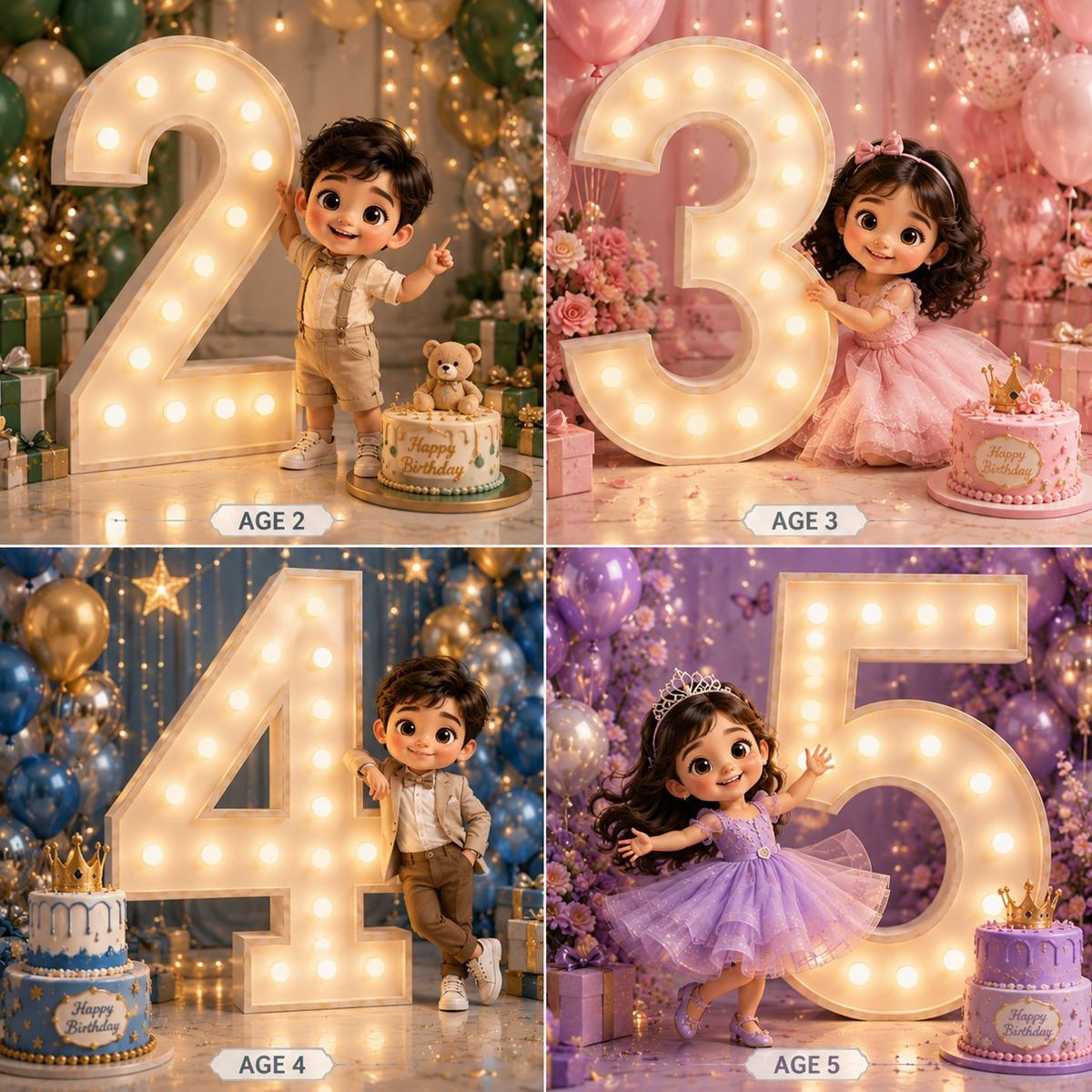
Create a premium 3D cartoon-style birthday collage in a 2×2 grid layout featuring {argument name="subject" default="4 adorable kids"} with big sparkling eyes, soft curly hair, and Pixar/Disney-inspired characters. Each panel must feature a GIANT illuminated marquee number occupying 60–70% of the frame, much taller than the child, creating a luxury birthday photoshoot look.

Panel 1 – Boy Age 2
Cute toddler boy in elegant cream and beige party outfit. Standing beside a massive glowing number 2. One hand touching the number, other hand waving. Blue, gold and white balloon decor. Birthday cake and gift boxes.

Panel 2 – Girl Age 3
Adorable girl in pastel pink princess dress. Hugging a giant glowing number 3. Floral backdrop with pink balloons. Elegant birthday cake and flowers.

Panel 3 – Boy Age 4
Stylish boy in luxury formal wear. Leaning casually against a huge illuminated number 4. Hands in pocket, playful smile. Blue and gold luxury decor with gifts.

Panel 4 – Girl Age 5
Princess girl in lavender sparkling gown. Twirling dance pose beside a gigantic glowing number 5. Holding a birthday cake. Purple floral backdrop with balloons and fairy lights. Ultra-detailed 3D render, cinematic lighting, glossy textures, depth of field, soft shadows, luxury birthday setup, elegant decorations, realistic skin, cute chibi proportions, premium studio photography, highly detailed, 8K. Add elegant labels below each panel: AGE 2, AGE 3, AGE 4, AGE 5.
Category
Photography & Realism
Model
GPT Image 2
Creator
Aijaz
Views0
Source ID
25646
Published
Jun 14, 2026

Guide

About "3D 奢华儿童生日拼图"

What is this prompt for?

"3D 奢华儿童生日拼图" AI image prompt for GPT Image 2 (Photography & Realism). 一款皮克斯风格的 2x2 网格生日提示词,包含发光灯牌数字和高级摄影棚质感。 Copy it on Picva and recreate the look in one cli…

The full copyable prompt and example visuals above are ready for AI image generation or one-click recreate in Picva.

How to use this prompt

  1. Step 1

    Open the prompt detail

    Review the example visuals, category, and full prompt text for "3D 奢华儿童生日拼图".

  2. Step 2

    Copy the prompt

    Copy the prompt body from this page, or load it directly in Studio.

  3. Step 3

    Pick a model (GPT Image 2)

    Prefer GPT Image 2. If you switch models, keep subject and composition and tweak style terms.

  4. Step 4

    Generate and export

    Recreate the look in Picva, or export into your workflow for editing and publishing.

FAQ

What is the "3D 奢华儿童生日拼图" prompt?
It is an AI image-generation prompt for GPT Image 2 in the Photography & Realism category. This page includes the full prompt text, example visuals, and a one-click recreate path in Picva.
How do I use this prompt to generate an image?
Copy the prompt from this page, or use Generate / Studio. Paste it into a compatible image model, or recreate the look in Picva with optional reference images.
Which model is this prompt for?
This page lists GPT Image 2. Most descriptive prompts also transfer to nearby image models such as GPT Image, Flux, or Midjourney with light style tweaks.
Can I use the result commercially?
You can usually copy the prompt for creation, but commercial use of the final image depends on the model terms, reference-image rights, and the generated content. Follow the source author and platform rules.



