20

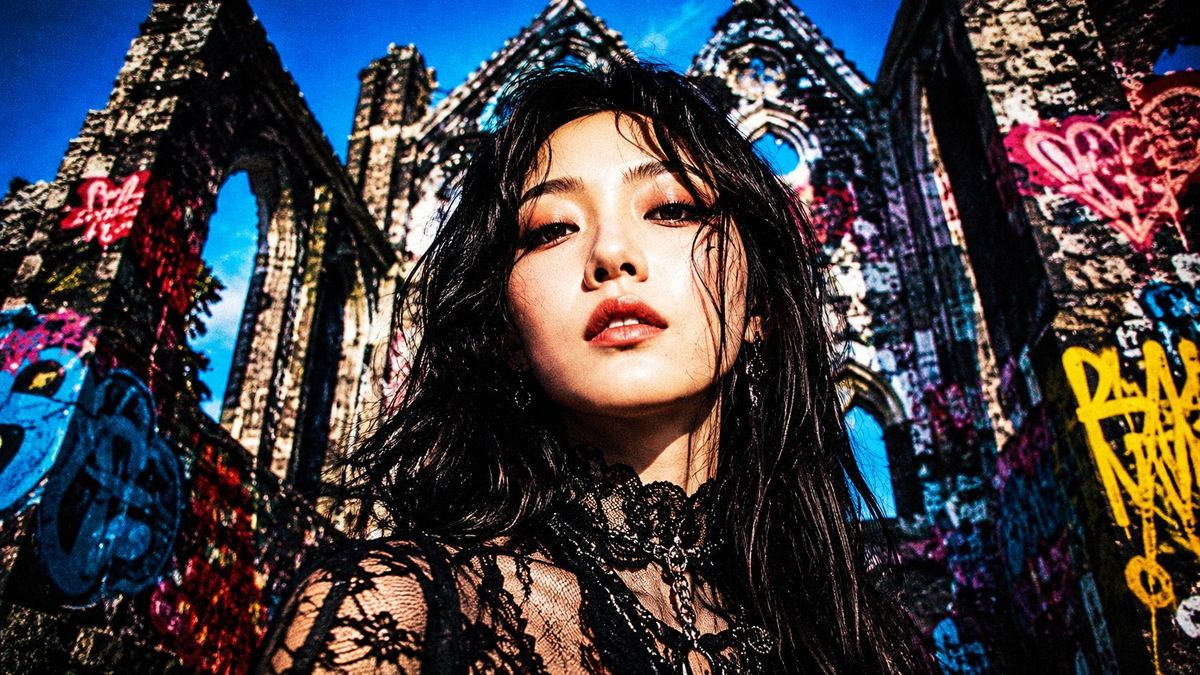
涂鸦废墟中的哥特风格遮挡肖像
Enlarge

涂鸦废墟中的哥特风格遮挡肖像

Prompt
Create a gritty ultra-wide cinematic fashion photograph of {argument name="subject" default="a young goth woman"} standing close to the camera in the center foreground, shot from a low angle with an extreme wide-angle lens. Her face is completely obscured by a large centered square censor block in a soft brown skin-tone gradient, covering the entire face from forehead to chin. She has messy long {argument name="hair color" default="black"} hair blowing around her shoulders and wears a black lace gothic top with sheer floral sleeves, a high lace choker collar, layered dark necklaces, and a moody alternative style. Place her in front of towering ruined Gothic cathedral walls covered in bright graffiti, with pointed arches and broken stonework rising dramatically behind her. Use a saturated deep blue sky, harsh contrast, crushed shadows, vivid reds, yellows, blues, and pinks in the graffiti, high-grain street-photography texture, slightly distorted perspective, intense sunlight, dramatic color grading, and a rebellious punk editorial atmosphere. Compose in a 16:9 horizontal frame, subject centered, ruins filling the background, no readable text, no watermark.
Category
Photography & Realism
Model
GPT Image 2
Creator
Nailai7981
Views0
Source ID
25965
Published
Jun 16, 2026

Guide

About "涂鸦废墟中的哥特风格遮挡肖像"

What is this prompt for?

"涂鸦废墟中的哥特风格遮挡肖像" AI image prompt for GPT Image 2 (Photography & Realism). 一个充满质感的电影级提示词,用于创作一张低角度哥特时尚肖像,背景为色彩斑斓的涂鸦大教堂废墟,主体面部经过遮挡处理。 Copy it on Picva and recrea…

The full copyable prompt and example visuals above are ready for AI image generation or one-click recreate in Picva.

How to use this prompt

  1. Step 1

    Open the prompt detail

    Review the example visuals, category, and full prompt text for "涂鸦废墟中的哥特风格遮挡肖像".

  2. Step 2

    Copy the prompt

    Copy the prompt body from this page, or load it directly in Studio.

  3. Step 3

    Pick a model (GPT Image 2)

    Prefer GPT Image 2. If you switch models, keep subject and composition and tweak style terms.

  4. Step 4

    Generate and export

    Recreate the look in Picva, or export into your workflow for editing and publishing.

FAQ

What is the "涂鸦废墟中的哥特风格遮挡肖像" prompt?
It is an AI image-generation prompt for GPT Image 2 in the Photography & Realism category. This page includes the full prompt text, example visuals, and a one-click recreate path in Picva.
How do I use this prompt to generate an image?
Copy the prompt from this page, or use Generate / Studio. Paste it into a compatible image model, or recreate the look in Picva with optional reference images.
Which model is this prompt for?
This page lists GPT Image 2. Most descriptive prompts also transfer to nearby image models such as GPT Image, Flux, or Midjourney with light style tweaks.
Can I use the result commercially?
You can usually copy the prompt for creation, but commercial use of the final image depends on the model terms, reference-image rights, and the generated content. Follow the source author and platform rules.



