20

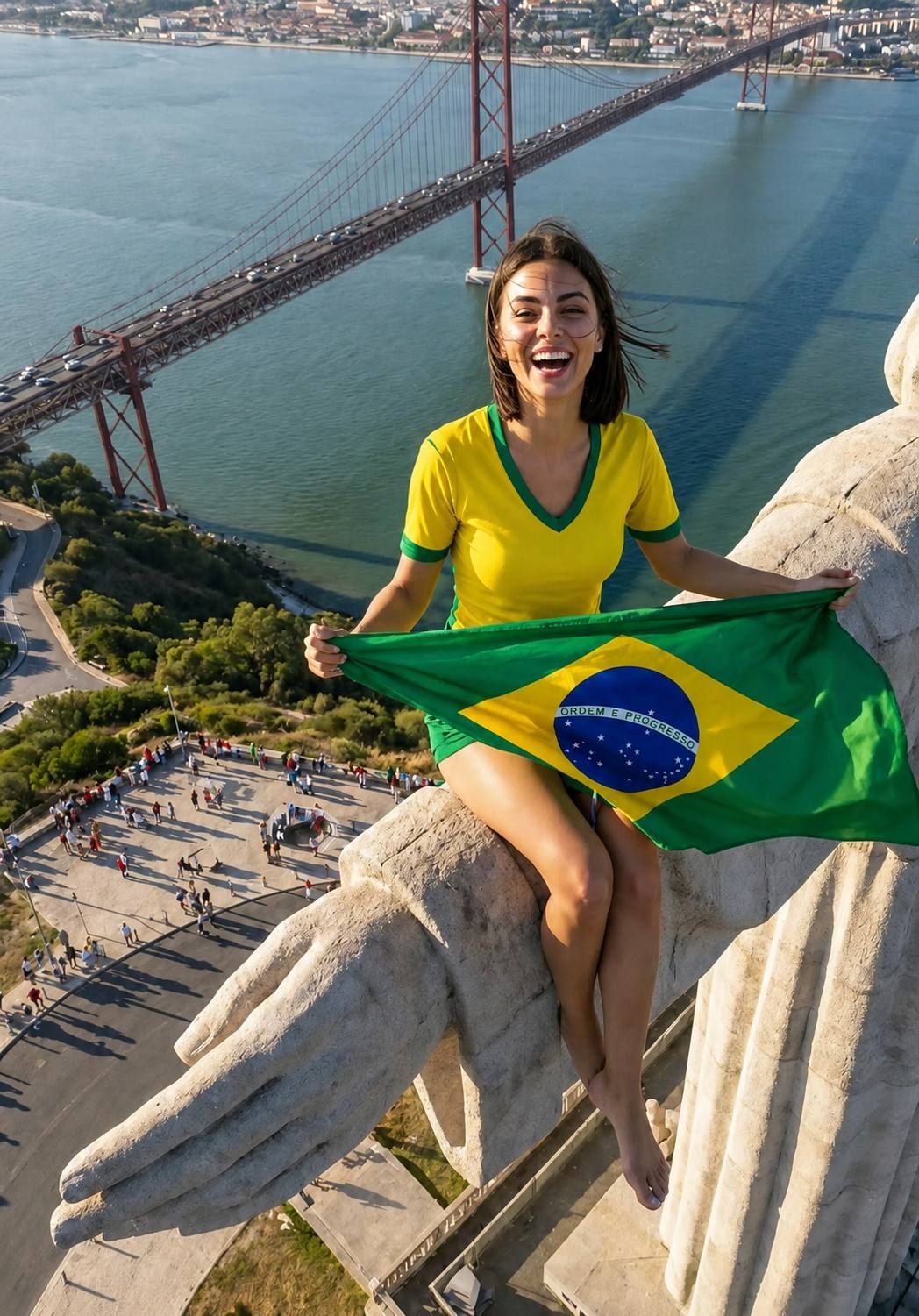
在基督像上的巴西足球迷
Enlarge

在基督像上的巴西足球迷

Prompt
{argument name="subject" default="Young Brazilian woman"} with shoulder-length dark hair, bright smile, wearing a fitted {argument name="jersey" default="yellow Brazil football jersey"} with green collar and sleeve trim, green athletic shorts, barefoot, sitting confidently on the giant outstretched hand of the {argument name="landmark" default="Christ the Redeemer statue"}, holding a large waving Brazil national flag across her lap, overlooking Rio de Janeiro and the ocean, FIFA World Cup celebration atmosphere, football fan energy, vibrant Brazilian colors, dramatic aerial perspective, golden hour sunlight, wind blowing through her hair, cinematic sports photography, breathtaking height, ultra-realistic details, national pride, travel and football fusion, professional drone shot, dynamic composition, sharp focus, 8K, highly detailed, epic scale, viral social media travel photography.
Category
Photography & Realism
Model
GPT Image 2
Views0
Source ID
26247
Published
Jun 19, 2026

Guide

About "在基督像上的巴西足球迷"

What is this prompt for?

"在基督像上的巴西足球迷" AI image prompt for GPT Image 2 (Photography & Realism). 生成一张电影级无人机视角的图片,展示一名足球迷在里约热内卢的基督像上庆祝的场景。 Copy it on Picva and recreate the look in one c…

The full copyable prompt and example visuals above are ready for AI image generation or one-click recreate in Picva.

How to use this prompt

  1. Step 1

    Open the prompt detail

    Review the example visuals, category, and full prompt text for "在基督像上的巴西足球迷".

  2. Step 2

    Copy the prompt

    Copy the prompt body from this page, or load it directly in Studio.

  3. Step 3

    Pick a model (GPT Image 2)

    Prefer GPT Image 2. If you switch models, keep subject and composition and tweak style terms.

  4. Step 4

    Generate and export

    Recreate the look in Picva, or export into your workflow for editing and publishing.

FAQ

What is the "在基督像上的巴西足球迷" prompt?
It is an AI image-generation prompt for GPT Image 2 in the Photography & Realism category. This page includes the full prompt text, example visuals, and a one-click recreate path in Picva.
How do I use this prompt to generate an image?
Copy the prompt from this page, or use Generate / Studio. Paste it into a compatible image model, or recreate the look in Picva with optional reference images.
Which model is this prompt for?
This page lists GPT Image 2. Most descriptive prompts also transfer to nearby image models such as GPT Image, Flux, or Midjourney with light style tweaks.
Can I use the result commercially?
You can usually copy the prompt for creation, but commercial use of the final image depends on the model terms, reference-image rights, and the generated content. Follow the source author and platform rules.



