20

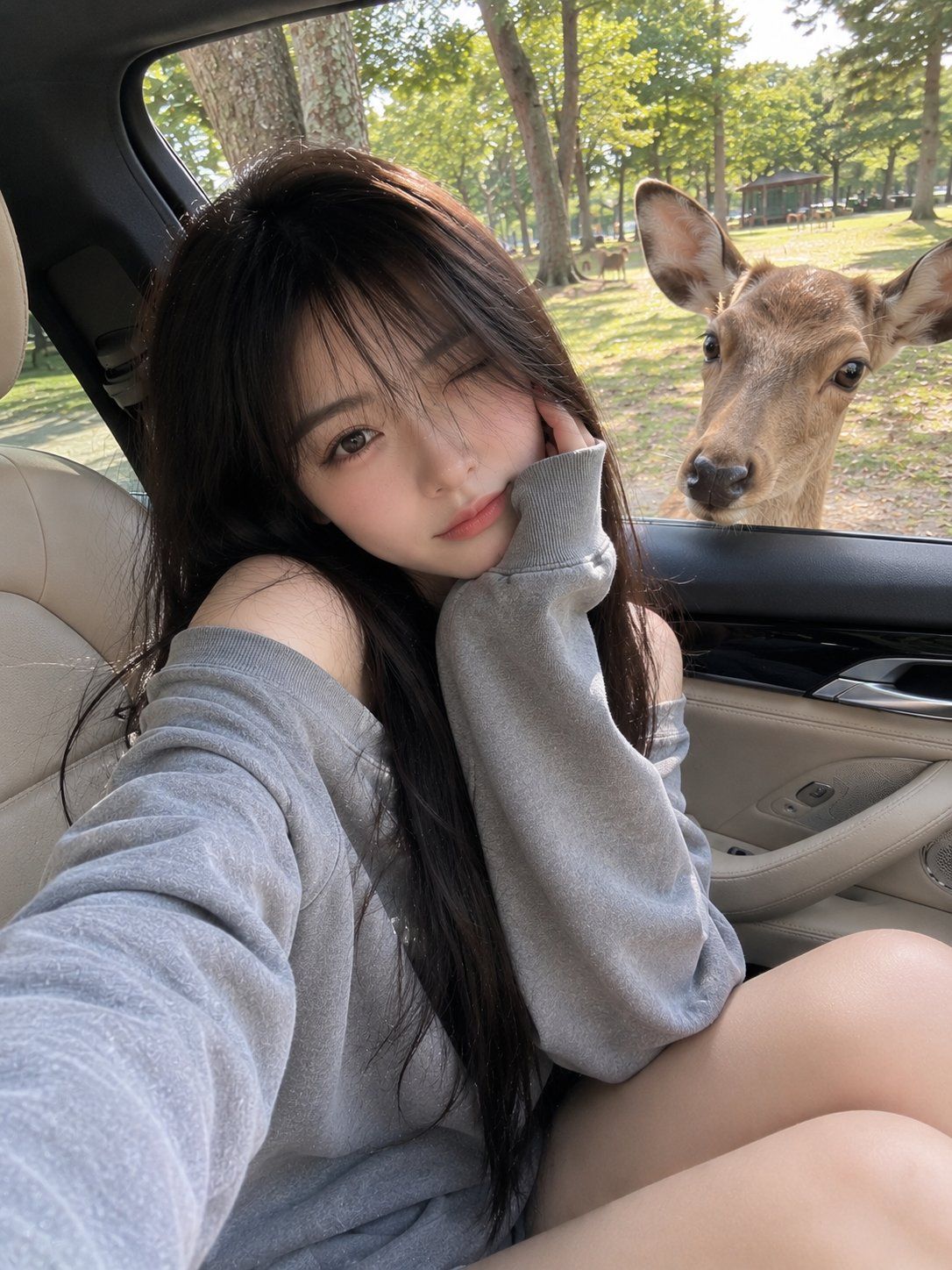
与鹿同框的随性旅行手机抓拍
Enlarge

Example images

与鹿同框的随性旅行手机抓拍

Prompt
{argument name="subject" default="Young Japanese girl"} with long silky black hair and soft wispy bangs, sitting casually in the front passenger seat of a luxury car with beige leather interior, wearing an {argument name="outfit" default="oversized gray off-shoulder sweatshirt"}. Natural soft smile, making a peace sign with one hand, long red manicure, relaxed and playful expression. A {argument name="animal" default="curious deer"} stands outside the open car window looking directly inside, with a green park and other deer visible in the background. Captured as a casual smartphone photo, natural daylight, handheld iPhone camera shot, everyday travel snapshot, realistic skin texture, authentic mobile HDR processing, slightly imperfect framing, natural colors, candid social media aesthetic, spontaneous moment, no professional posing, no studio lighting, no cinematic color grading, realistic reflections on car windows and interior, ordinary phone-camera perspective, photorealistic, high-quality mobile photography, lifestyle travel vibe.
Category
Photography & Realism
Model
GPT Image 2
Views0
Source ID
26249
Published
Jun 19, 2026

Guide

About "与鹿同框的随性旅行手机抓拍"

What is this prompt for?

"与鹿同框的随性旅行手机抓拍" AI image prompt for GPT Image 2 (Photography & Realism). 生成一张写实、随性的手机风格照片,展现一位日本女孩在车内偶遇小鹿的瞬间。 Copy it on Picva and recreate the look in one cli…

The full copyable prompt and example visuals above are ready for AI image generation or one-click recreate in Picva.

How to use this prompt

  1. Step 1

    Open the prompt detail

    Review the example visuals, category, and full prompt text for "与鹿同框的随性旅行手机抓拍".

  2. Step 2

    Copy the prompt

    Copy the prompt body from this page, or load it directly in Studio.

  3. Step 3

    Pick a model (GPT Image 2)

    Prefer GPT Image 2. If you switch models, keep subject and composition and tweak style terms.

  4. Step 4

    Generate and export

    Recreate the look in Picva, or export into your workflow for editing and publishing.

FAQ

What is the "与鹿同框的随性旅行手机抓拍" prompt?
It is an AI image-generation prompt for GPT Image 2 in the Photography & Realism category. This page includes the full prompt text, example visuals, and a one-click recreate path in Picva.
How do I use this prompt to generate an image?
Copy the prompt from this page, or use Generate / Studio. Paste it into a compatible image model, or recreate the look in Picva with optional reference images.
Which model is this prompt for?
This page lists GPT Image 2. Most descriptive prompts also transfer to nearby image models such as GPT Image, Flux, or Midjourney with light style tweaks.
Can I use the result commercially?
You can usually copy the prompt for creation, but commercial use of the final image depends on the model terms, reference-image rights, and the generated content. Follow the source author and platform rules.



