15

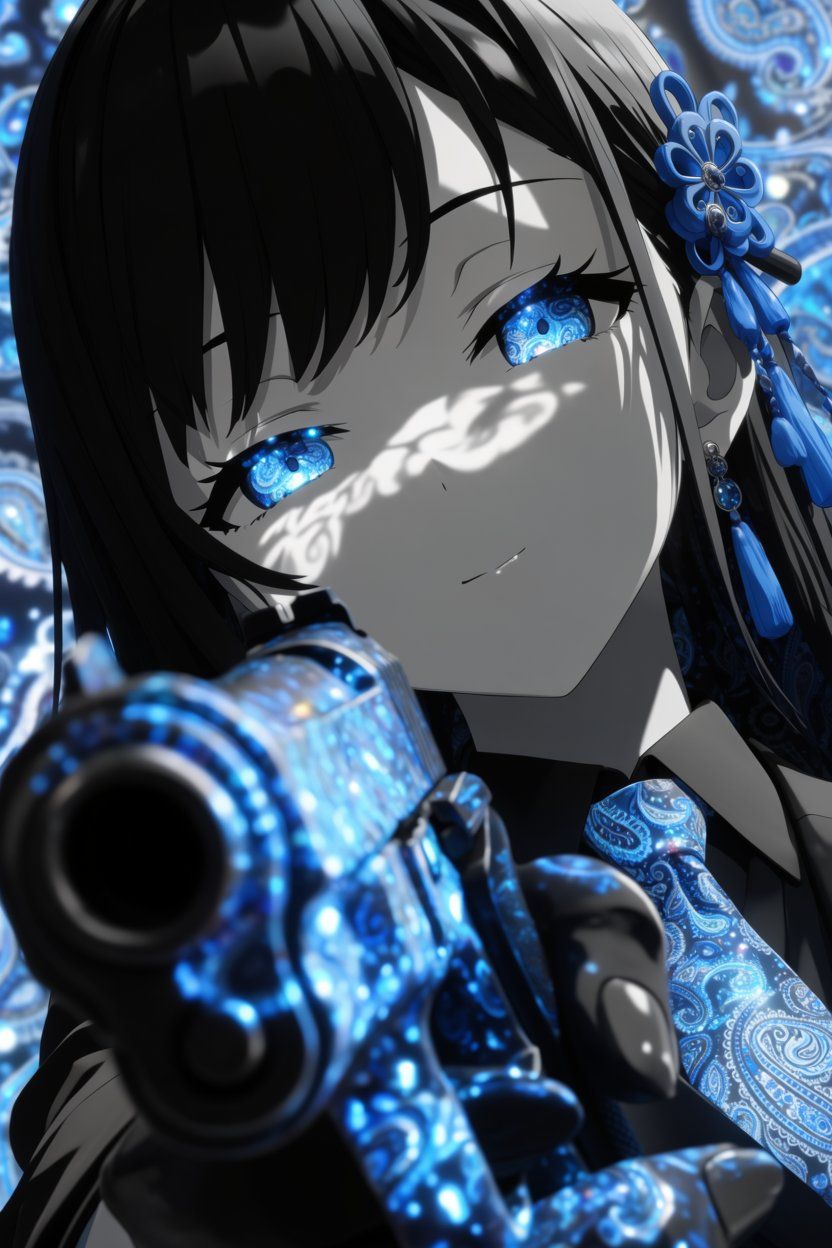
蓝色佩斯利花纹动漫枪械肖像
Enlarge

蓝色佩斯利花纹动漫枪械肖像

Prompt
Create a dramatic vertical anime close-up portrait of {argument name="character name" default="an elegant young woman"} in a high-contrast monochrome-and-electric-blue palette. She has long glossy {argument name="hair color" default="black"} hair with heavy bangs, pale gray skin rendered almost like black-and-white ink, calm half-lidded expression, and luminous {argument name="eye style" default="bright blue paisley-pattern irises"} that glow with intricate swirling ornamental detail. Her face fills the upper center of the frame at a tilted angle, with sharp eyelashes, a faint subtle smile, and white lace-like shadow patterns cast across her eyes and cheek. Add ornate blue floral hair ornaments on the right side of her head, dangling beads and tassels, plus a matching blue paisley necktie or scarf. In the extreme foreground, place a large handgun pointed directly toward the viewer, barrel dominating the lower left foreground with strong depth-of-field blur; the weapon surface is covered in glowing electric-blue paisley filigree and sparkling reflections. Use a richly patterned background of blue circular paisley motifs and bokeh lights, soft but detailed. Style should be premium dark anime illustration, cinematic lighting, glossy highlights, shallow depth of field, intense perspective, intricate decorative texture, selective color with only vivid cyan and royal blue accents against grayscale, no text, no watermark.
Category
Photography & Realism
Model
GPT Image 2
Views1
Source ID
27369
Published
Jul 1, 2026

Guide

About "蓝色佩斯利花纹动漫枪械肖像"

What is this prompt for?

"蓝色佩斯利花纹动漫枪械肖像" AI image prompt for GPT Image 2 (Photography & Realism). 一张电影感十足的暗黑动漫特写,描绘了一位优雅的少女,她拥有发光的蓝色佩斯利花纹双眼,正用一把装饰华丽的蓝色花纹手枪瞄准观众。 Copy it on Picva and re…

The full copyable prompt and example visuals above are ready for AI image generation or one-click recreate in Picva.

How to use this prompt

  1. Step 1

    Open the prompt detail

    Review the example visuals, category, and full prompt text for "蓝色佩斯利花纹动漫枪械肖像".

  2. Step 2

    Copy the prompt

    Copy the prompt body from this page, or load it directly in Studio.

  3. Step 3

    Pick a model (GPT Image 2)

    Prefer GPT Image 2. If you switch models, keep subject and composition and tweak style terms.

  4. Step 4

    Generate and export

    Recreate the look in Picva, or export into your workflow for editing and publishing.

FAQ

What is the "蓝色佩斯利花纹动漫枪械肖像" prompt?
It is an AI image-generation prompt for GPT Image 2 in the Photography & Realism category. This page includes the full prompt text, example visuals, and a one-click recreate path in Picva.
How do I use this prompt to generate an image?
Copy the prompt from this page, or use Generate / Studio. Paste it into a compatible image model, or recreate the look in Picva with optional reference images.
Which model is this prompt for?
This page lists GPT Image 2. Most descriptive prompts also transfer to nearby image models such as GPT Image, Flux, or Midjourney with light style tweaks.
Can I use the result commercially?
You can usually copy the prompt for creation, but commercial use of the final image depends on the model terms, reference-image rights, and the generated content. Follow the source author and platform rules.