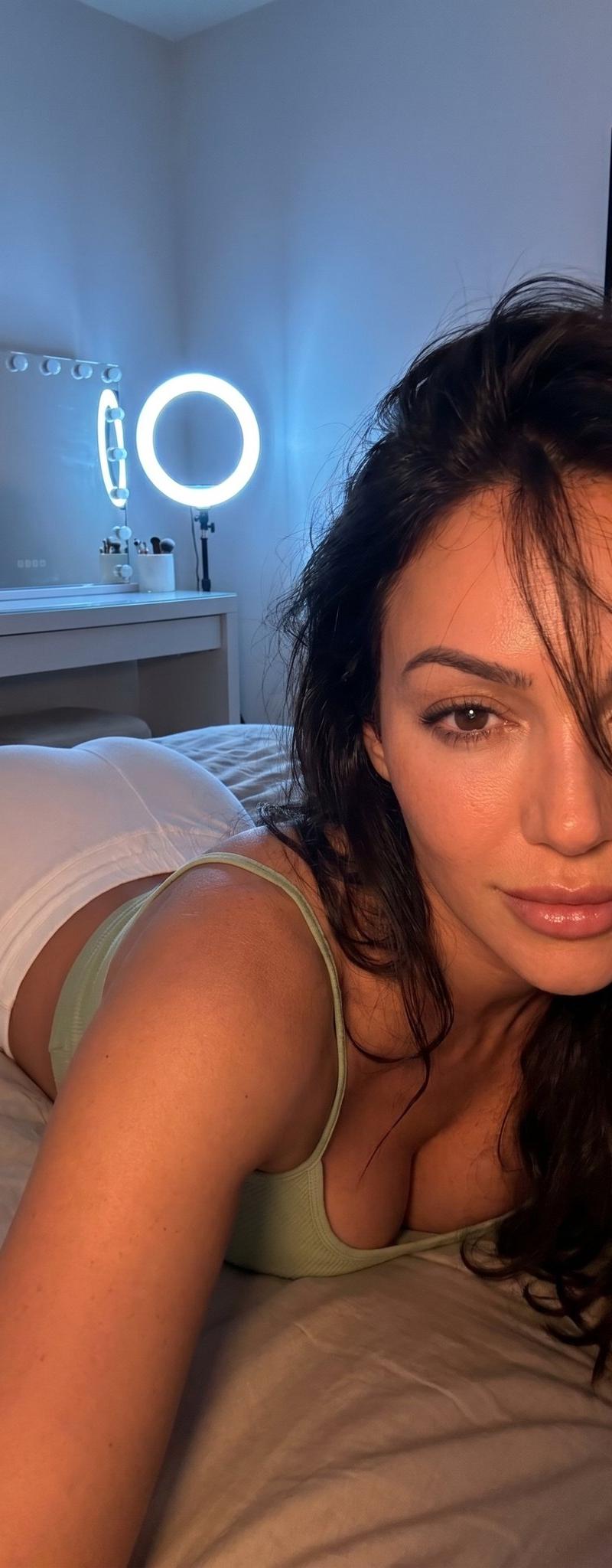
Intimate Bedroom Lifestyle Portrait
Prompt
{ "prompt": "Ultra-realistic photorealistic lifestyle photograph in vertical 9:16 aspect ratio. A beautiful young woman named {argument name="subject" default="Sophie Rain"} is lying prone on a bed in a cozy bedroom. She has long loose hair, slightly messy with soft strands falling naturally over her face. She has a gentle and serene expression with direct eye contact toward the camera. Her skin has a natural texture with soft reflections from warm ambient lighting.\n\nShe is wearing a {argument name="outfit" default="light green fitted cropped top"} with thin straps and tight white pajama shorts. The shot is taken from a low angle in a close-up selfie style, medium framing that highlights both her face in the foreground and her body silhouette (hips and glutes) from behind.\n\nSetting: Cozy modern bedroom with low atmospheric lighting. In the background there is a white vanity table with a large mirror featuring an LED light arch, neutral-toned bedding, and a framed picture prominently displaying the word 'Keor'. Soft warm lighting with subtle blue-orange contrast from the LED lights, creating gentle highlights and soft shadows on her skin and face.\n\nSharp focus on her face and upper body, highly detailed realistic skin texture, hair strands, and fabric details. Relaxing, intimate and cozy mood, high-resolution lifestyle photography, best quality.", "style": "ultra-realistic photorealistic lifestyle portrait, cozy intimate bedroom aesthetic, soft atmospheric lighting", "aspect_ratio": "9:16", "resolution": "8k", "lighting": "soft warm ambient lighting with subtle blue-orange contrast from LED lights, gentle highlights on skin and face, soft shadows creating a relaxing atmosphere", "camera_angle": "low-angle close-up selfie style, medium shot highlighting face in foreground and body silhouette, sharp focus on face", "subject": { "name": "Sophie Rain", "hair": "long loose hair, slightly messy with soft strands framing the face", "expression": "gentle and serene, direct eye contact with camera", "skin": "natural texture with soft warm reflections", "outfit": { "top": "light green fitted cropped top with thin straps", "bottom": "tight white pajama shorts" }, "pose": "lying prone on bed, relaxed and natural position" }, "environment": { "location": "cozy modern bedroom", "details": "white vanity with LED arch mirror, neutral bedding, framed picture with 'Keor' text", "atmosphere": "relaxing, intimate and cozy nighttime mood" }, "image_quality": { "detail_level": "hyper-realistic 8K, highly detailed skin texture, hair strands, and fabric details", "focus": "sharp focus on face with natural depth of field", "overall_vibe": "intimate, cozy and natural lifestyle portrait" } }- Category
- Charts & Infographics
- Model
- nano-banana-pro
- Creator
- KeorUnreal
- Source language
- en
- Source ID
- 24396
- Published
- Jun 6, 2026
Views16.5K