20

📖 如何将 ChatGPT Image 2 角色转化为视频

Prompt
"A person walking."

Prompt:
"Low-angle tracking shot, 35mm lens, cinematic lighting, shallow depth of field."

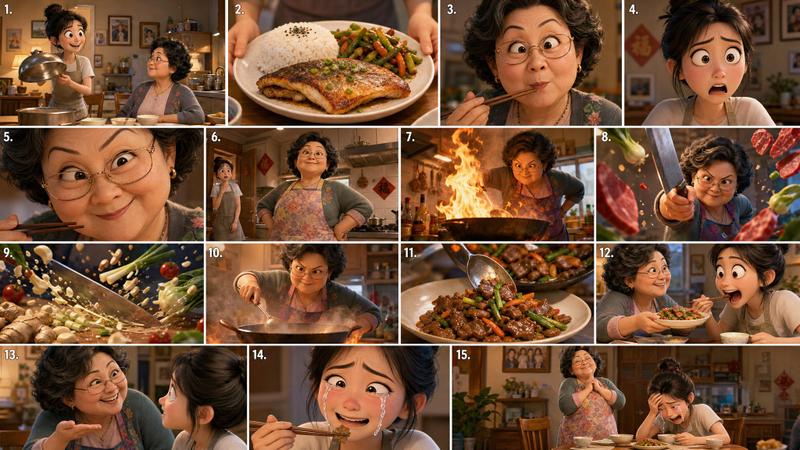
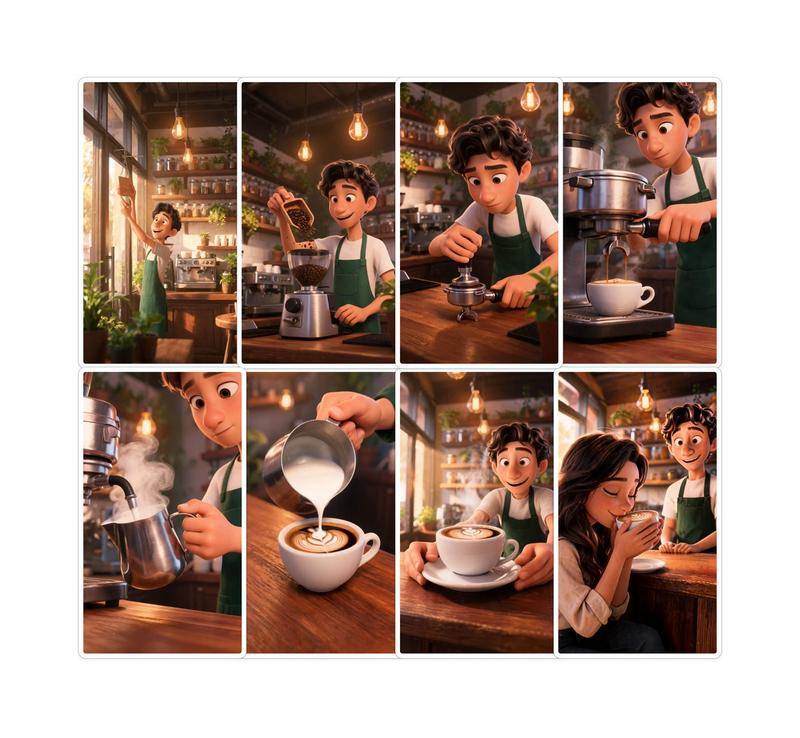
4. Build every keyframe before opening Seedance.
The more visual references you create in ChatGPT Image 2, the more consistent your animations become.

5. Animate short clips.
Instead of creating one long scene:
Create:
• 5-second shot
• 5-second shot
• 5-second shot

Then stitch them together.
This gives you more control over pacing and story flow.

6. Use transition shots.

The secret to seamless edits:
Generate bridge scenes between major actions.
Seedance handles transitions much better when visual continuity already exists.

7. Add sound last.
Most people underestimate audio.
A simple combination of:
• Ambient sounds
• Sound effects
• Background music

Can make an AI video feel 10x more cinematic.
The biggest mistake creators make is thinking AI video is prompting. It's not.

AI video is production design. ChatGPT Image 2 creates the character universe. Seedance 2.0 turns it into a movie.

 📥Tomorrow I will show something so obvious in hindsight that you will wonder why nobody said it sooner.
 🔖The pinned article below covers every step — bookmark it for your next session.
Category
Photography & Realism
Model
seedance-2.0
Views0
Source ID
6494
Published
Jun 26, 2026

Guide

About "📖 如何将 ChatGPT Image 2 角色转化为视频"

What is this prompt for?

"📖 如何将 ChatGPT Image 2 角色转化为视频" AI image prompt for seedance-2.0 (Photography & Realism). “一个人在行走。” 提示词: “低角度追踪镜头,35mm 镜头,电影级布光,浅景深。” 4. 在打开 Seedance 之前构建好每一个…

The full copyable prompt and example visuals above are ready for AI image generation or one-click recreate in Picva.

How to use this prompt

  1. Step 1

    Open the prompt detail

    Review the example visuals, category, and full prompt text for "📖 如何将 ChatGPT Image 2 角色转化为视频".

  2. Step 2

    Copy the prompt

    Copy the prompt body from this page, or load it directly in Studio.

  3. Step 3

    Pick a model (seedance-2.0)

    Prefer seedance-2.0. If you switch models, keep subject and composition and tweak style terms.

  4. Step 4

    Generate and export

    Recreate the look in Picva, or export into your workflow for editing and publishing.

FAQ

What is the "📖 如何将 ChatGPT Image 2 角色转化为视频" prompt?
It is an AI image-generation prompt for seedance-2.0 in the Photography & Realism category. This page includes the full prompt text, example visuals, and a one-click recreate path in Picva.
How do I use this prompt to generate an image?
Copy the prompt from this page, or use Generate / Studio. Paste it into a compatible image model, or recreate the look in Picva with optional reference images.
Which model is this prompt for?
This page lists seedance-2.0. Most descriptive prompts also transfer to nearby image models such as GPT Image, Flux, or Midjourney with light style tweaks.
Can I use the result commercially?
You can usually copy the prompt for creation, but commercial use of the final image depends on the model terms, reference-image rights, and the generated content. Follow the source author and platform rules.