电影级办公室肖像
提示词
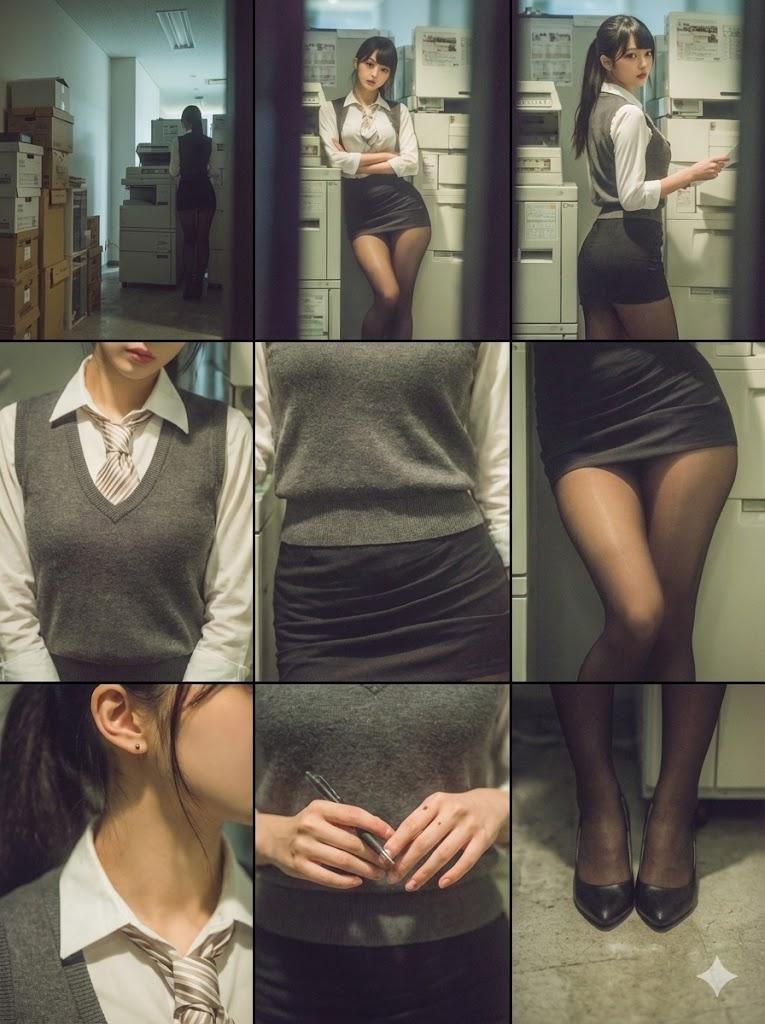
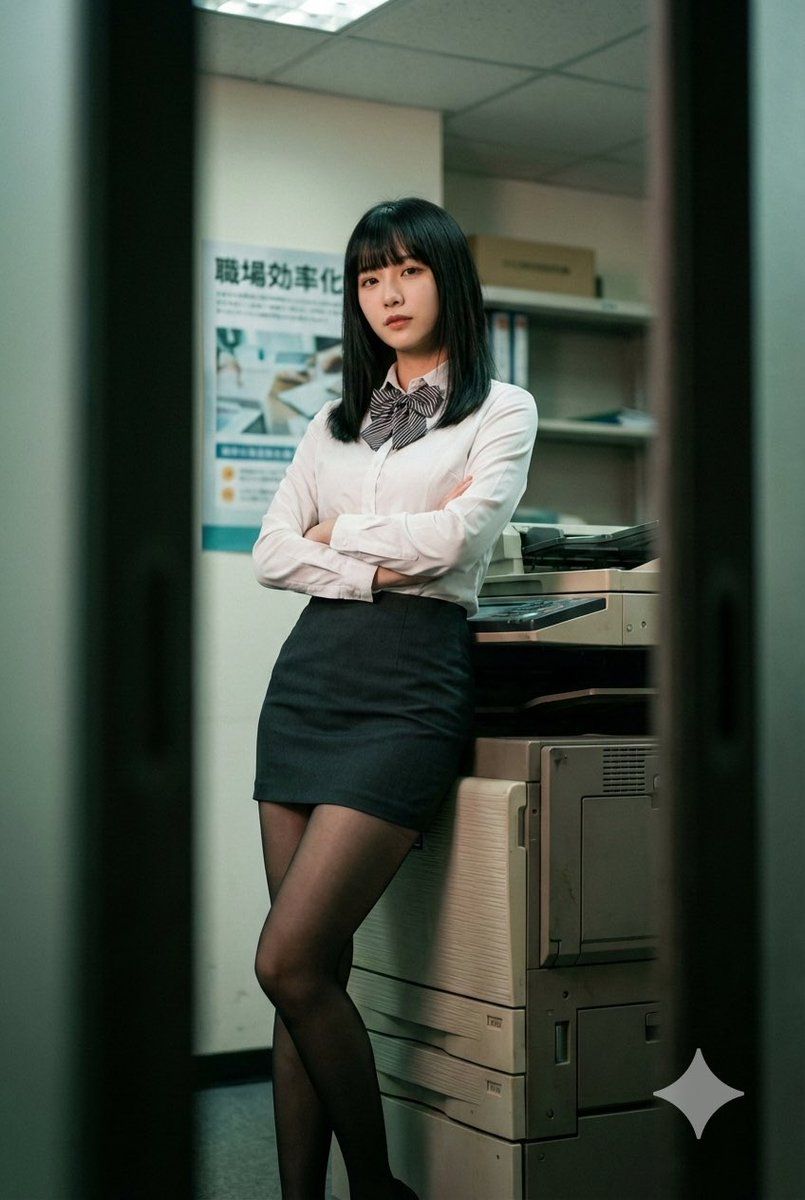
Create a vertical cinematic photorealistic portrait with subtle retro film grading and a moody, voyeuristic office atmosphere.

A young adult woman stands in a narrow office copy room, leaning back against a large multifunction photocopier positioned slightly to the right. She crosses her legs at the ankles and folds her arms across her chest, looking directly at the camera with a calm, slightly distant expression. She has straight, shoulder-length black hair with full bangs. She wears a fitted white button-up blouse, a striped ribbon bow tie, a high-waisted dark mini skirt, and sheer black pantyhose. Fabrics appear realistic: matte cotton blouse, structured skirt, translucent nylon stockings.

The environment includes light-colored walls, a wall poster with Japanese text, and partially visible shelving. The copier shows realistic plastic and metal textures. The space feels tight and enclosed.

Frame the shot at eye level in a medium full-body composition. Shoot through a narrow foreground gap, with dark blurred vertical shapes on both sides forming a natural vignette. Keep the subject sharply focused, especially her face and upper torso, with shallow depth of field and softly blurred background.

Use soft diffused indoor overhead lighting with slight frontal illumination, moderate contrast, and gentle shadows. Apply cool greenish-teal shadows with warm skin tones, slightly desaturated colors (muted teal, beige, off-white, charcoal, deep black). Add subtle fine film grain and balanced dynamic range to maintain an intimate, slightly nostalgic cinematic realism.
- 分类
- 创意图片
- 模型
- Nano Banana Pro
- 来源作者
- ℝ𝕠𝕨𝕒𝕟
- 来源 ID
- 346f6dcc-a8d2-4cf9-9f67-9949c6e49757
- 发布时间
- 2026年3月8日
浏览量0