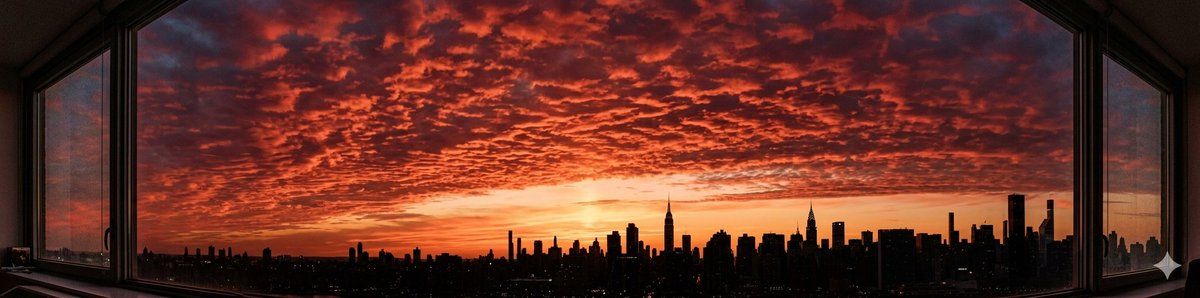
Nano Banana 2 的全景提示(4:1 宽高比)
提示词
1、This is a 4:1 ultra-wide panoramic photo taken with a smartphone. The image shows a lush tropical jungle landscape viewed from my small wooden cabin balcony. Dense green foliage fills the frame from left to right, layered depth, natural morning light, realistic colors, high dynamic range, cinematic wide-angle lens effect, highly detailed vegetation, slight atmospheric haze in the distance, photorealistic, 4k resolution.
2、A 4:1 ultra-wide panoramic photo taken with a smartphone from my apartment window. The sunset sky is dramatic and breathtaking, filled with rows of deep crimson altocumulus clouds stretching across the entire horizon. The city skyline appears in silhouette at the bottom edge of the frame. Warm golden and deep red tones dominate the sky, soft gradient transition, high dynamic range, cinematic lighting, realistic atmosphere, sharp details, 4k, photorealistic.
- 分类
- 创意图片
- 模型
- Nano Banana Pro
- 来源作者
- Huaxa
- 来源 ID
- 267c12aa-d5f0-4a77-b8a9-bb2d878be4d4
- 发布时间
- 2026年3月8日
浏览量0



















