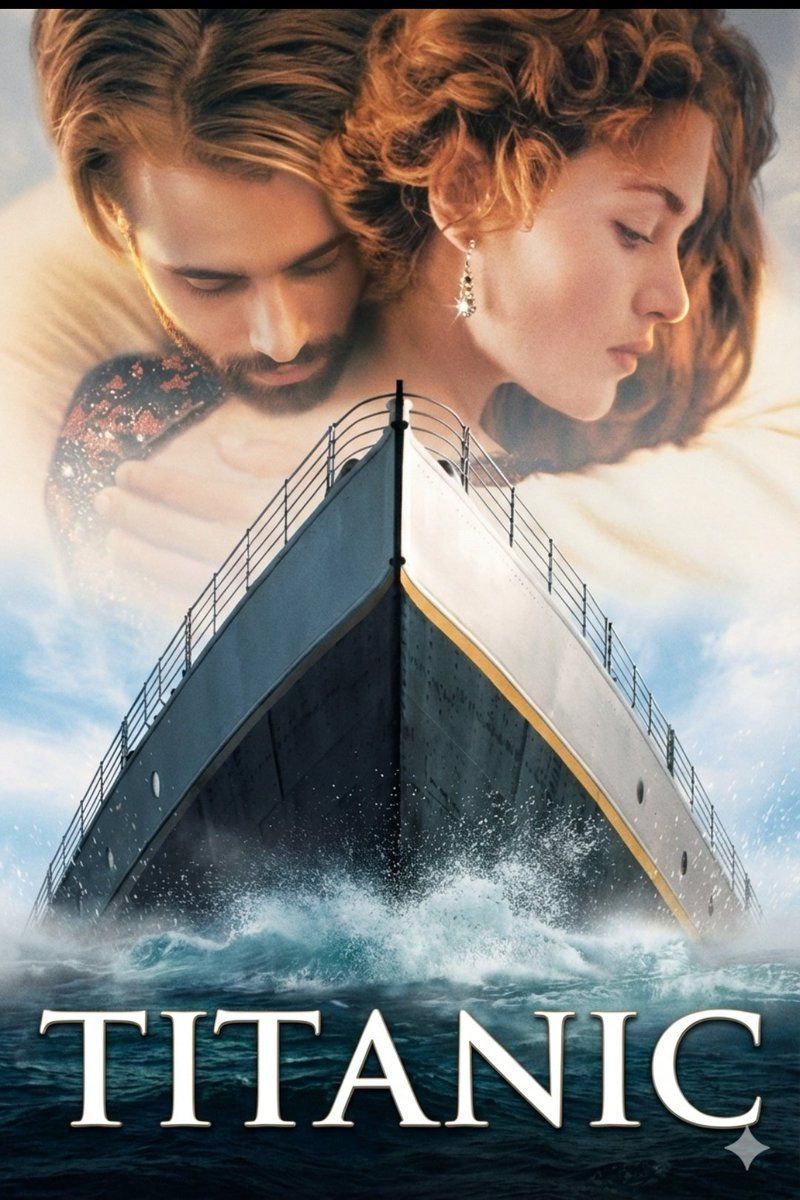
图片转图片:泰坦尼克号电影海报提示词
提示词
Use the uploaded image exactly as the base/reference. Do not change the subjects’ faces, poses, camera angle, or composition. Preserve facial features and expression. Recreate a vertical cinematic movie-poster based on this image with the following specifications:
Canvas: vertical poster, aspect ratio 2:3 (e.g. 4000×6000 px). High-res, photoreal, print-quality (minimum 300 DPI).
Composition: keep the ship’s bow centered and dominating the lower two-thirds; keep the couple faded and large in the top third as in the uploaded image (overlay/blend). Do not move or re-pose subjects.
Lighting & mood: cinematic golden-hour rim light on faces, soft warm highlights, cool deep shadows on the hull; strong contrast with gentle atmospheric mist; subtle film grain and slight vignette for vintage cinematic look.
Color grade: warm skin highlights, slightly desaturated midtones, deep navy/charcoal hull, soft cyan sky with white cloud details; natural skin texture preserved (no smoothing).
Ship details: maintain the bow’s perspective and railing lines; add realistic water spray/splash at the hull base, small white foam particles; keep deck rail details sharp.
Overlay blend: the couple at the top should be semi-translucent, softly feathered into the sky; maintain original hair, jewelry, and clothing details.
Title & typography: center the single word {argument name="title" default="TITANIC"} across the bottom third in large serif (Trajan Pro / classic film serif), all caps, wide tracking, pure white with subtle drop shadow and tiny bevel; place title exactly like the reference.
Effects/finishing: increase perceived sharpness on ship hull and title; keep couple slightly softer; apply subtle film grain, mild chromatic aberration, and filmic contrast curve.
Negative constraints: no additional people or logos, no modern artifacts (phones, text), no watermark, no unnatural skin smoothness, no heavy plastic look.
For img2img parameters (suggested): strength 0.35–0.55, preserve composition, seed optional for reproducibility. Output: 4000×6000 PNG, lossless.
Instruction to renderer: Use the uploaded photo as the primary source and only refine/augment per the above — do not replace or re-render faces or change the original pose/composition.- 分类
- 创意图片
- 模型
- Nano Banana Pro
- 来源作者
- Doctor Wasif
- 来源 ID
- 91b7bacd-79b0-4b11-bb55-fe04cbb30622
- 发布时间
- 2026年3月8日
浏览量0

















