Create a premium cinematic advertising poster for a custom PS5 and matching Dual
提示词
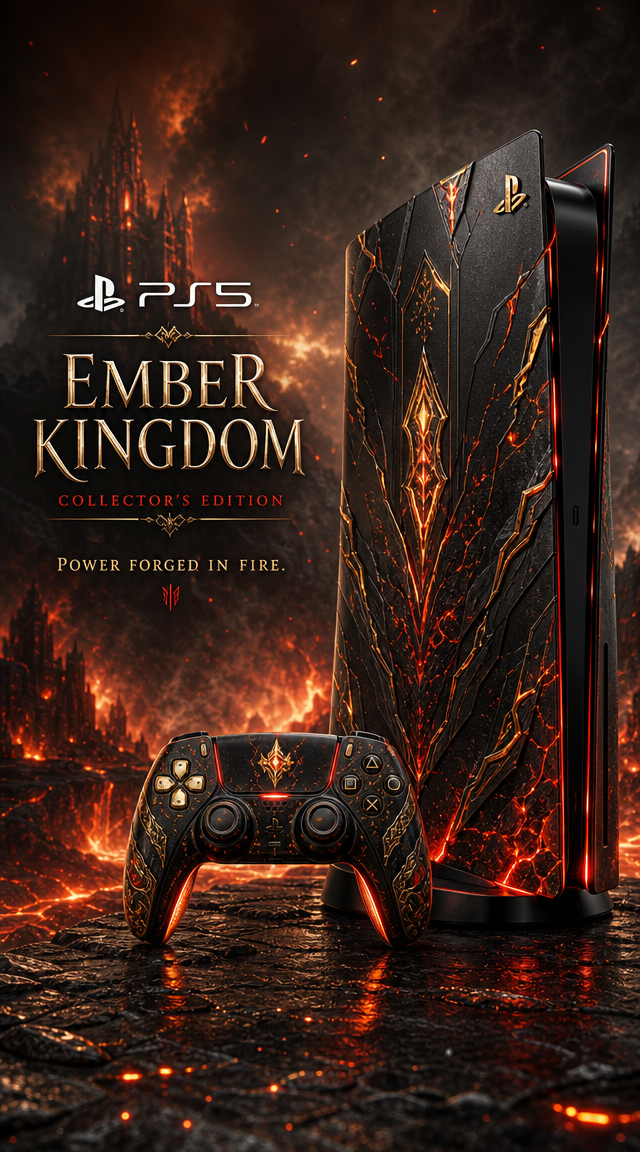
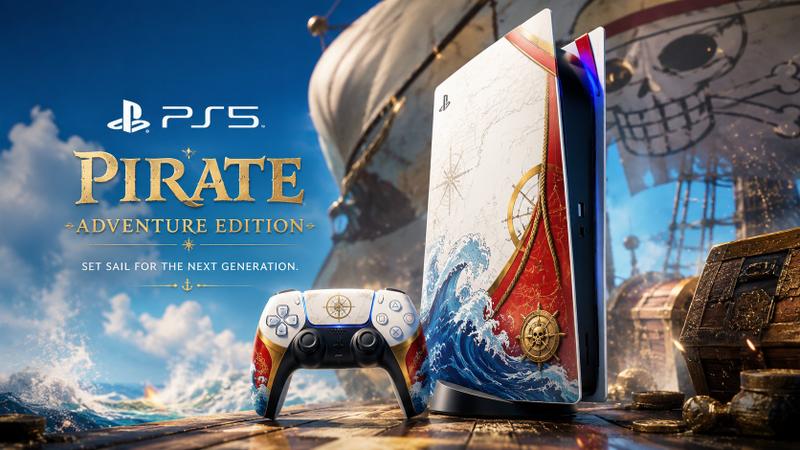
Create a premium cinematic advertising poster for a custom PS5 and matching DualSense controller inspired by [LICENSE].
Show the PS5 console standing vertically on the right and the controller in front, both customized with the colors, symbols, atmosphere, and visual codes of [LICENSE]. Use a premium limited-edition product design: glossy and matte materials, metallic accents, glowing details, custom graphic panels, subtle textures, and high-end collector’s edition finishing.
The console skin should feature [KEY MOTIFS FROM THE LICENSE], with a color palette of [COLORS]. The controller must perfectly match the console design.
Place the product in a cinematic environment inspired by [LICENSE ENVIRONMENT], with atmospheric effects such as [ENERGY / SMOKE / LIGHTNING / PARTICLES / FIRE / MAGIC / DEBRIS]. Keep the PS5 and controller as the clear hero objects.
On the left side, add premium ad typography:
PlayStation logo + “PS5”
Main title: “[LICENSE NAME]”
Subtitle: “[CUSTOM EDITION NAME]”
Tagline: “[TAGLINE]”
Ultra-detailed, high-end product photography, cinematic lighting, glossy reflections, dramatic atmosphere, sharp focus, premium advertising poster, collector’s edition reveal, 16:9 landscape format, no watermark, no clutter.
- 分类
- 海报营销
- 模型
- GPT Image 2
- 来源作者
- xie underwood
- 来源 ID
- 4633
- 发布时间
- 2026年5月15日
浏览量89




![Design a high-end gacha summon page for a new mobile game titled [Game Title], i](https://whqgdndlpxjbwosvipip.supabase.co/storage/v1/render/image/public/prompt-source-media/promptsref/work-4833/image-1-8e0cc3185e2183fb.png?width=800&quality=75&resize=contain)