图表信息图YouMindgpt-image-2charts-infographics
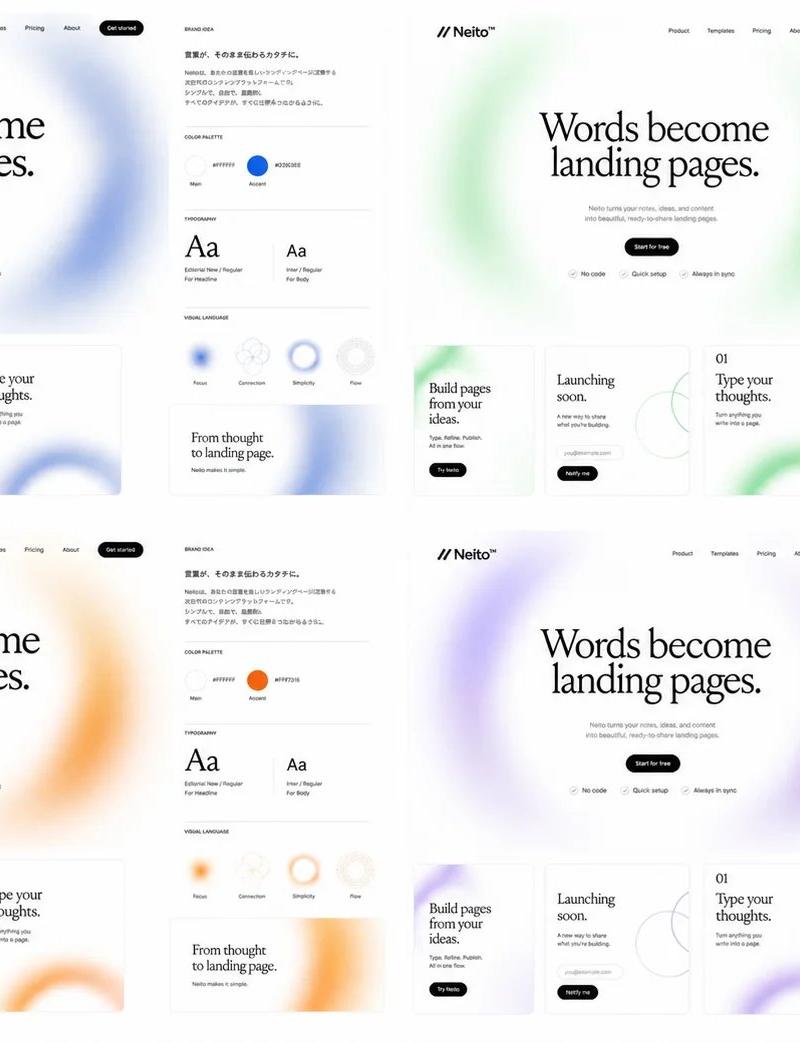
Neito 品牌色彩探索项目
提示词
Goal: Create a clean brand exploration board for a fictional SaaS landing-page builder called {argument name="brand name" default="Neito"}, showing the same website and brand identity system repeated in exactly 4 color directions.

Canvas: Wide 16:9 white canvas, arranged as a 2×2 grid of four complete brand/website mockup panels with generous white space. Each panel is nearly identical except for the accent color and soft blurred gradient decorations.

Layout: Each of the 4 panels contains exactly 2 main areas: a large landing-page mockup on the left and a narrow brand-guide column on the right. The four accent themes are: 1 blue, 2 green, 3 orange, 4 purple.

Landing-page mockup details: At the top left place the logo mark as two forward slashes followed by “Neito” with a small star/spark symbol. Across the top navigation place exactly 5 items: Product, Templates, Pricing, About, and a black rounded “Get started” button. Center a large editorial serif headline: “Words become landing pages.” Below it add small gray supporting copy about turning ideas and content into beautiful ready-to-share landing pages, then a black pill button reading “Start for free”. Under the button place exactly 3 small feature chips with icons: “No code”, “Quick setup”, and “Always in sync”. Behind the hero headline use a huge airy blurred circular gradient ring in the panel’s accent color.

Bottom website cards: Under each hero section place exactly 3 rectangular content cards with thin borders and rounded corners. Card 1 reads “Build pages from your ideas.” with a small black pill button “Try Neito”. Card 2 reads “Launching soon.” and includes a small rounded email/input pill plus a black “Notify me” button and a thin abstract circle-line graphic. Card 3 is numbered “01” and reads “Type your thoughts.” with small descriptive text and a large cropped blurred accent-color ring in the lower right.

Brand-guide column: Add a small heading “BRAND IDEA” and a short Japanese-style paragraph block in small black text. Below it create exactly 4 labeled sections separated by thin gray horizontal rules: COLOR PALETTE, TYPOGRAPHY, VISUAL LANGUAGE, and a sample card. In COLOR PALETTE show exactly 2 circular swatches labeled Main and Accent; the Main swatch is near-white and the Accent swatch matches the panel color, with a small hex-code label beside each. In TYPOGRAPHY show exactly 2 type specimens: a large serif “Aa” labeled for headlines and a smaller sans-serif “Aa” labeled for body text. In VISUAL LANGUAGE show exactly 4 circular tokens labeled Flow, Connection, Simplicity, and Flex, with one or more using the accent color as a blurred ring. The final sample card reads “From thought to landing page.” with small subtext and a cropped blurred accent-color ring.

Visual style: Minimal premium web-design presentation, monochrome typography, lots of white space, thin light-gray dividers, subtle shadows, soft frosted gradients, editorial serif headline paired with tiny modern sans-serif UI labels. Keep everything crisp like a Figma brand exploration screenshot. Use {argument name="headline text" default="Words become landing pages."} as the main repeated hero headline, {argument name="accent palette" default="blue, green, orange, purple"} for the four color variants, and {argument name="canvas ratio" default="16:9"}.

Constraints: Show exactly 4 panels, exactly 3 bottom website cards per panel, exactly 2 brand areas per panel, exactly 2 color swatches per brand guide, exactly 2 typography specimens per brand guide, and exactly 4 visual-language tokens per brand guide. Do not add photos, people, device frames, dark backgrounds, or extra panels.- 分类
- 图表信息图
- 模型
- GPT Image 2
- 来源作者
- 塚本 賢志 / Kenshi Tsukamoto
- 原始语言
- en
- 来源 ID
- 24324
- 发布时间
- 2026年6月5日
浏览量2442