图表信息图YouMindgpt-image-2charts-infographics
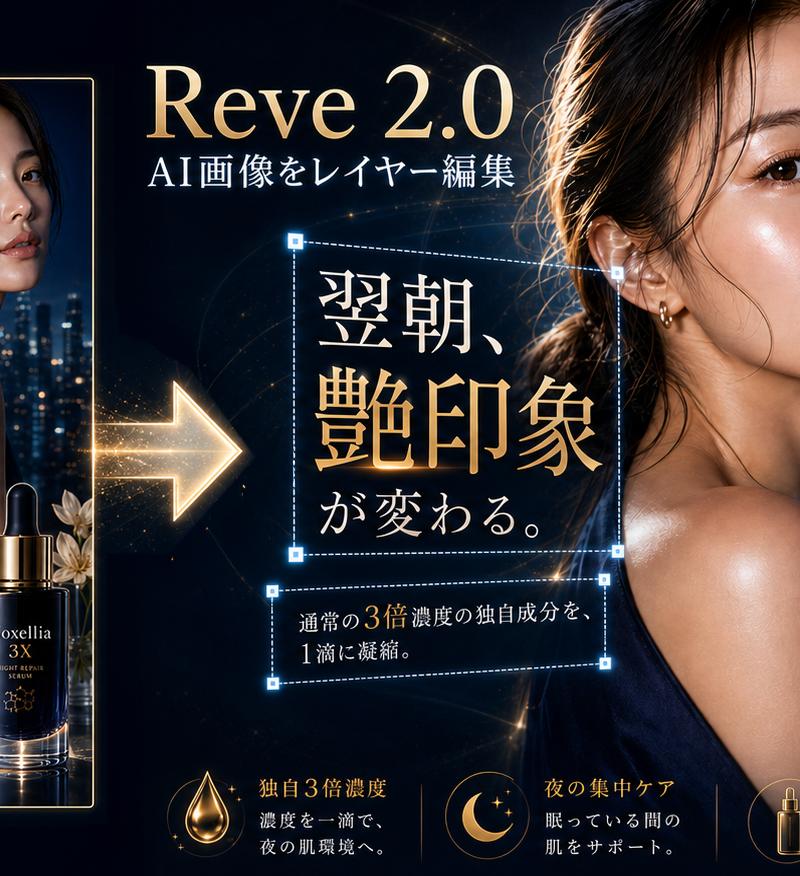
奢华精华液图层编辑演示
提示词
Goal: Create a high-end dark luxury advertising demonstration graphic for an AI image editor, showing a cosmetic serum ad being decomposed into editable layers.

Canvas: Wide 16:9 banner, deep navy-black background with gold light streaks, cinematic glossy lighting, premium beauty-brand mood, ultra-detailed photorealistic product rendering.

Layout: On the left, show one complete vertical finished poster inside a thin gold border. In the center, place a large glowing gold arrow pointing from the finished poster toward the editable composition. Across the top center, add the title “{argument name="software title" default="Reve 2.0"}” in large elegant serif gold-white lettering, with the subtitle “AI画像をレイヤー編集” beneath it in white. On the center-right, show the enlarged source model image: a woman in a dark satin evening dress photographed from behind with a shiny shoulder, hair rim-lit by warm light, city night bokeh behind her, and a large soft rectangular face-obscuring block over her face. On the far right, display separated editable layer elements floating with blue dashed selection boxes and small square resize handles.

Left finished poster details: The poster advertises “{argument name="product name" default="Noxellia 3X"}” with the English sublabel “NIGHT REPAIR SERUM.” It contains exactly 1 female model, 1 dark blue serum bottle with gold dropper, 1 pale gold flower accent, 1 nighttime city skyline background, and Japanese ad copy in white and gold. Include the large central Japanese headline “翌朝、艶印象が変わる。” in ornate serif type, small top copy “一晩で、肌の修復力を最大化する,” mid copy “高濃度ナイトリペアセラム,” and bottom supporting text “通常の3倍濃度の独自成分を、1滴に凝縮。” The woman’s face in the poster is also covered by a soft rectangular blur/censor block.

Editable layer callouts: Show exactly 7 separate blue dashed selection rectangles with glowing cyan corner handles: 1 around the large central headline “翌朝、艶印象が変わる。”, 1 around the smaller central supporting sentence “通常の3倍濃度の独自成分を、1滴に凝縮。”, 1 around the top-right Japanese phrase “一晩で、肌の修復力を最大化する”, 1 around the right-side phrase “高濃度ナイトリペアセラム”, 1 around the isolated product bottle plus flower, 1 around a cropped city skyline strip, and 1 around a thin gold curved line near the bottom right.

Bottom feature row: Add exactly 3 gold icon-and-text feature blocks along the bottom of the central/right area: 1 droplet icon labeled “独自3倍濃度” with small explanatory Japanese copy, 1 crescent moon and stars icon labeled “夜の集中ケア” with small explanatory Japanese copy, and 1 bottle icon labeled “上質な所有感” with small explanatory Japanese copy.

Visual style: Luxury skincare advertising, black and midnight blue palette, champagne gold typography, sparkling lens flares, elegant serif Japanese type, glowing cyan UI handles, clean composition, realistic reflections on the serum bottle, glossy skin highlights, dramatic rim light, premium cosmetic campaign aesthetic.

Constraints: Keep all Japanese text legible and positioned as described, preserve the dark gold luxury look, use no watermarks or app chrome, make the layer boxes look like non-destructive editing overlays, and include exactly the counted elements and selection boxes.- 分类
- 图表信息图
- 模型
- GPT Image 2
- 来源作者
- CREAiTER®(クレアイター)
- 原始语言
- en
- 来源 ID
- 24513
- 发布时间
- 2026年6月6日
浏览量67