19

Forced-perspective giant sneaker street: GPT Image 2 prompt
Enlarge

Forced-perspective giant sneaker street: GPT Image 2 prompt

Prompt
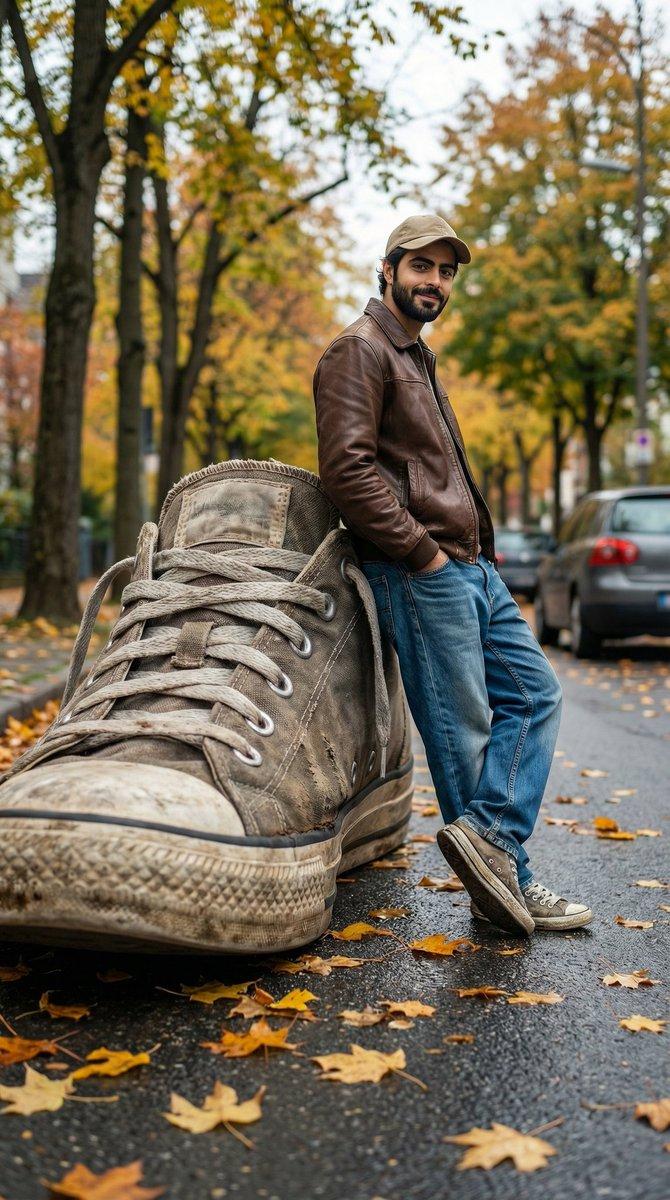
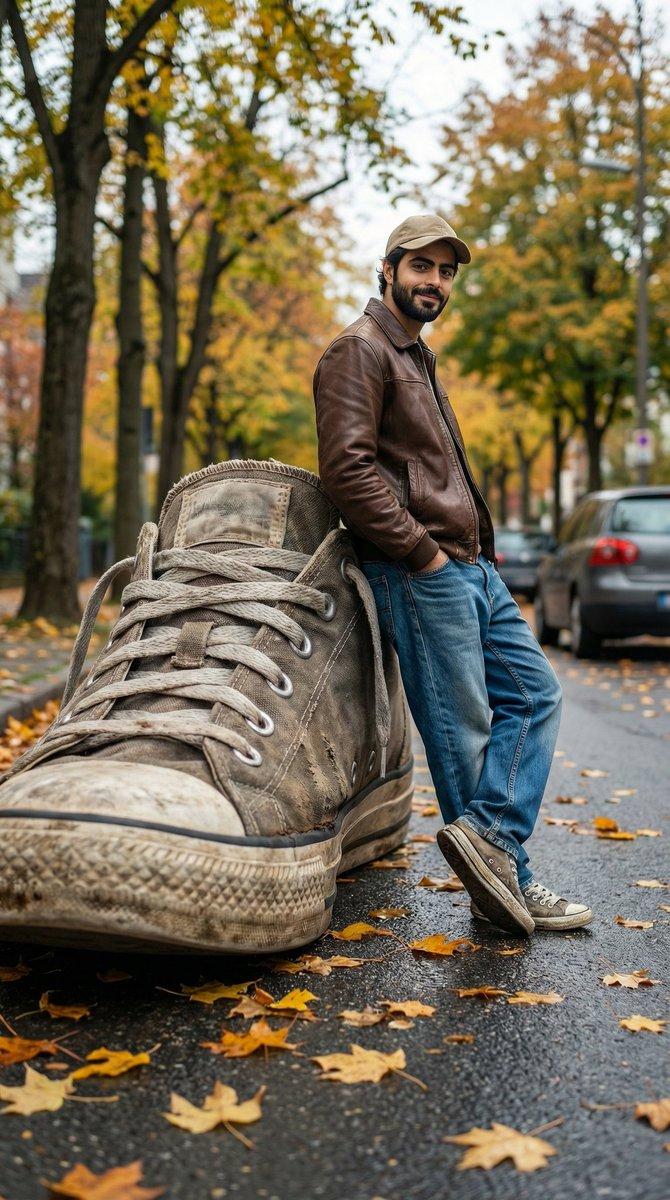
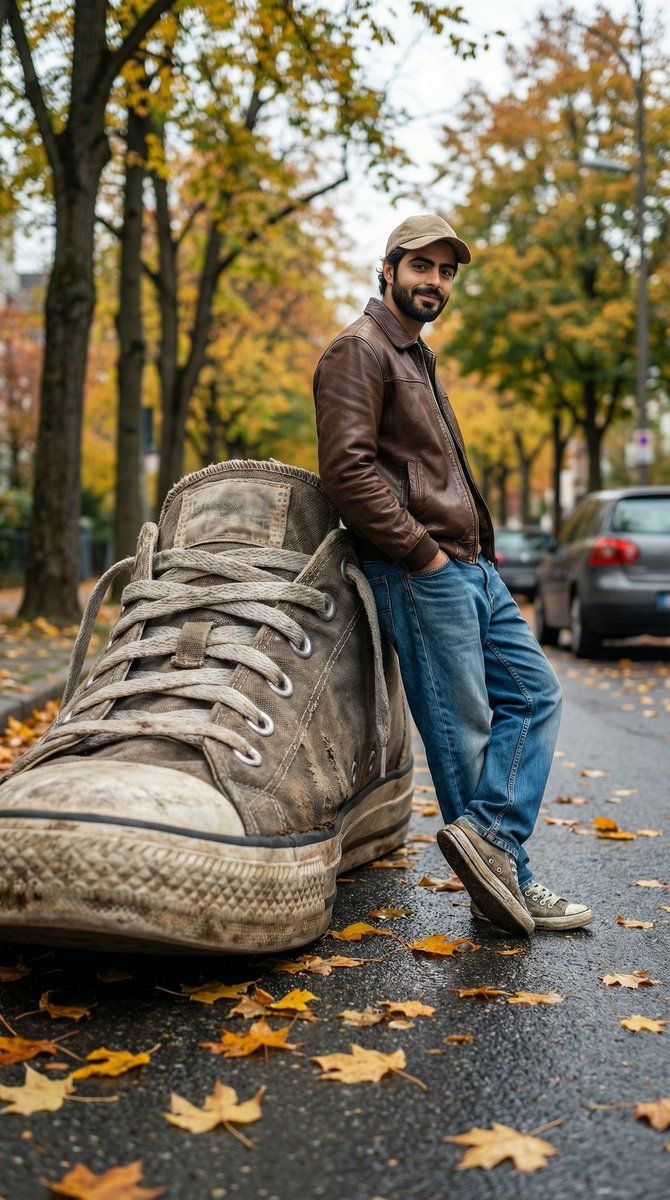
A cinematic forced-perspective street photography scene where a giant worn-out sneaker appears enormous in the foreground, towering over a casually dressed young man leaning against it. The man wears a brown leather jacket, loose blue jeans, sneakers, and a beige cap, standing confidently with hands in pockets. Autumn atmosphere with yellow and orange leaves scattered on the road, talltrees with fall foliage in the background, parked car slightly blurred. Ultra-realistic textures on the shoe sole, visible dirt and fabric wear. Shot from a very low angle to exaggerate scale, shallow depth of field, natural daylight, soft cinematic color grading, realistic shadows, high detail, 8K resolution, professional photography, surreal yet believable forced perspective illusion.
Category
Products & E-commerce
Model
GPT Image 2
Creator
Zar⭕on
Views4
Source ID
2011823507932659844
Published
Jan 15, 2026

Guide

About "Forced-perspective giant sneaker street: GPT Image 2 prompt"

What is this prompt for?

"Forced-perspective giant sneaker street: GPT Image 2 prompt" AI image prompt for GPT Image 2 (Products & E-commerce). A cinematic forced-perspective street ph…

The full copyable prompt and example visuals above are ready for AI image generation or one-click recreate in Picva.

How to use this prompt

  1. Step 1

    Open the prompt detail

    Review the example visuals, category, and full prompt text for "Forced-perspective giant sneaker street: GPT Image 2 prompt".

  2. Step 2

    Copy the prompt

    Copy the prompt body from this page, or load it directly in Studio.

  3. Step 3

    Pick a model (GPT Image 2)

    Prefer GPT Image 2. If you switch models, keep subject and composition and tweak style terms.

  4. Step 4

    Generate and export

    Recreate the look in Picva, or export into your workflow for editing and publishing.

FAQ

What is the "Forced-perspective giant sneaker street: GPT Image 2 prompt" prompt?
It is an AI image-generation prompt for GPT Image 2 in the Products & E-commerce category. This page includes the full prompt text, example visuals, and a one-click recreate path in Picva.
How do I use this prompt to generate an image?
Copy the prompt from this page, or use Generate / Studio. Paste it into a compatible image model, or recreate the look in Picva with optional reference images.
Which model is this prompt for?
This page lists GPT Image 2. Most descriptive prompts also transfer to nearby image models such as GPT Image, Flux, or Midjourney with light style tweaks.
Can I use the result commercially?
You can usually copy the prompt for creation, but commercial use of the final image depends on the model terms, reference-image rights, and the generated content. Follow the source author and platform rules.