超强沙漏身材自拍提示词
Prompt
{
  "subject": {
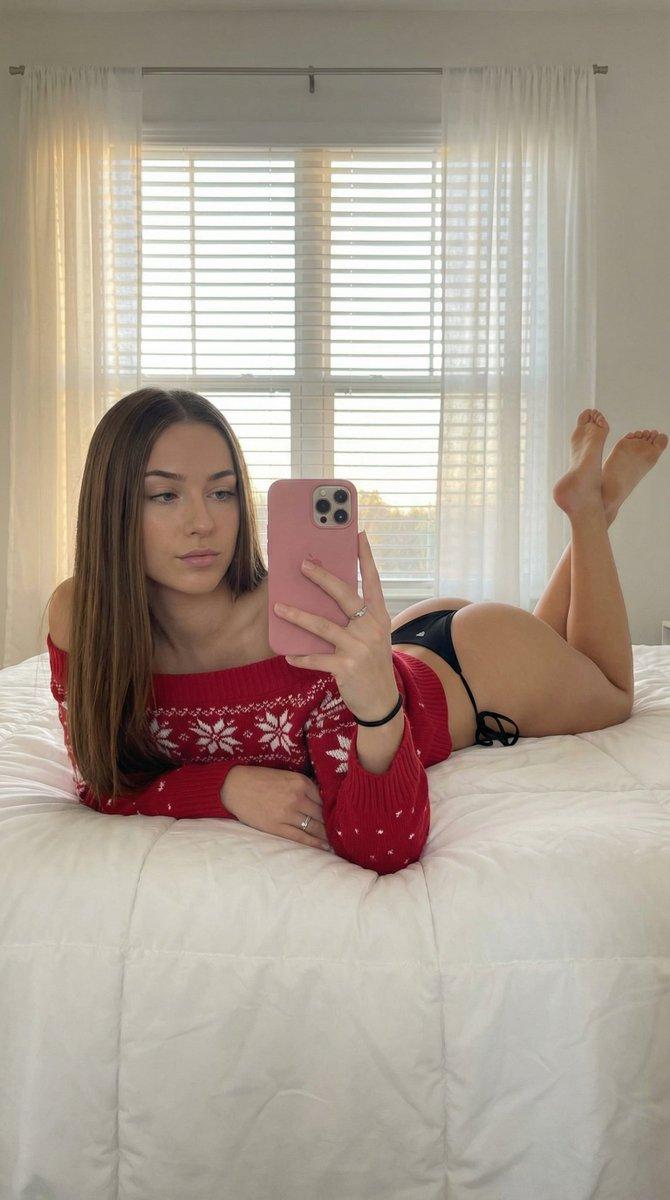
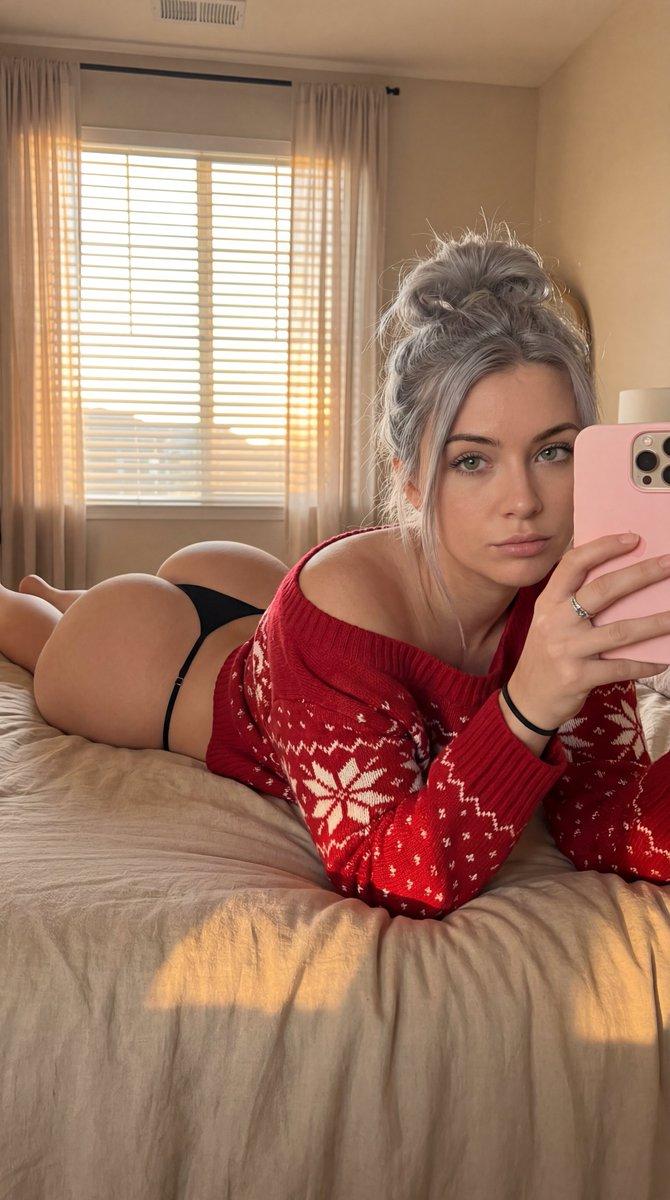
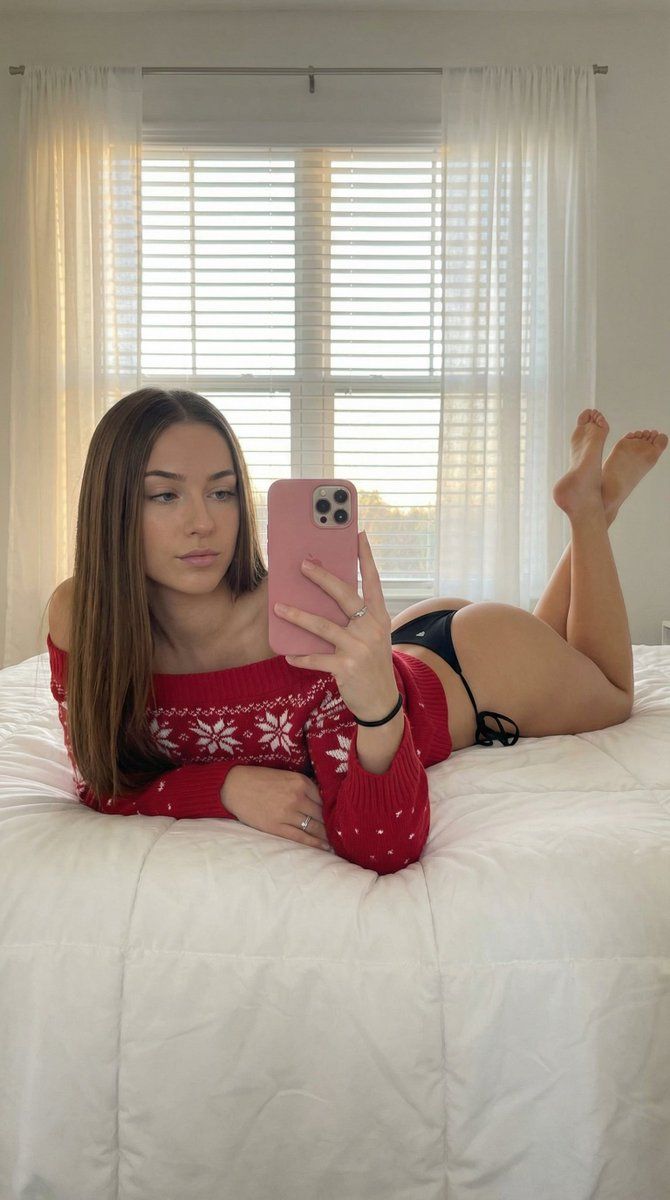
    "description": "A young woman with long, straight brunette hair falling over her shoulders, featuring a soft facial structure and a neutral, calm expression with her mouth firmly closed. She is captured in a prone selfie pose on a bed.",
    "body": {
      "physique": "Hyper-pronounced hourglass silhouette with an extreme waist-to-hip ratio. The anatomy features a very narrow, tapered waist transitioning into exceptionally wide, voluminous hips and large, well-defined glutes (gluteus maximus and medius).",
      "details": "Defined lower back curvature (lumbar lordosis), toned thighs, and smooth skin texture with realistic pores and subtle muscle definition in the legs. The pose emphasizes the lateral flare of the hips and the significant volume of the posterior."
    }
  },
  "wardrobe": {
    "top": "An off-the-shoulder red knit sweater featuring white 'snowflake patterns' and ribbed cuffs.",
    "bottom": "A minimalist, thin black string bikini bottom with a high-cut design to further accentuate the hip width and gluteal volume.",
    "accessories": "A simple black hair tie on the left wrist and a delicate silver ring on the ring finger. Holding a matte pink smartphone."
  },
  "pose_action": {
    "description": "Lying prone on a bed, propped up on elbows. The subject is holding a pink phone with her right hand to take a mirror-style selfie. Her legs are bent at the knees, with her feet raised toward the ceiling, showcasing the soles of her feet.",
    "expression": "Sultry yet composed with eyes directed toward the phone screen, lips together and closed."
  },
  "scene": {
    "setting": "A brightly lit, modern bedroom. The subject is on a white quilted comforter with clean lines.",
    "background": "Large window with horizontal slats/blinds covered by translucent white curtains. Soft daylight creates a glow behind the subject. Interior walls are a muted, soft blue or grey tone.",
    "elements": "White nightstand partially visible, natural indoor ambiance."
  },
  "lighting": {
    "type": "Soft-focus natural backlighting combined with high-key interior lighting.",
    "details": "Golden hour warmth filtering through the window blinds creating a subtle rim light on the hair and shoulders. Soft, even fill light on the subject's face and body to maintain skin texture and eliminate harsh shadows."
  },
  "camera": {
    "aspect_ratio": "9:16",
    "angle": "Eye-level selfie perspective, medium shot.",
    "technical": "Shot on 35mm lens, f/2.8 aperture for shallow depth of field, sharp focus on the subject's form and face, high-resolution digital photography, 8k detail.",
    "reflection_integrity_rules": "The phone's orientation and the subject's gaze must align with a selfie perspective; ensure the hand grip on the phone is anatomically correct and the screen reflects a realistic interface without text."
  },
  "negative_constraints": [
    ""
  ]
}- Category
- 创意图片
- Model
- Nano Banana Pro
- Creator
- RubenSalvo
- Source ID
- d0d4004c-5814-4a96-8b6c-70e7f2ff8333
- Published
- Mar 8, 2026
Views0