19

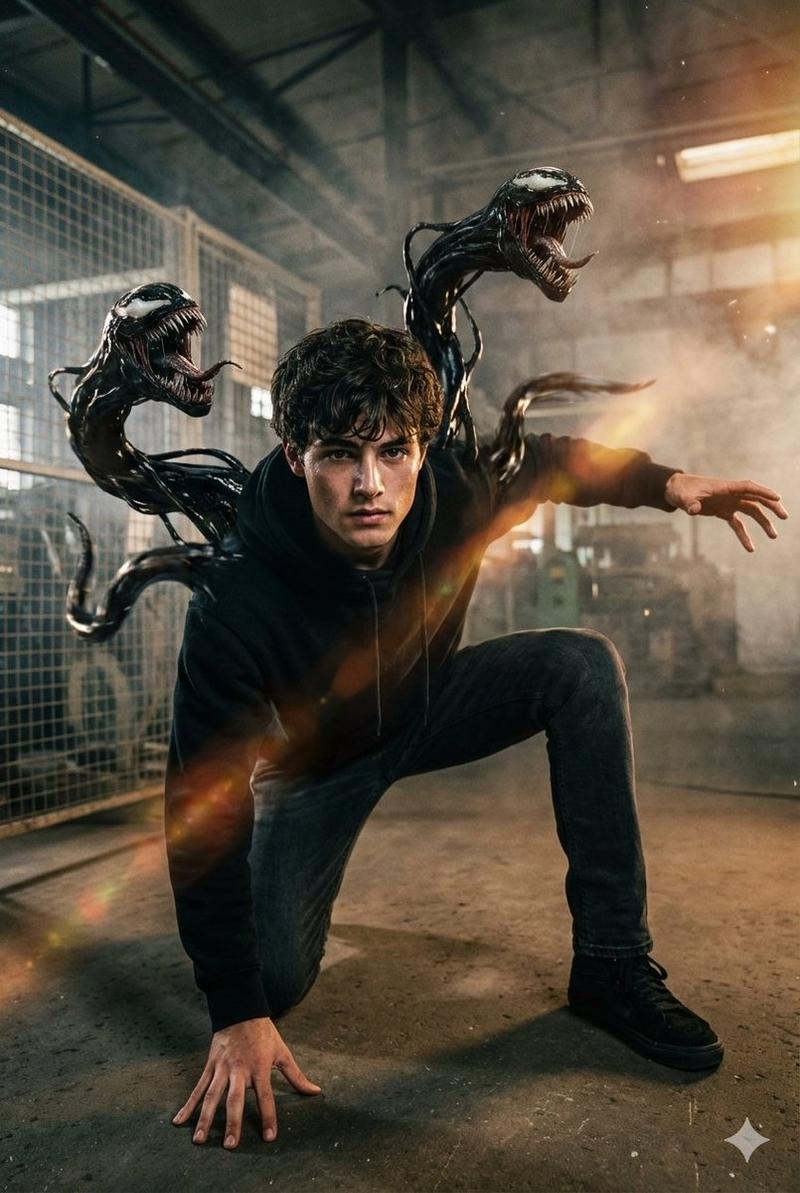
电影毒液共生体动作场景
Enlarge

电影毒液共生体动作场景

Prompt
16K ultra-realistic cinematic movie scene of the same young man (keep his real facial features and proportions exactly as in the reference photo, no changes to his face). He is in a dynamic action pose, slightly crouched forward as if ready to leap or attack, one knee bent, one hand pressing firmly on the ground, the other reaching out with intense motion. From his back, a Venom-like symbiote bursts outward, forming huge menacing tendrils and a snarling monstrous face rising above his shoulder. The dark industrial warehouse setting is filled with mist and drifting smoke, with sharp light beams slicing through the fog. Camera angle is low and slightly tilted for dramatic tension and high-energy impact. Add warm highlights, motion blur, lens flares, and subtle film-grain for a Hollywood action-poster vibe. Generate the face using the uploaded reference image with accurate likeness.
Category
创意图片
Model
Nano Banana Pro
Creator
auqib
Views0
Source ID
381efc31-a844-444a-a2da-1f6d8534d3c4
Published
Mar 8, 2026

Guide

About "电影毒液共生体动作场景"

What is this prompt for?

"电影毒液共生体动作场景" AI image prompt for Nano Banana Pro (创意图片). 一个用于生成超现实电影场景的提示,场景中一名年轻男子(身份锁定为参考照片)摆出动感的姿势,一个毒液般的共生体从他背部爆裂而出。该提示详细说明了场景设置(黑暗的工业仓库)、灯光(锐利的光束,温暖的高光)和…

The full copyable prompt and example visuals above are ready for AI image generation or one-click recreate in Picva.

How to use this prompt

  1. Step 1

    Open the prompt detail

    Review the example visuals, category, and full prompt text for "电影毒液共生体动作场景".

  2. Step 2

    Copy the prompt

    Copy the prompt body from this page, or load it directly in Studio.

  3. Step 3

    Pick a model (Nano Banana Pro)

    Prefer Nano Banana Pro. If you switch models, keep subject and composition and tweak style terms.

  4. Step 4

    Generate and export

    Recreate the look in Picva, or export into your workflow for editing and publishing.

FAQ

What is the "电影毒液共生体动作场景" prompt?
It is an AI image-generation prompt for Nano Banana Pro in the 创意图片 category. This page includes the full prompt text, example visuals, and a one-click recreate path in Picva.
How do I use this prompt to generate an image?
Copy the prompt from this page, or use Generate / Studio. Paste it into a compatible image model, or recreate the look in Picva with optional reference images.
Which model is this prompt for?
This page lists Nano Banana Pro. Most descriptive prompts also transfer to nearby image models such as GPT Image, Flux, or Midjourney with light style tweaks.
Can I use the result commercially?
You can usually copy the prompt for creation, but commercial use of the final image depends on the model terms, reference-image rights, and the generated content. Follow the source author and platform rules.