14

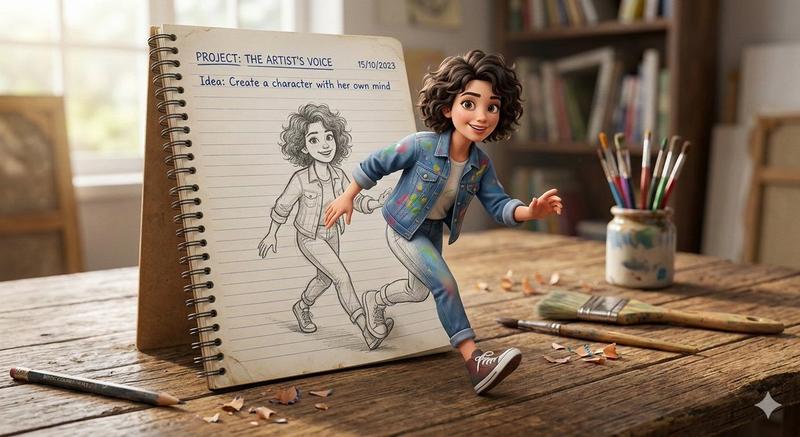
3D 弹出式幻觉艺术作品提示
Enlarge

3D 弹出式幻觉艺术作品提示

Prompt
{
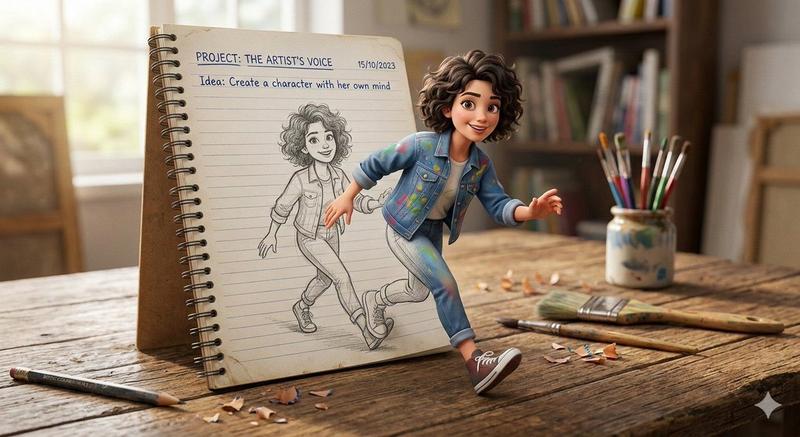
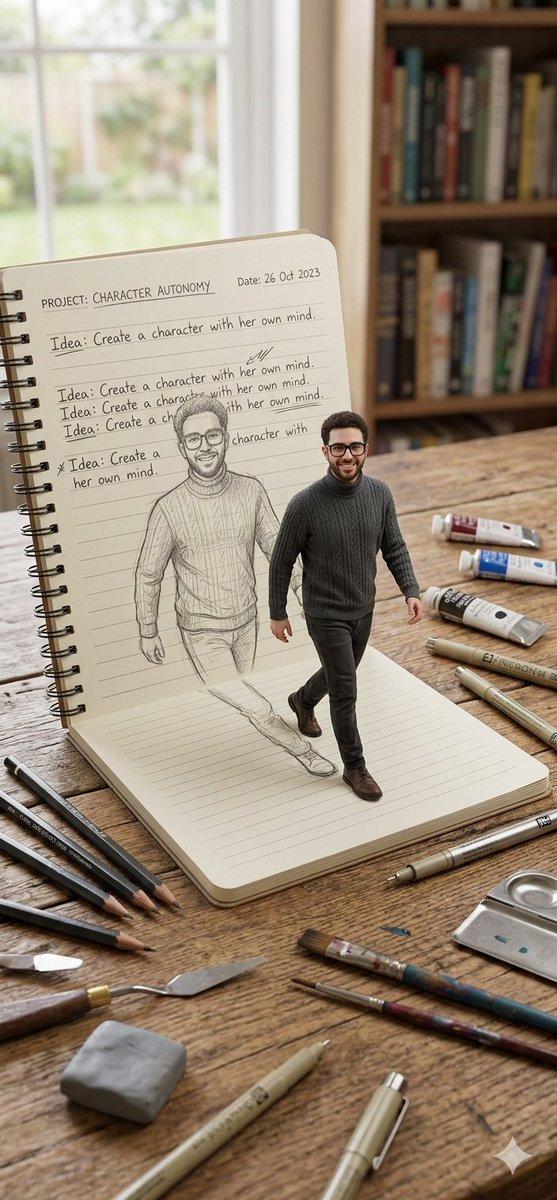
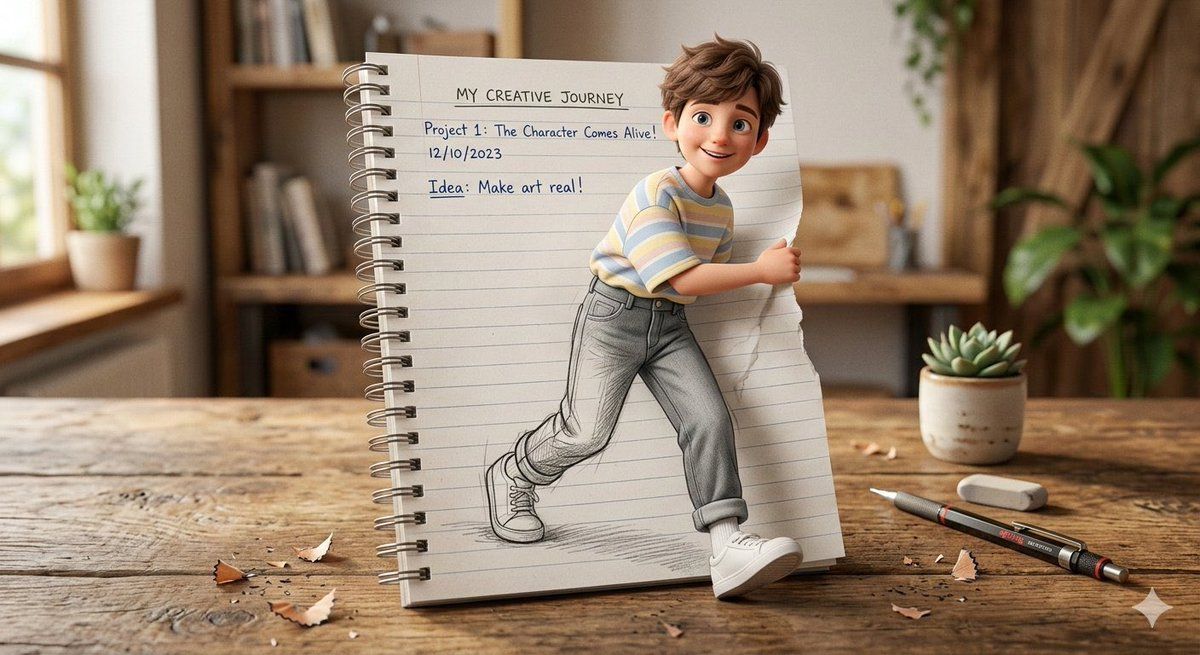
  "prompt": "A creative 3D illusion artwork of a cute young boy stepping out of a spiral notebook page placed on a wooden desk. The notebook has lined paper with handwritten text at the top. The boy appears in a semi-realistic 3D cartoon style, with soft messy brown hair, natural fresh face, and a cheerful smile. He is wearing a pastel oversized t-shirt, high-waisted light grey jeans, and clean white sneakers. His lower body is sketched in pencil on the notebook page, while his upper body looks fully realistic and popping out of the paper, creating a striking 3D illusion effect. Warm soft lighting, detailed wooden desk texture, shallow depth of field, ultra-detailed, high resolution.",
  "style": "semi-realistic 3D cartoon",
  "lighting": "warm soft lighting",
  "resolution": "high resolution",
  "effect": "3D pop-out illusion with pencil sketch lower body"
}
Category
创意图片
Model
Nano Banana Pro
Creator
北望
Views0
Source ID
45c7e2b9-8a88-4394-bb89-056e90fd0596
Published
Mar 8, 2026

Guide

About "3D 弹出式幻觉艺术作品提示"

What is this prompt for?

"3D 弹出式幻觉艺术作品提示" AI image prompt for Nano Banana Pro (创意图片). 一个为 Gemini 上的 Nano Banana Pro 设计的结构化提示,用于生成创意 3D 错觉艺术作品。图像描绘了一个可爱的小男孩,他正从放置在木制书桌上的螺旋笔记本页面中走出来。该提示详…

The full copyable prompt and example visuals above are ready for AI image generation or one-click recreate in Picva.

How to use this prompt

  1. Step 1

    Open the prompt detail

    Review the example visuals, category, and full prompt text for "3D 弹出式幻觉艺术作品提示".

  2. Step 2

    Copy the prompt

    Copy the prompt body from this page, or load it directly in Studio.

  3. Step 3

    Pick a model (Nano Banana Pro)

    Prefer Nano Banana Pro. If you switch models, keep subject and composition and tweak style terms.

  4. Step 4

    Generate and export

    Recreate the look in Picva, or export into your workflow for editing and publishing.

FAQ

What is the "3D 弹出式幻觉艺术作品提示" prompt?
It is an AI image-generation prompt for Nano Banana Pro in the 创意图片 category. This page includes the full prompt text, example visuals, and a one-click recreate path in Picva.
How do I use this prompt to generate an image?
Copy the prompt from this page, or use Generate / Studio. Paste it into a compatible image model, or recreate the look in Picva with optional reference images.
Which model is this prompt for?
This page lists Nano Banana Pro. Most descriptive prompts also transfer to nearby image models such as GPT Image, Flux, or Midjourney with light style tweaks.
Can I use the result commercially?
You can usually copy the prompt for creation, but commercial use of the final image depends on the model terms, reference-image rights, and the generated content. Follow the source author and platform rules.