18

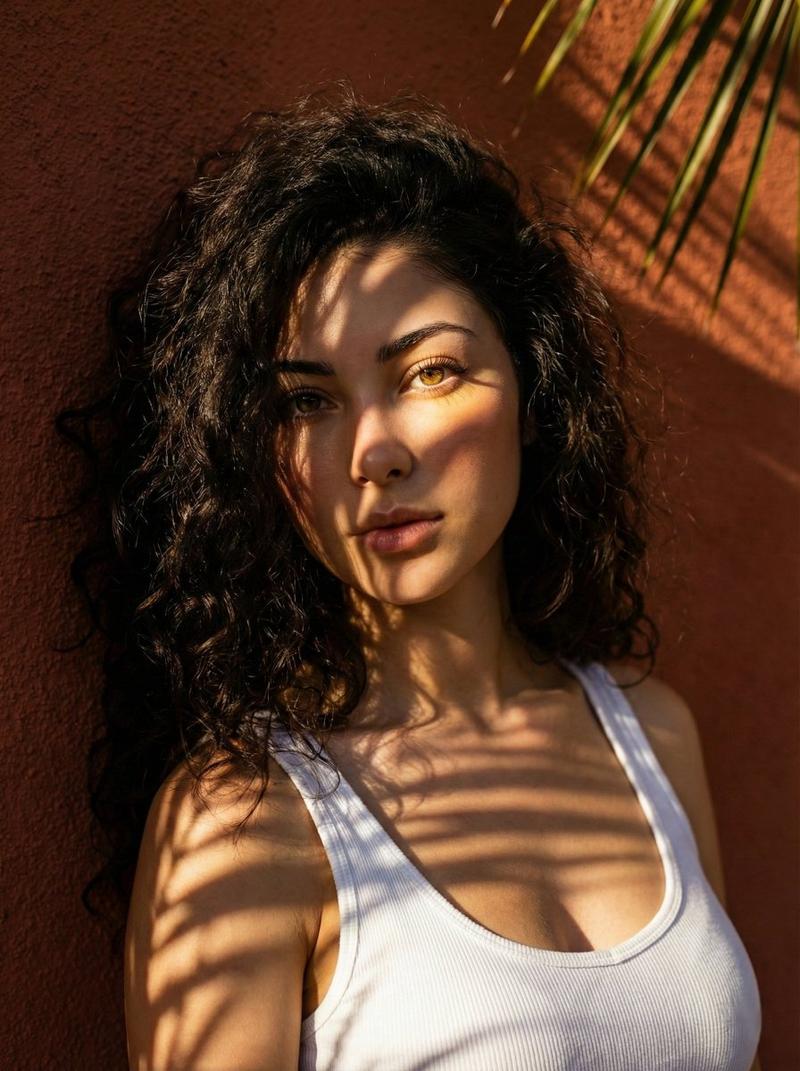
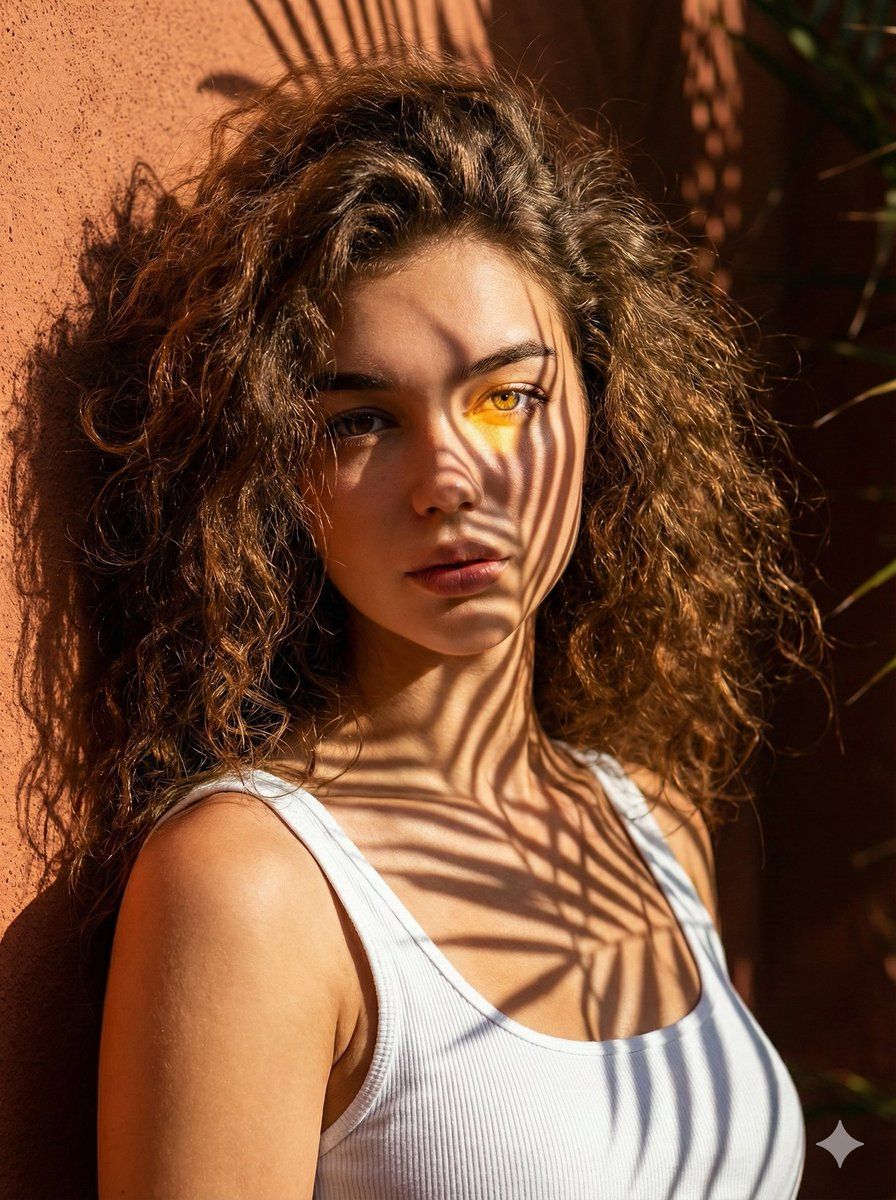
高对比度手掌阴影肖像
Enlarge

高对比度手掌阴影肖像

Prompt
Create a stunning close-up portrait of a woman with wild, curly hair, wearing a simple white tank top. She is leaning against a wall under the afternoon sun. The light is filtering through the leaves of a palm tree, casting sharp, high-contrast shadows of the fronds across her face and chest. One eye is illuminated by a patch of golden light, while the other is hidden in the leaf shadow. The background is a deep, shadowed terracotta wall. Cinematic, vibrant colors, sharp focus, sun-drenched aesthetic. Use aspect ratio 3:4.
Category
创意图片
Model
Nano Banana Pro
Views0
Source ID
96912132-083f-4c69-b707-bc39cc51a4bc
Published
Mar 8, 2026

Guide

About "高对比度手掌阴影肖像"

What is this prompt for?

"高对比度手掌阴影肖像" AI image prompt for Nano Banana Pro (创意图片). 为 Nano Banana Pro 提供一个详细的提示:创作一张电影感十足、高对比度的女性特写肖像,她拥有一头卷发,下午的阳光下,棕榈叶投射出锐利的阴影,背景是一堵赤陶色墙壁。 --- 创作一张特写肖像,…

The full copyable prompt and example visuals above are ready for AI image generation or one-click recreate in Picva.

How to use this prompt

  1. Step 1

    Open the prompt detail

    Review the example visuals, category, and full prompt text for "高对比度手掌阴影肖像".

  2. Step 2

    Copy the prompt

    Copy the prompt body from this page, or load it directly in Studio.

  3. Step 3

    Pick a model (Nano Banana Pro)

    Prefer Nano Banana Pro. If you switch models, keep subject and composition and tweak style terms.

  4. Step 4

    Generate and export

    Recreate the look in Picva, or export into your workflow for editing and publishing.

FAQ

What is the "高对比度手掌阴影肖像" prompt?
It is an AI image-generation prompt for Nano Banana Pro in the 创意图片 category. This page includes the full prompt text, example visuals, and a one-click recreate path in Picva.
How do I use this prompt to generate an image?
Copy the prompt from this page, or use Generate / Studio. Paste it into a compatible image model, or recreate the look in Picva with optional reference images.
Which model is this prompt for?
This page lists Nano Banana Pro. Most descriptive prompts also transfer to nearby image models such as GPT Image, Flux, or Midjourney with light style tweaks.
Can I use the result commercially?
You can usually copy the prompt for creation, but commercial use of the final image depends on the model terms, reference-image rights, and the generated content. Follow the source author and platform rules.