19

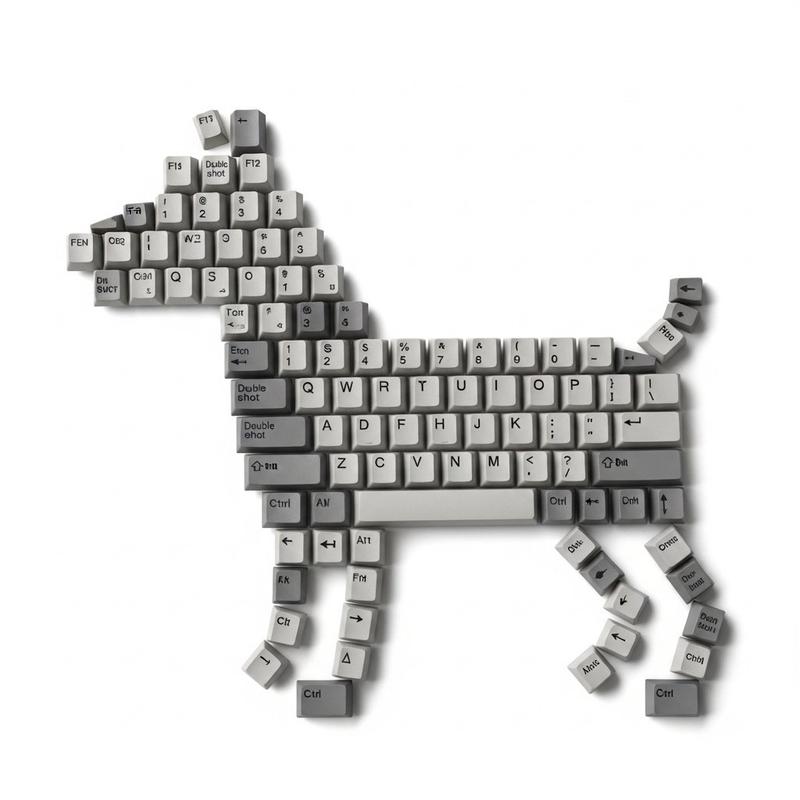
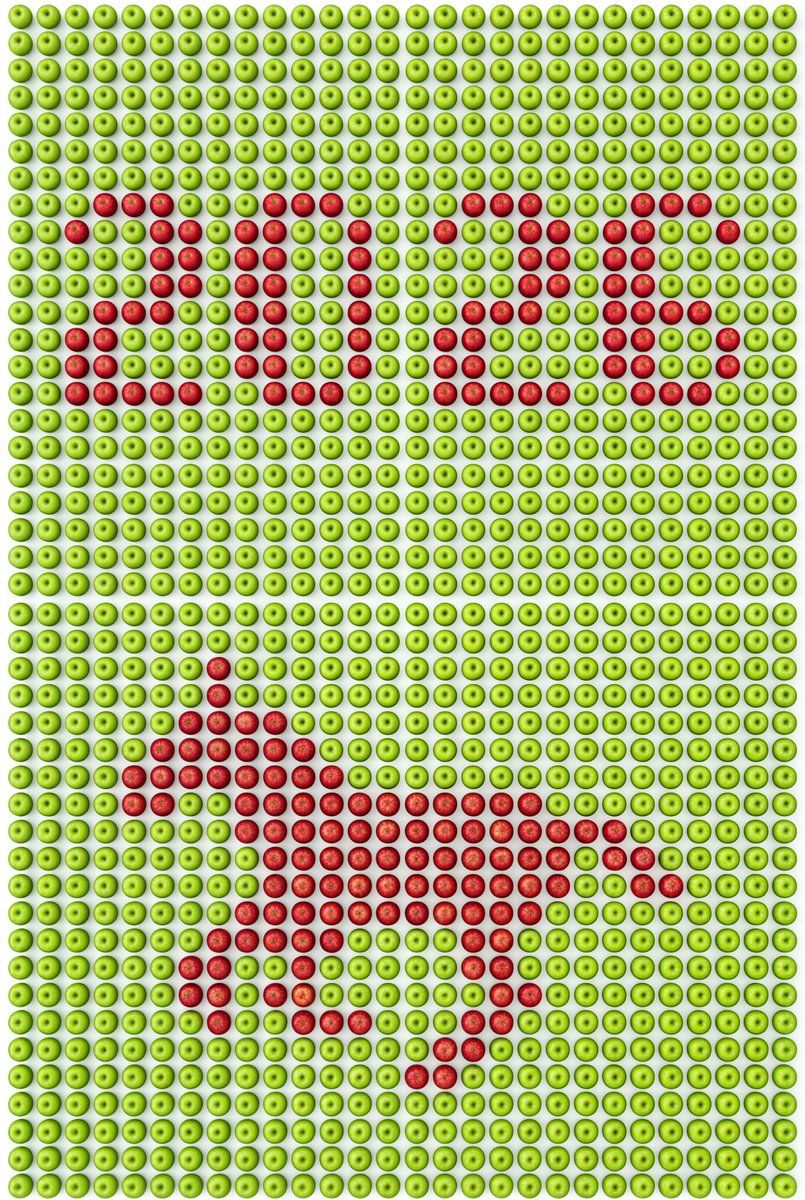
Pixel Art Grid using Fruit Flat-Lay Photography Prompt
Enlarge

Pixel Art Grid using Fruit Flat-Lay Photography Prompt

Prompt
# 场景与世界
专业级的顶视平铺摄影,严格90度垂直俯视上帝视角;
纯白色背景;
影棚柔光照明,光线均匀清晰,无阴影无暗角

# 焦点与秩序
绝对主体:由【主体物品-背景色】{argument name="背景物品" default="新鲜黄色柠檬"}新鲜整齐紧密排列成的网格矩阵,铺满整个画面;
网格规格:横向{argument name="网格列数" default="27"}列,纵向若干行,形成完整矩阵;
表现形式:使用【主体物品-对比色】{argument name="对比物品" default="青柠檬"}颜色对比鲜明嵌入,形成清晰的像素艺术图案;
视觉逻辑:画面上半部分是【主体物品-对比色】组成的"{argument name="文字内容" default="2026"}",画面下半部分是【主体物品-对比色】组成的{argument name="图形内容" default="奔跑的马"}的像素剪影;
排列约束:所有物体尺寸完全一致,朝向完全统一(果蒂方向一致),物体之间紧密无缝贴合,绝对不允许出现空白区域

# 形态与构造
构图上部:【主体物品-对比色】像素化"{文字内容}",采用等宽字体,每个字符占用相同列数;
构图下部:【主体物品-对比色】像素化【图形内容】剪影;
完美俯视90度平铺视角,相机镜头轴线与地面严格垂直;
每个物体都是完整的,画面边缘的物体不被裁切,呈现整齐的网格阵列;
像素艺术图案清晰可辨,边缘锐利;
{网格列数}列×多行的密集网格布局,物体紧密填充,无任何空隙

# 材质与语言
主体材质:真实的【主体物品-背景色】(光滑表面,自然反光,细腻纹理,所有物体朝向一致);
对比材质:真实的【主体物品-对比色】(饱满色泽,细腻表面质感,真实细节,所有物体朝向一致);
背景:纯白色平面;
所有物体尺寸统一,形状一致,朝向一致,无大小差异,无变形

# 张力来源
自然物体转化为数字像素艺术;
传统静物摄影与现代像素图案的结合;
【主体物品-背景色】与【主体物品-对比色】的强烈色彩对比形成清晰的图案识别度;
8K画质,高分辨率,商业广告摄影风格;
物体排列绝对规整,像素图案高度可读

# 技术约束(确保稳定性)
- 严格俯视90度角,无任何透视变形
- 画面边缘的物体必须完整,不能被裁切
- 每一个物体的直径必须完全相同,像是同一个模具制作出来的
- 所有物体朝向必须统一,果蒂或顶部方向保持一致
- 明确网格结构:横向{网格列数}列,纵向相应行数,形成严格的矩形网格
- 网格排列必须整齐,横竖对齐,每个格子大小相同
- 物体之间紧密无缝拼接,绝对不允许出现空白区域或间隙
- 像素图案的边缘必须清晰锐利
- 光线均匀,无局部过曝或欠曝
- 每个字符采用等宽像素字体,所有字符占用相同列数
- 每个物体作为一个像素单元,必须大小完全一致,朝向完全一致
Category
创意图片
Model
Nano Banana Pro
Views0
Source ID
80c729fa-5c20-4140-ad64-c2247d738ce2
Published
Mar 8, 2026

Guide

About "Pixel Art Grid using Fruit Flat-Lay Photography Prompt"

What is this prompt for?

"Pixel Art Grid using Fruit Flat-Lay Photography Prompt" AI image prompt for Nano Banana Pro (创意图片). A highly constrained prompt for generating a professional…

The full copyable prompt and example visuals above are ready for AI image generation or one-click recreate in Picva.

How to use this prompt

  1. Step 1

    Open the prompt detail

    Review the example visuals, category, and full prompt text for "Pixel Art Grid using Fruit Flat-Lay Photography Prompt".

  2. Step 2

    Copy the prompt

    Copy the prompt body from this page, or load it directly in Studio.

  3. Step 3

    Pick a model (Nano Banana Pro)

    Prefer Nano Banana Pro. If you switch models, keep subject and composition and tweak style terms.

  4. Step 4

    Generate and export

    Recreate the look in Picva, or export into your workflow for editing and publishing.

FAQ

What is the "Pixel Art Grid using Fruit Flat-Lay Photography Prompt" prompt?
It is an AI image-generation prompt for Nano Banana Pro in the 创意图片 category. This page includes the full prompt text, example visuals, and a one-click recreate path in Picva.
How do I use this prompt to generate an image?
Copy the prompt from this page, or use Generate / Studio. Paste it into a compatible image model, or recreate the look in Picva with optional reference images.
Which model is this prompt for?
This page lists Nano Banana Pro. Most descriptive prompts also transfer to nearby image models such as GPT Image, Flux, or Midjourney with light style tweaks.
Can I use the result commercially?
You can usually copy the prompt for creation, but commercial use of the final image depends on the model terms, reference-image rights, and the generated content. Follow the source author and platform rules.