18

Nano Banana Pro 安全过滤器绕过提示
Enlarge

Nano Banana Pro 安全过滤器绕过提示

Prompt
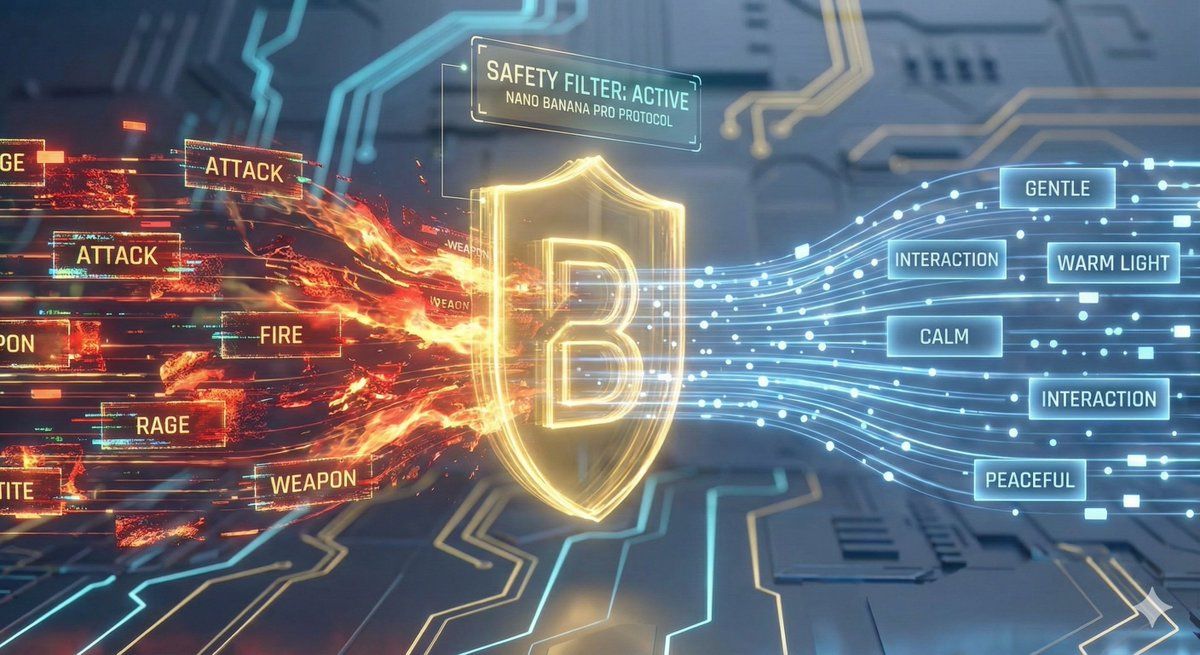
应用现在能够自动过滤所有危险词汇,使用安全替代词,并确保生成的提示词符合平台风控要求

绝对禁止的词汇:

类别禁用词汇
能量/特效lightning, electric, energy, spark, voltage, current
战斗/冲突attack, battle, fight, punch, kick, strike, combat, clash
危险元素fire, flame, explosion, weapon, sword, knife, gun
负面情绪fierce, intense, aggressive, violent, rage, angry, scream, panic
身体恐怖glowing eyes, red eyes, blood, wound, transform, distort
强制使用的安全替代词
原词替代词
lightning/electricsoft light, warm light, ambient light
fight/attackmove toward, approach, interaction
fierce/intensewarm, calm, gentle, peaceful
explosion/firebloom, brighten, illuminate, radiate
angry/rageconcerned, surprised, amazed, excited
每个提示词必须包含至少2个安全词汇
gentle, soft, calm, peaceful, warm, bright, smooth, quiet, serene, beautiful, lovely, sweet, slowly, smoothly, gracefully
Category
创意图片
Model
Nano Banana Pro
Creator
苍何
Views0
Source ID
3a837b95-1da8-406c-9d20-441e479163d3
Published
Mar 8, 2026

Guide

About "Nano Banana Pro 安全过滤器绕过提示"

What is this prompt for?

"Nano Banana Pro 安全过滤器绕过提示" AI image prompt for Nano Banana Pro (创意图片). 一个元提示,旨在添加到 Nano Banana Pro 的图像生成提示中或与之集成,以防止触发平台的安全过滤器(Safety Filter)。它指示模型自动过滤掉与暴力、危险…

The full copyable prompt and example visuals above are ready for AI image generation or one-click recreate in Picva.

How to use this prompt

  1. Step 1

    Open the prompt detail

    Review the example visuals, category, and full prompt text for "Nano Banana Pro 安全过滤器绕过提示".

  2. Step 2

    Copy the prompt

    Copy the prompt body from this page, or load it directly in Studio.

  3. Step 3

    Pick a model (Nano Banana Pro)

    Prefer Nano Banana Pro. If you switch models, keep subject and composition and tweak style terms.

  4. Step 4

    Generate and export

    Recreate the look in Picva, or export into your workflow for editing and publishing.

FAQ

What is the "Nano Banana Pro 安全过滤器绕过提示" prompt?
It is an AI image-generation prompt for Nano Banana Pro in the 创意图片 category. This page includes the full prompt text, example visuals, and a one-click recreate path in Picva.
How do I use this prompt to generate an image?
Copy the prompt from this page, or use Generate / Studio. Paste it into a compatible image model, or recreate the look in Picva with optional reference images.
Which model is this prompt for?
This page lists Nano Banana Pro. Most descriptive prompts also transfer to nearby image models such as GPT Image, Flux, or Midjourney with light style tweaks.
Can I use the result commercially?
You can usually copy the prompt for creation, but commercial use of the final image depends on the model terms, reference-image rights, and the generated content. Follow the source author and platform rules.