20

瀑布旁的电影风格团体肖像提示
Enlarge

瀑布旁的电影风格团体肖像提示

Prompt
{
  "parameters": {
    "aspect_ratio": "9:16",
    "lens_simulation": "85mm",
    "lighting_model": "Natural daylight with volumetric mist"
  },
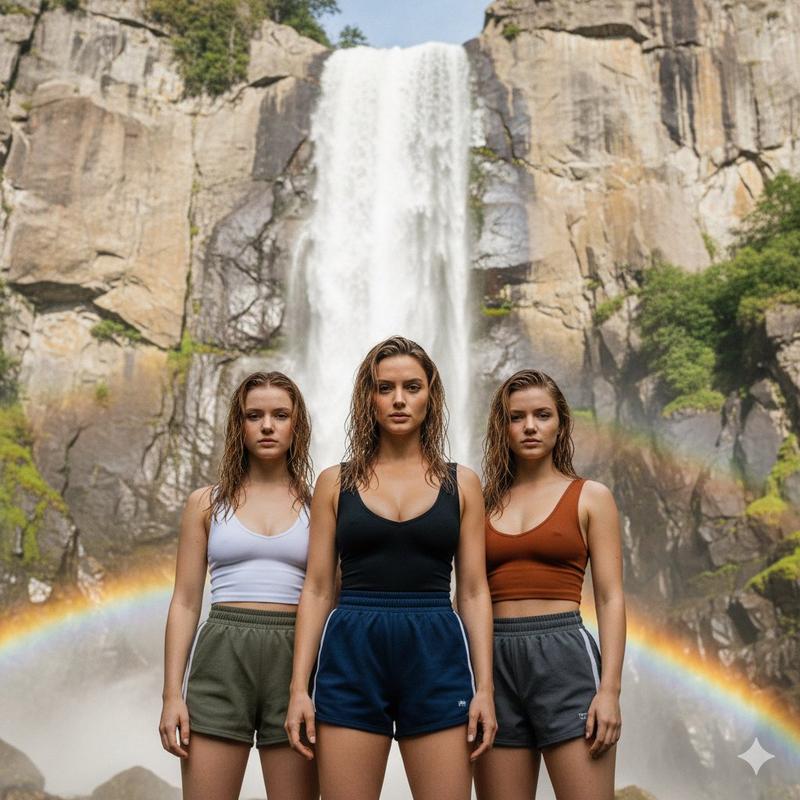
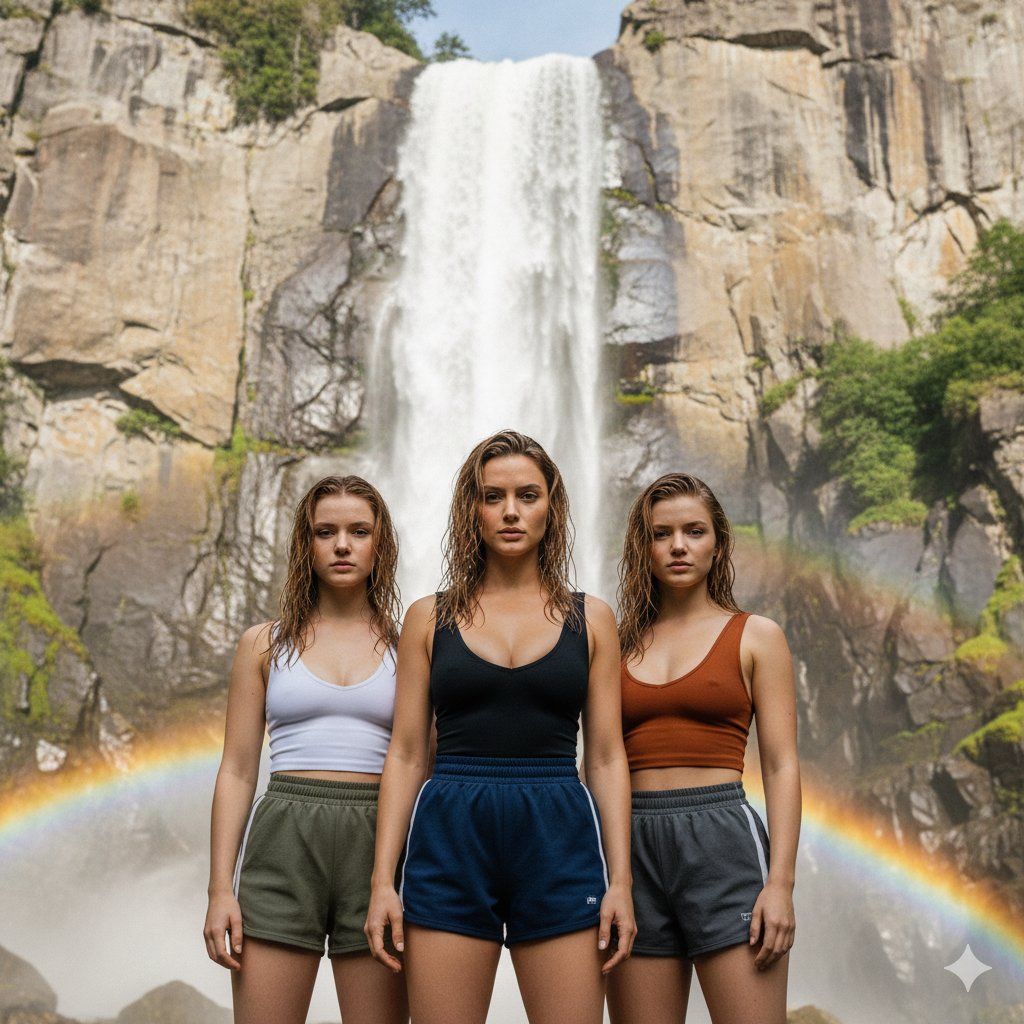
  "prompt": "A photorealistic, cinematic 9:16 group portrait. Ana de Armas look alike is centered, standing next to Sydney Sweeney look alike and Sadie Sinkd look alike. All three women are facing the camera head-on at a slight low angle. They are wearing varied athletic mini gym shorts and fitted tops with deep necklines. Their hair is damp and sun-lightened. The background is a massive, towering waterfall cascading down a granite rock face, with a rainbow visible in the spray at the bottom, maintaining the exact texture and lighting of a high-resolution outdoor nature photograph. Shallow depth of field to isolate the subjects."
}
Category
创意图片
Model
Nano Banana Pro
Views0
Source ID
9f5f6b54-2de0-482b-8271-7433c3c1a866
Published
Mar 8, 2026

Guide

About "瀑布旁的电影风格团体肖像提示"

What is this prompt for?

"瀑布旁的电影风格团体肖像提示" AI image prompt for Nano Banana Pro (创意图片). 一个用于生成三位女性(名人替身)的超逼真电影感团体肖像的提示,她们站在一个巨大、高耸的瀑布前。该提示指定了低角度、运动服装(迷你健身短裤)、湿发和体积雾,并采用浅景深来突出主体。 --- ```j…

The full copyable prompt and example visuals above are ready for AI image generation or one-click recreate in Picva.

How to use this prompt

  1. Step 1

    Open the prompt detail

    Review the example visuals, category, and full prompt text for "瀑布旁的电影风格团体肖像提示".

  2. Step 2

    Copy the prompt

    Copy the prompt body from this page, or load it directly in Studio.

  3. Step 3

    Pick a model (Nano Banana Pro)

    Prefer Nano Banana Pro. If you switch models, keep subject and composition and tweak style terms.

  4. Step 4

    Generate and export

    Recreate the look in Picva, or export into your workflow for editing and publishing.

FAQ

What is the "瀑布旁的电影风格团体肖像提示" prompt?
It is an AI image-generation prompt for Nano Banana Pro in the 创意图片 category. This page includes the full prompt text, example visuals, and a one-click recreate path in Picva.
How do I use this prompt to generate an image?
Copy the prompt from this page, or use Generate / Studio. Paste it into a compatible image model, or recreate the look in Picva with optional reference images.
Which model is this prompt for?
This page lists Nano Banana Pro. Most descriptive prompts also transfer to nearby image models such as GPT Image, Flux, or Midjourney with light style tweaks.
Can I use the result commercially?
You can usually copy the prompt for creation, but commercial use of the final image depends on the model terms, reference-image rights, and the generated content. Follow the source author and platform rules.