15

情人节女婴肖像提示
Enlarge

情人节女婴肖像提示

Prompt
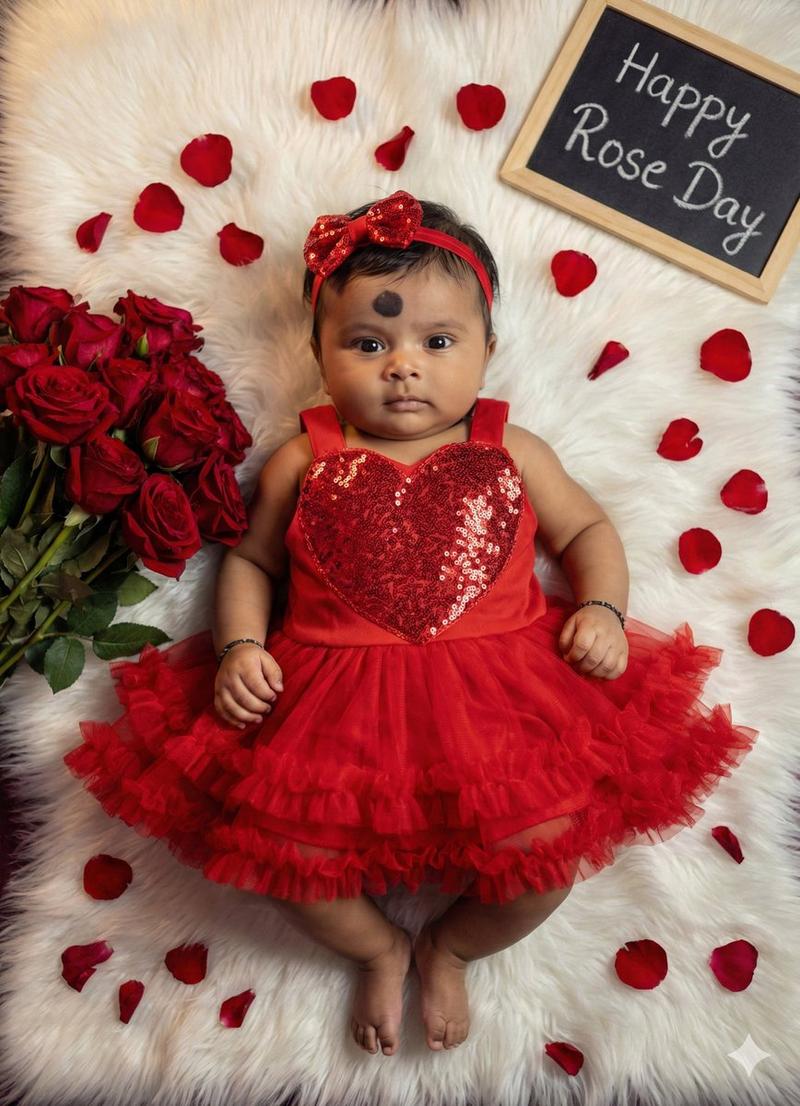
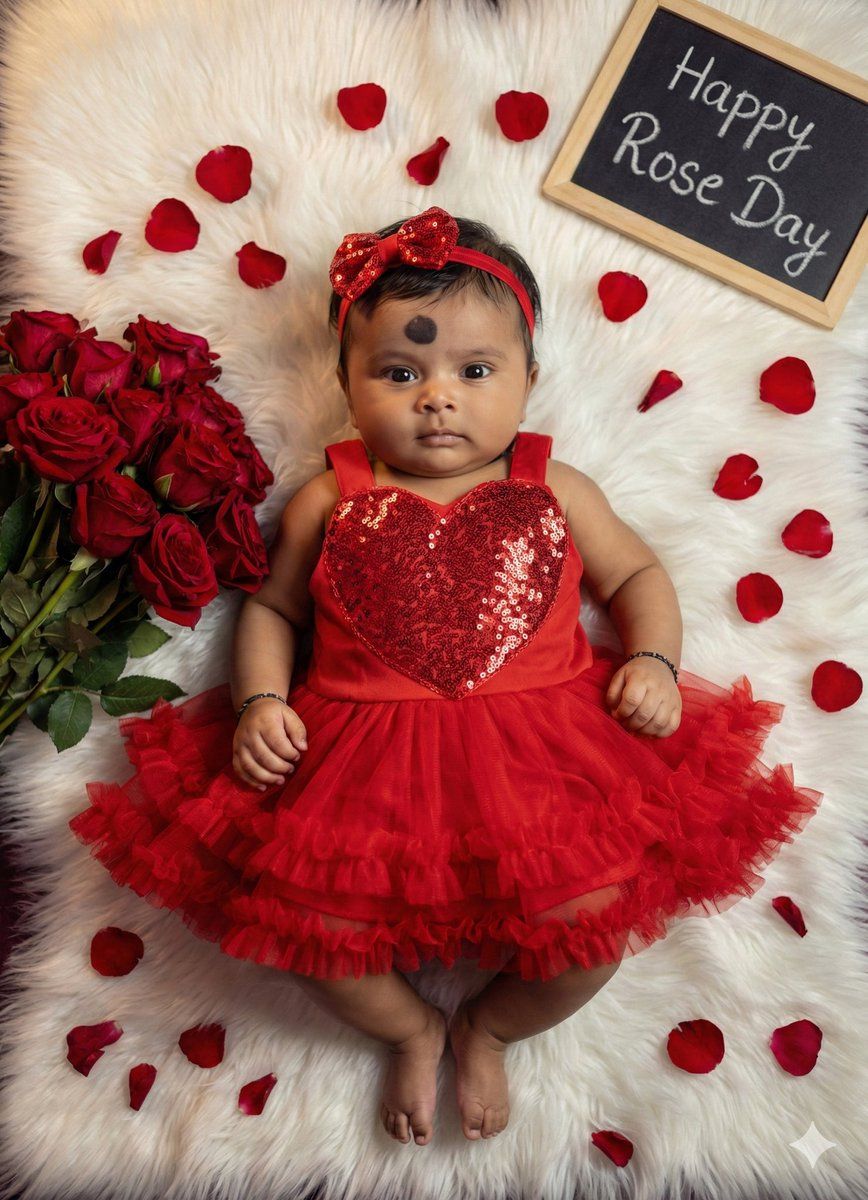
Create a 8k hd ultra realistic picture of reference uploaded picture face 100 dont change face of, Looking straight to the cameraThe uploaded image is a professionally styled milestone portrait of an infant girl, designed with a romantic Valentine’s Day theme. The baby is lying on her back atop a plush, white faux-fur rug, dressed in a vibrant red ensemble that includes a sequined heart-shaped bodice, a ruffled tulle skirt, and a matching bow headband. To her left sits a lush bouquet of red roses, with individual petals scattered artistically across the rug to add depth and texture. In the upper right corner, a small chalkboard sign provides a personalized touch, marking her growth at five months (which we've since updated to "Happy Rose Day" in our edits). The high-contrast color palette of deep reds against the soft white background creates a warm, heartwarming aesthetic focused entirely on the infant's cheerful expression.
Category
创意图片
Model
Nano Banana Pro
Views0
Source ID
971eba43-919c-4875-88ab-ebfb0d6af5f0
Published
Mar 8, 2026

Guide

About "情人节女婴肖像提示"

What is this prompt for?

"情人节女婴肖像提示" AI image prompt for Nano Banana Pro (创意图片). 一个用于生成超逼真情人节主题里程碑式女婴肖像的提示,需要根据上传的参考图像进行面部匹配,肖像中包含亮片心形紧身胸衣和红玫瑰。 --- 创作一张 8k 高清超逼真图片,基于上传图片的脸部,100% 不改变脸部…

The full copyable prompt and example visuals above are ready for AI image generation or one-click recreate in Picva.

How to use this prompt

  1. Step 1

    Open the prompt detail

    Review the example visuals, category, and full prompt text for "情人节女婴肖像提示".

  2. Step 2

    Copy the prompt

    Copy the prompt body from this page, or load it directly in Studio.

  3. Step 3

    Pick a model (Nano Banana Pro)

    Prefer Nano Banana Pro. If you switch models, keep subject and composition and tweak style terms.

  4. Step 4

    Generate and export

    Recreate the look in Picva, or export into your workflow for editing and publishing.

FAQ

What is the "情人节女婴肖像提示" prompt?
It is an AI image-generation prompt for Nano Banana Pro in the 创意图片 category. This page includes the full prompt text, example visuals, and a one-click recreate path in Picva.
How do I use this prompt to generate an image?
Copy the prompt from this page, or use Generate / Studio. Paste it into a compatible image model, or recreate the look in Picva with optional reference images.
Which model is this prompt for?
This page lists Nano Banana Pro. Most descriptive prompts also transfer to nearby image models such as GPT Image, Flux, or Midjourney with light style tweaks.
Can I use the result commercially?
You can usually copy the prompt for creation, but commercial use of the final image depends on the model terms, reference-image rights, and the generated content. Follow the source author and platform rules.