14

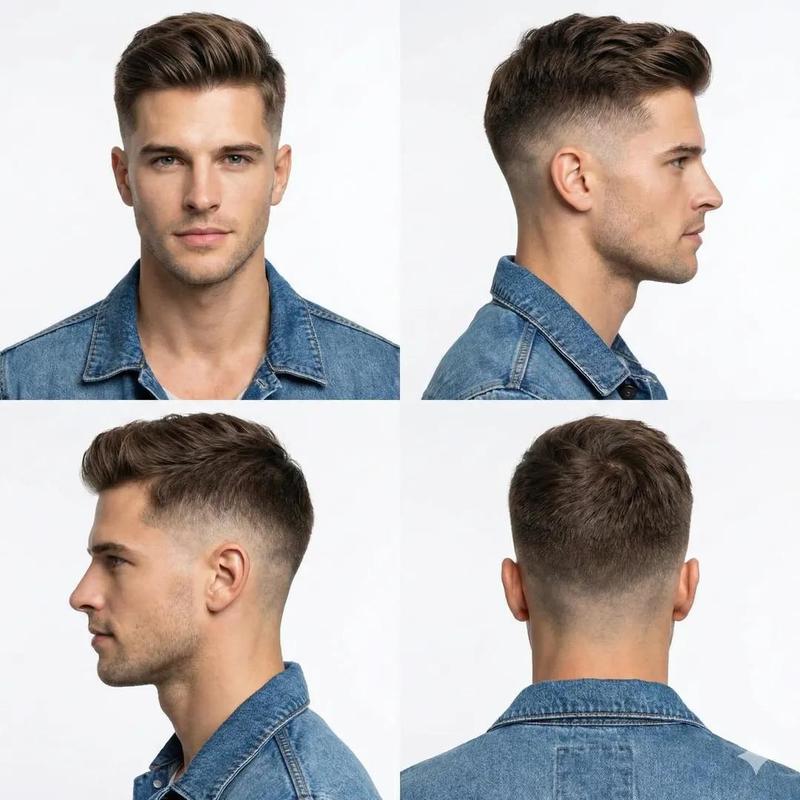
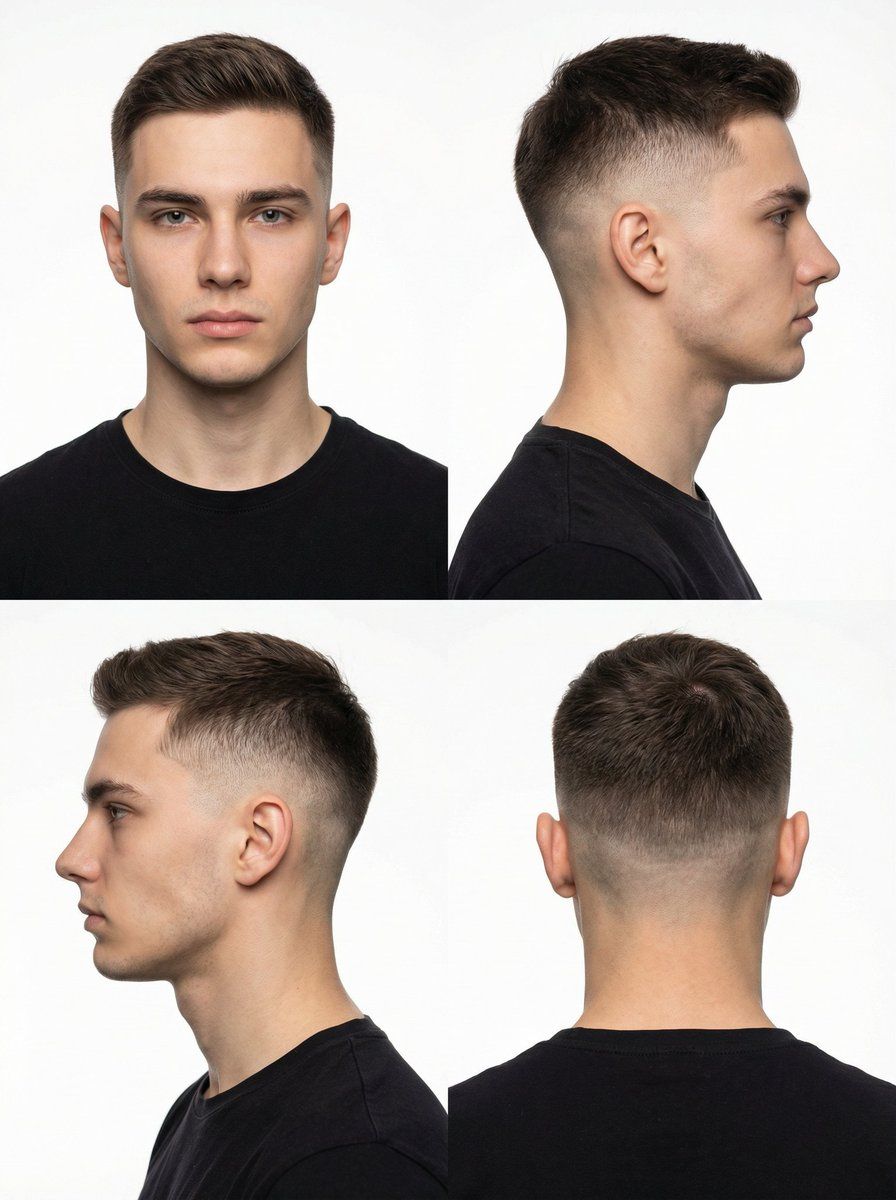
四格影棚肖像网格
Enlarge

四格影棚肖像网格

Prompt
A photorealistic 2x2 grid arranged in a 1:1 square format studio photograph of the man from image_0.png, wearing a black t shirt and a modern fade haircut against a white cyclorama background. The four panels show distinctly different angles:Top-Left Panel: A direct front headshot, looking straight at the camera.Top-Right Panel: A profile view where the man is turned, facing strictly towards the right edge of the frame, showing only the right side of his face.Bottom-Left Panel: A profile view where the man is turned in the opposite direction, facing strictly towards the left edge of the frame, showing only the left side of his face.Bottom-Right Panel: A rear view headshot, showing the back of his head, neck, and the details of the fade haircut.
Category
创意图片
Model
Nano Banana Pro
Creator
K
Views0
Source ID
193b056f-3556-4fa6-82b3-2840d8cb04db
Published
Mar 8, 2026

Guide

About "四格影棚肖像网格"

What is this prompt for?

"四格影棚肖像网格" AI image prompt for Nano Banana Pro (创意图片). 生成一张 2x2 网格影棚照片的提示,照片内容为一名男士,使用参考图像作为人物面部,展示四个不同角度(正面、右侧面、左侧面、背面),以突出在白色无影墙背景下的现代渐变发型。 --- 一张由 image_0.p…

The full copyable prompt and example visuals above are ready for AI image generation or one-click recreate in Picva.

How to use this prompt

  1. Step 1

    Open the prompt detail

    Review the example visuals, category, and full prompt text for "四格影棚肖像网格".

  2. Step 2

    Copy the prompt

    Copy the prompt body from this page, or load it directly in Studio.

  3. Step 3

    Pick a model (Nano Banana Pro)

    Prefer Nano Banana Pro. If you switch models, keep subject and composition and tweak style terms.

  4. Step 4

    Generate and export

    Recreate the look in Picva, or export into your workflow for editing and publishing.

FAQ

What is the "四格影棚肖像网格" prompt?
It is an AI image-generation prompt for Nano Banana Pro in the 创意图片 category. This page includes the full prompt text, example visuals, and a one-click recreate path in Picva.
How do I use this prompt to generate an image?
Copy the prompt from this page, or use Generate / Studio. Paste it into a compatible image model, or recreate the look in Picva with optional reference images.
Which model is this prompt for?
This page lists Nano Banana Pro. Most descriptive prompts also transfer to nearby image models such as GPT Image, Flux, or Midjourney with light style tweaks.
Can I use the result commercially?
You can usually copy the prompt for creation, but commercial use of the final image depends on the model terms, reference-image rights, and the generated content. Follow the source author and platform rules.