20

温馨夜间宠物秘密短片

Prompt
【风格】 超写实电影感 CG,真实宠物纪录片质感,温馨治愈风格,毛发物理模拟真实,细节清晰,8K画质,柔和暖色调,夜晚室内氛围
【时长】 15秒 【场景设定】 真实温馨卧室,门关闭状态,夜晚环境,主灯关闭,仅床头台灯发出暖黄色微光,房间整体偏暗。 床上有被子,两只宠物露出头部。
🎞 分镜设计(含景别 + 景深 + 光源逻辑)
0–3秒 【景别】中景(Medium Shot) 【运镜】轻微缓慢推进 【景深】浅景深,背景虚化
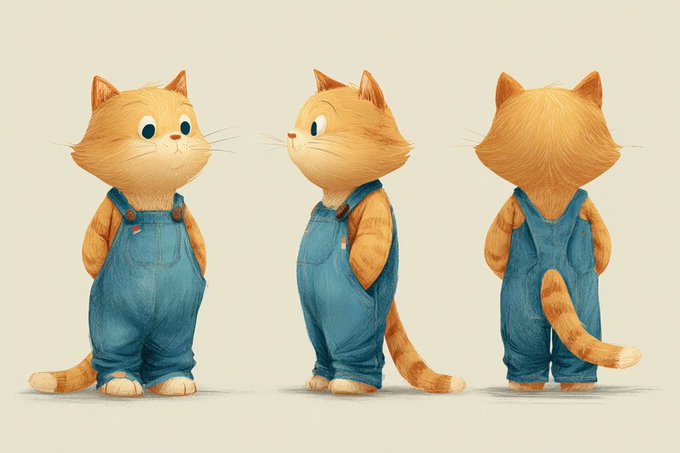
【画面】 一只胖橘猫和一只可爱柴犬坐在床上,被子盖到脖子。 两只分别拿着手机看。 手机屏幕光很亮,冷色光照在脸上。 床头台灯发出暖光,与手机冷光形成对比。 两只宠物笑嘻嘻地盯着屏幕。
3–6秒 【景别】特写(Close-up) 【运镜】轻微手持感 【景深】极浅景深 【画面】 橘猫耳朵突然竖起。 表情从开心变得警觉。 手机光在脸上闪动。
6–8秒 【景别】近景 【动作】 橘猫迅速按灭手机。 冷色手机光消失。 房间只剩暖色台灯光。 橘猫钻进被窝,只露出一小撮毛。
8–10秒 【景别】中近景 【动作】 橘猫从被窝里悄悄伸出一只小爪子,轻轻戳了戳柴犬。 柴犬愣一下。 迅速关手机。 冷光消失。 钻进被窝,闭眼装睡。
10–13秒 【景别】门口远景 【运镜】固定镜头 【景深】深景深 【画面】 卧室门缓缓打开一条缝。 一个金毛的头探进来。 光线从走廊微弱溢入。 金毛审视床上的两只。
13–15秒 【景别】金毛特写 【动作】 金毛满意地点头。 轻轻关门。 画面回到床上,两只宠物紧闭双眼。 柴犬偷偷睁开一只眼睛。 黑场结束。
💡 关键生成强化词(建议加入) realistic fur simulation subtle breathing movement soft shadow transition warm and cool light contrast cinematic lighting natural micro expression quiet nighttime ambience cozy bedroom atmosphere
Category
创意图片
Model
seedance-2.0
Creator
Michelle
Views30
Source ID
6fb88aa2-6d53-45ef-864c-7198366cb74c
Published
Mar 8, 2026

Guide

About "温馨夜间宠物秘密短片"

What is this prompt for?

"温馨夜间宠物秘密短片" AI image prompt for seedance-2.0 (创意图片). 一个极其详细的电影式提示,用于制作一部 15 秒的短片,内容是一只猫和一只狗在夜间偷偷使用手机。该提示详细说明了风格(超现实 CG、纪录片品质)、灯光(暖/冷对比)、场景,以及一个精确的六镜头故事板,包括摄像机…

The full copyable prompt and example visuals above are ready for AI image generation or one-click recreate in Picva.

How to use this prompt

  1. Step 1

    Open the prompt detail

    Review the example visuals, category, and full prompt text for "温馨夜间宠物秘密短片".

  2. Step 2

    Copy the prompt

    Copy the prompt body from this page, or load it directly in Studio.

  3. Step 3

    Pick a model (seedance-2.0)

    Prefer seedance-2.0. If you switch models, keep subject and composition and tweak style terms.

  4. Step 4

    Generate and export

    Recreate the look in Picva, or export into your workflow for editing and publishing.

FAQ

What is the "温馨夜间宠物秘密短片" prompt?
It is an AI image-generation prompt for seedance-2.0 in the 创意图片 category. This page includes the full prompt text, example visuals, and a one-click recreate path in Picva.
How do I use this prompt to generate an image?
Copy the prompt from this page, or use Generate / Studio. Paste it into a compatible image model, or recreate the look in Picva with optional reference images.
Which model is this prompt for?
This page lists seedance-2.0. Most descriptive prompts also transfer to nearby image models such as GPT Image, Flux, or Midjourney with light style tweaks.
Can I use the result commercially?
You can usually copy the prompt for creation, but commercial use of the final image depends on the model terms, reference-image rights, and the generated content. Follow the source author and platform rules.