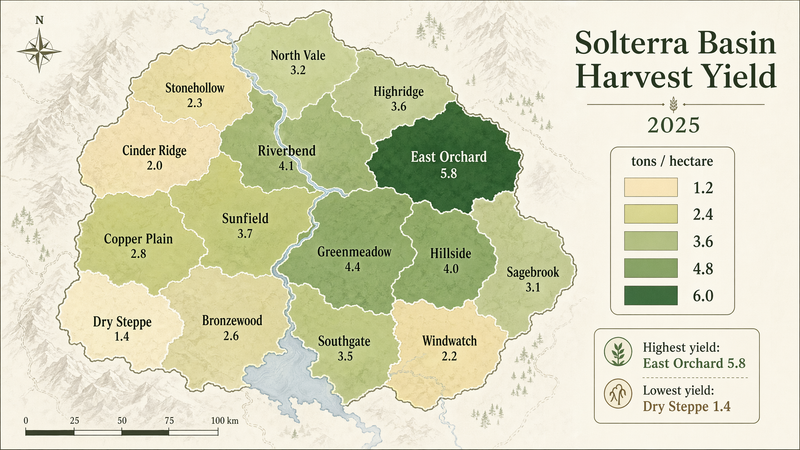
![[COUNTRY] — ultra-clean infographic poster (editorial + lifestyle) Generated by](https://cdn.pixshop.app/prompt-library/tweet-2013905113321185465/primary-0-1769096239640-o7g35iti.jpeg)
[COUNTRY] — ultra-clean infographic poster (editorial + lifestyle) Generated by
Prompt
[COUNTRY] — ultra-clean infographic poster (editorial + lifestyle)

Generated by Google Nano Banana Pro on Gemini app 📱

Full prompt ⤵️

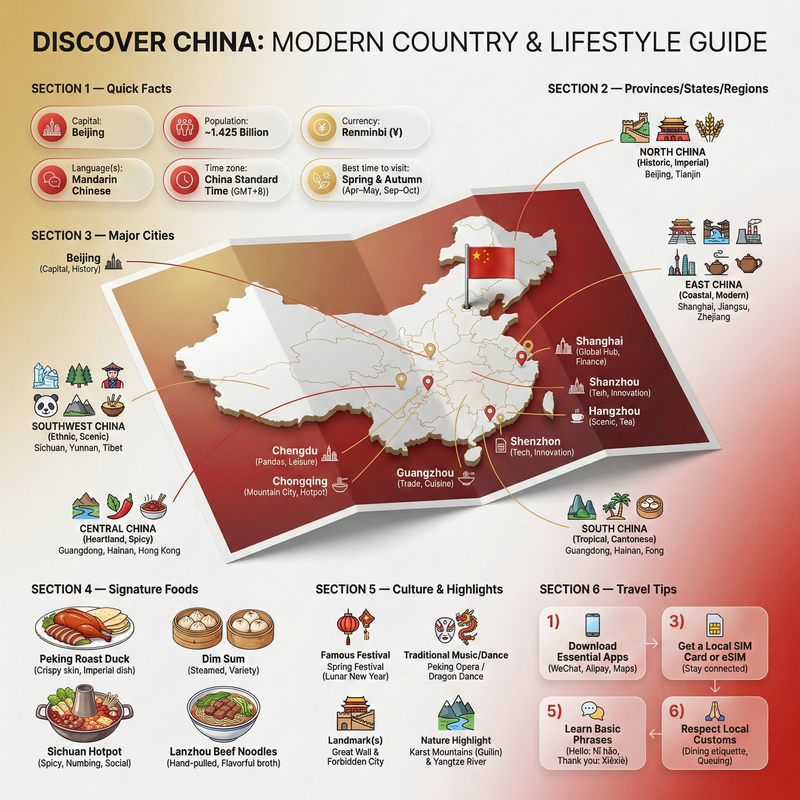
Ultra-clean modern country infographic poster (1080x1080), premium editorial layout meets lifestyle travel photography.

Showcase [ENTER COUNTRY NAME] as the hero visual in the center: a slightly angled 3D map cutout / glossy paper-cut map silhouette with subtle shadow, with a small flag pin marker on the capital city. Add a soft natural studio lighting feel, gentle gradient + minimal texture background for an upscale magazine look.

Around the hero map, arrange information like a recipe infographic—dynamic, floating panels and clusters, not restricted to top-down. Clear hierarchy: hero map > key stats badges > cities/provinces > culture/foods > tips.

SECTION 1 — Quick Facts (clean glassmorphism badges near the hero):
- Capital: [CAPITAL]
- Population: [POPULATION]
- Currency: [CURRENCY]
- Language(s): [LANGUAGES]
- Time zone: [TIMEZONE]
- Best time to visit: [BEST SEASON]
Display as modern rounded pills/bubbles with accent color highlights.

SECTION 2 — Provinces/States/Regions (ingredients-style clusters):
List [NUMBER] provinces/regions with mini icons/mini map segments or simple pictograms.
Example: [PROVINCE 1], [PROVINCE 2], [PROVINCE 3]...
Each item includes a small icon (mountains, river, desert, forest, coastline) and one short label (e.g., “coastal”, “historic”, “wine region”). Arrange in curved flows connected with thin lines to the map.

SECTION 3 — Major Cities (connected pin points):
Show 5–8 key cities with small pin markers on/near the map and clean labels:
[City 1], [City 2], [City 3]...
Use lines/arrows from labels to map pins, avoiding clutter.

SECTION 4 — Signature Foods (recipe vibe):
Show 4–6 famous foods of [COUNTRY] with small tasty mini illustrations or photo-style cutouts:
[Food 1], [Food 2], [Food 3]...
Add short descriptors (spicy, street food, dessert, grilled). Keep vibrant natural food colors.

SECTION 5 — Culture & Highlights (editorial callouts):
Include icons and 1-line notes for:
- Famous festival: [FESTIVAL]
- Traditional music/dance: [CULTURE]
- Landmark(s): [LANDMARKS]
- Nature highlight: [NATURE]
Use clean vector icons and minimal text.

SECTION 6 — Travel Tips (step-like numbered panels):
Show 4–6 numbered “tips” panels arranged around the hero map with arrows showing flow:
1) [Tip 1]
2) [Tip 2]
3) [Tip 3]
Add small icons (plane, train, hotel, safety, budget, camera, SIM card). Use glassmorphism panels with soft gradients and subtle drop shadows.

Typography & Style:
Modern sans-serif typography, high readability, strong grid alignment, airy negative space, subtle shadows, crisp vector icons, accent color palette inspired by [COUNTRY] flag (tasteful, not overwhelming). Editorial, premium, ultra-clean, social-feed optimized.

Output requirements:
Ultra-crisp, no watermark, no logo, no extra text beyond the provided labels, balanced spacing, high contrast readability, 1080×1080.
- Category
- 创意图片
- Model
- Nano Banana Pro
- Creator
- @Strength04_X
- Source ID
- 511caf57-1048-4e30-9030-b2d27de3ce31
- Published
- Jan 22, 2026
Views3