16

Nano Banana pro on Gemini app. "prompt_data": { "scene": { "main_sub
Enlarge

Example images

Nano Banana pro on Gemini app. "prompt_data": { "scene": { "main_sub

Prompt
Nano Banana pro on Gemini app.
  "prompt_data": {
    "scene": {
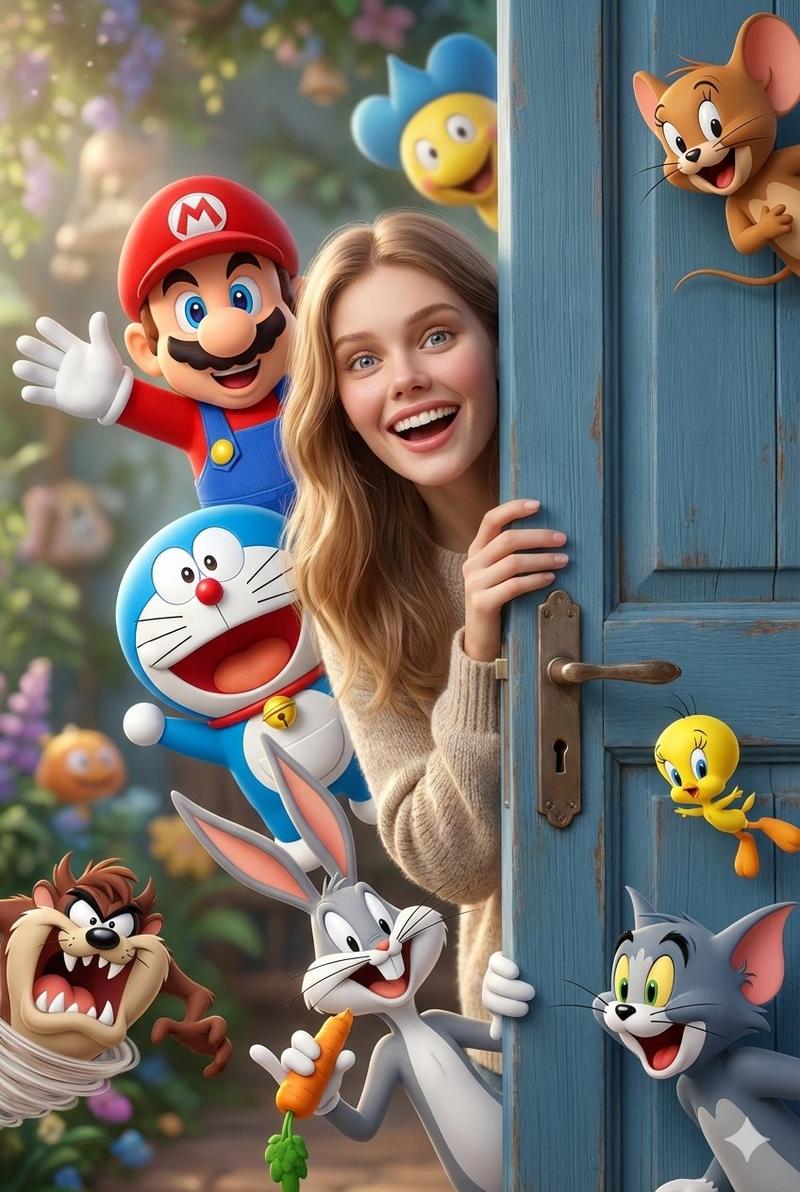
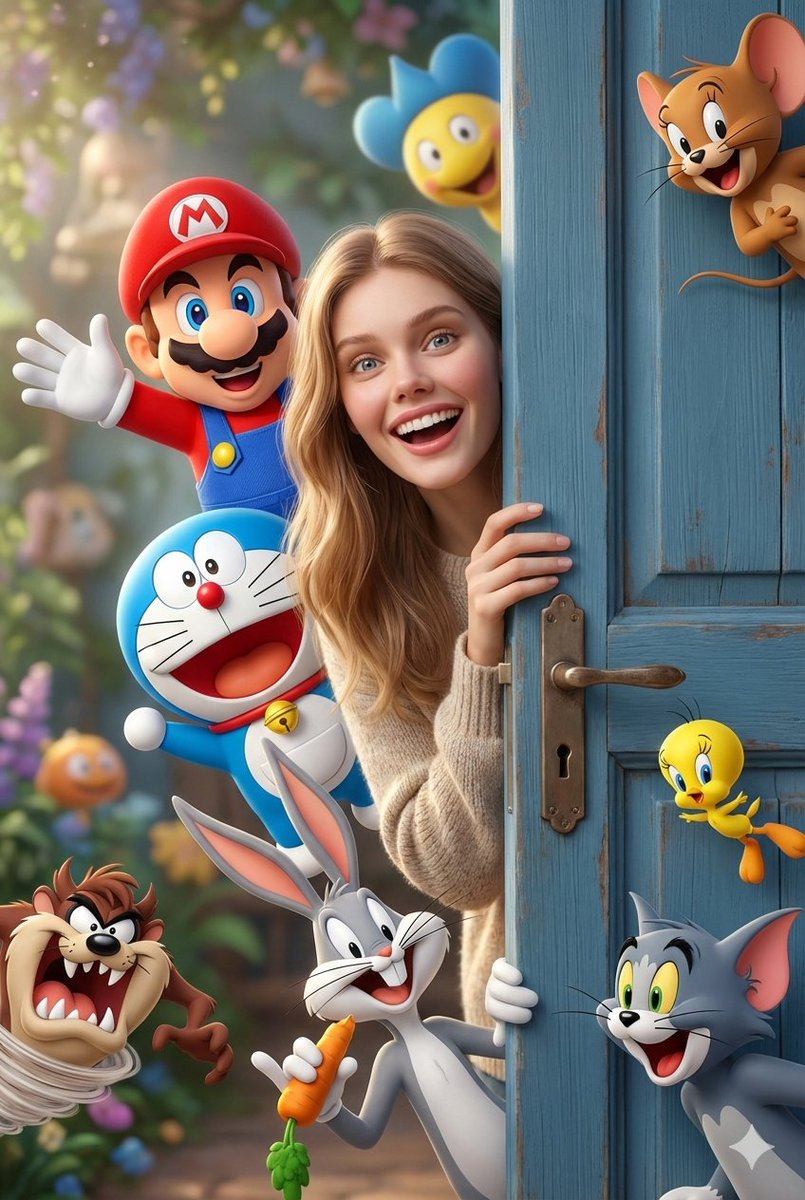
      "main_subject": "Smiling adult girl",
      "action": "Peeking out from behind a slightly open blue wooden door",
      "interaction": "Surrounded by iconic cartoon characters popping out playfully beside her",
      "expressions": "Expressive faces, joyful reactions"
    },
    "characters": [
      "Cheerful plumber hero in a red cap",
      "Blue robotic cat",
      "Clever mouse",
      "Mischievous rabbit",
      "Wild cartoon devil",
      "Yellow cartoon bird",
      "Classic cartoon cat"
    ],
    "art_style": {
      "genre": "Fantasy crossover",
      "visual_blend": "Ultra-detailed 3D cartoon realism blended with real-life photography",
      "aesthetic": "Pixar-style lighting, smooth textures, vibrant colors",
      "mood": "Whimsical, magical, heartwarming"
    },
    "technical_specs": {
      "lighting": "Soft natural daylight",
      "camera": "Shallow depth of field, cinematic composition",
      "quality": "8K, high realism, ultra-detailed"
    }
  }
}
Category
创意图片
Model
Nano Banana Pro
Creator
@Taaruk_
Views9
Source ID
505b2264-b41a-4849-8e8d-6c4d809c833d
Published
Jan 25, 2026

Guide

About "Nano Banana pro on Gemini app. "prompt_data": { "scene": { "main_sub"

What is this prompt for?

"Nano Banana pro on Gemini app. "prompt_data": { "scene": { "main_sub" AI image prompt for Nano Banana Pro (创意图片). 创意图片 Copy it on Picva and recreate the look…

The full copyable prompt and example visuals above are ready for AI image generation or one-click recreate in Picva.

How to use this prompt

  1. Step 1

    Open the prompt detail

    Review the example visuals, category, and full prompt text for "Nano Banana pro on Gemini app. "prompt_data": { "scene": { "main_sub".

  2. Step 2

    Copy the prompt

    Copy the prompt body from this page, or load it directly in Studio.

  3. Step 3

    Pick a model (Nano Banana Pro)

    Prefer Nano Banana Pro. If you switch models, keep subject and composition and tweak style terms.

  4. Step 4

    Generate and export

    Recreate the look in Picva, or export into your workflow for editing and publishing.

FAQ

What is the "Nano Banana pro on Gemini app. "prompt_data": { "scene": { "main_sub" prompt?
It is an AI image-generation prompt for Nano Banana Pro in the 创意图片 category. This page includes the full prompt text, example visuals, and a one-click recreate path in Picva.
How do I use this prompt to generate an image?
Copy the prompt from this page, or use Generate / Studio. Paste it into a compatible image model, or recreate the look in Picva with optional reference images.
Which model is this prompt for?
This page lists Nano Banana Pro. Most descriptive prompts also transfer to nearby image models such as GPT Image, Flux, or Midjourney with light style tweaks.
Can I use the result commercially?
You can usually copy the prompt for creation, but commercial use of the final image depends on the model terms, reference-image rights, and the generated content. Follow the source author and platform rules.