15

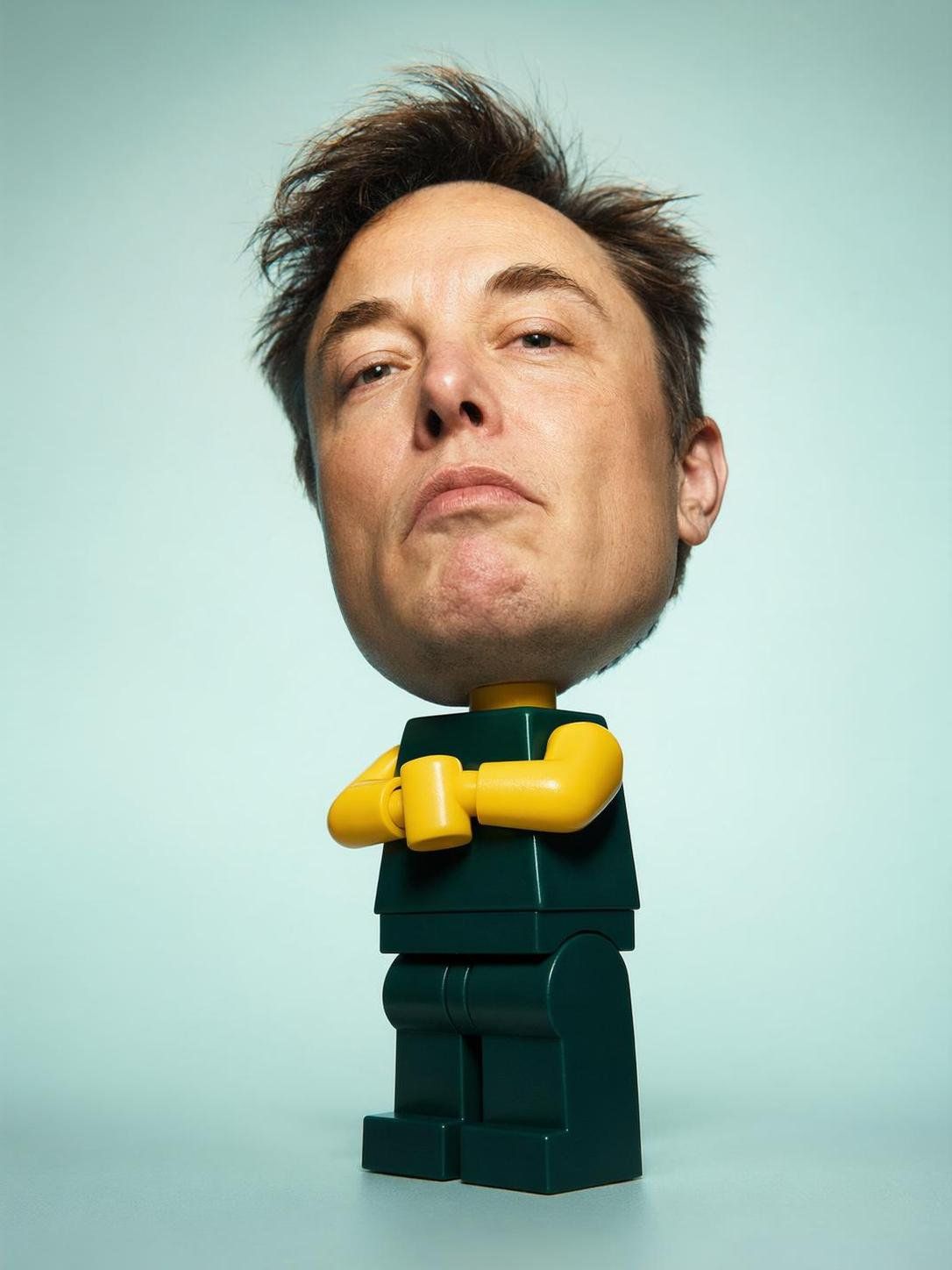
超现实 LEGO 人偶
Enlarge

Example images

超现实 LEGO 人偶

Prompt
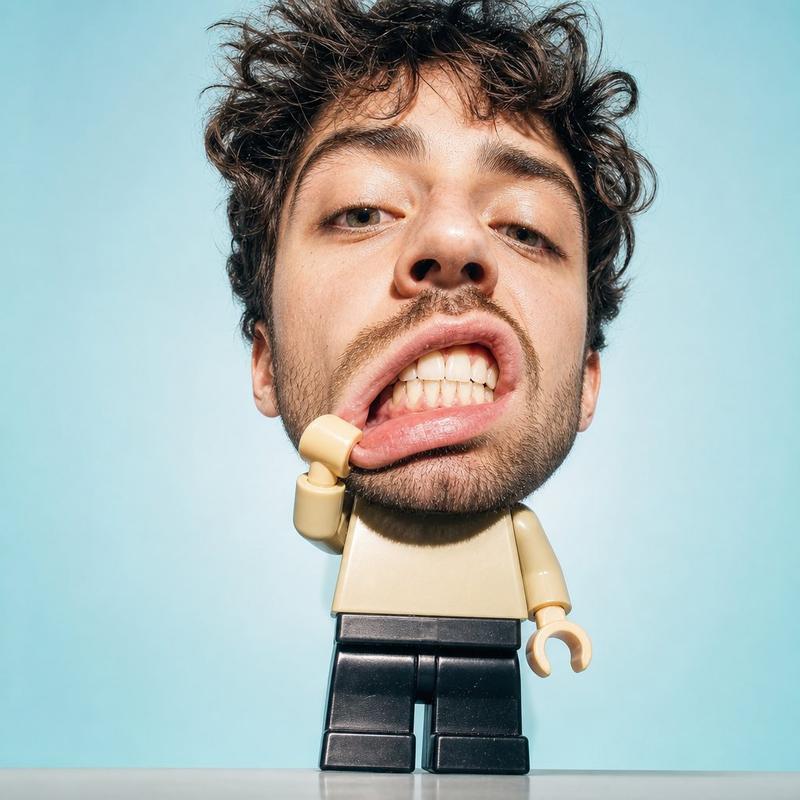
Create a surreal studio portrait of a man from an attached photo with a large-size photorealistic human head attached to the tiny body of a LEGO minifigure. Keep your clothing style {argument name="clothing style" default="identical to the reference: classic LEGO torso, LEGO legs, LEGO arms"}. A human head should be disproportionately huge (on the scale of a "dummy"), with a detailed skin texture and disheveled natural hair. Pose: One hand pulls back the lower lip, exposing teeth in a playful, slightly chaotic expression. The picture was taken from a spectacular low angle with a slight fisheye distortion to accentuate the face. Minimal studio background with a {argument name="background gradient" default="pale mint/sky blue gradient"}. Bright direct flash lighting with clear shadows and glossy highlights. The composition should be absurd, but at the same time clean, combining toy photography and the aesthetics of a fashionable portrait. Maintain a visible contrast between the realistic head and the plastic LEGO body. Over-detailed face, soft pastel color scheme, editorial surrealism, modern Internet aesthetics, collectible energy of the figure, concentrated composition.
Category
Photography & Realism
Model
GPT Image 2
Views0
Source ID
26021
Published
Jun 17, 2026

Guide

About "超现实 LEGO 人偶"

What is this prompt for?

"超现实 LEGO 人偶" AI image prompt for GPT Image 2 (Photography & Realism). 一个独特的提示词,将逼真的人类头部与经典的 LEGO 人偶身体相结合,打造超现实的摄影棚肖像。 Copy it on Picva and recreate the look i…

The full copyable prompt and example visuals above are ready for AI image generation or one-click recreate in Picva.

How to use this prompt

  1. Step 1

    Open the prompt detail

    Review the example visuals, category, and full prompt text for "超现实 LEGO 人偶".

  2. Step 2

    Copy the prompt

    Copy the prompt body from this page, or load it directly in Studio.

  3. Step 3

    Pick a model (GPT Image 2)

    Prefer GPT Image 2. If you switch models, keep subject and composition and tweak style terms.

  4. Step 4

    Generate and export

    Recreate the look in Picva, or export into your workflow for editing and publishing.

FAQ

What is the "超现实 LEGO 人偶" prompt?
It is an AI image-generation prompt for GPT Image 2 in the Photography & Realism category. This page includes the full prompt text, example visuals, and a one-click recreate path in Picva.
How do I use this prompt to generate an image?
Copy the prompt from this page, or use Generate / Studio. Paste it into a compatible image model, or recreate the look in Picva with optional reference images.
Which model is this prompt for?
This page lists GPT Image 2. Most descriptive prompts also transfer to nearby image models such as GPT Image, Flux, or Midjourney with light style tweaks.
Can I use the result commercially?
You can usually copy the prompt for creation, but commercial use of the final image depends on the model terms, reference-image rights, and the generated content. Follow the source author and platform rules.