20

彩色按钮时尚 Campaign
Enlarge

彩色按钮时尚 Campaign

Prompt
Use reference image as style guide.
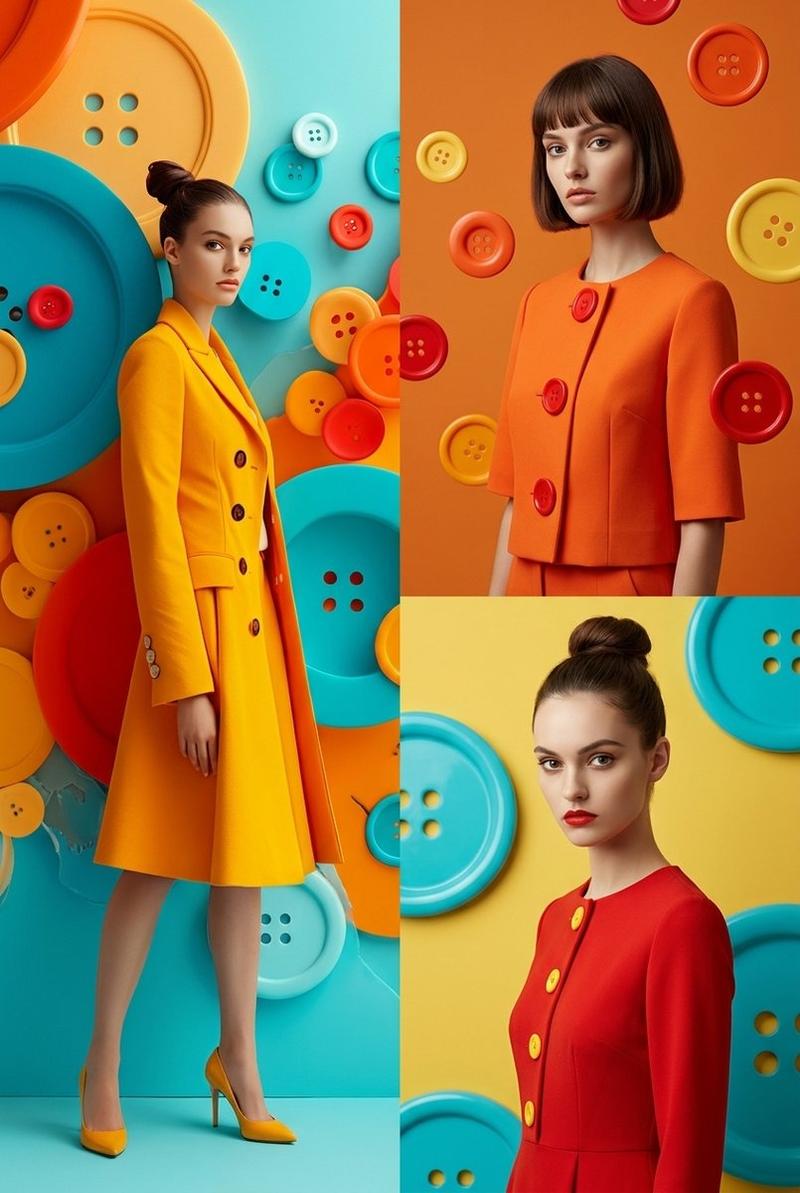
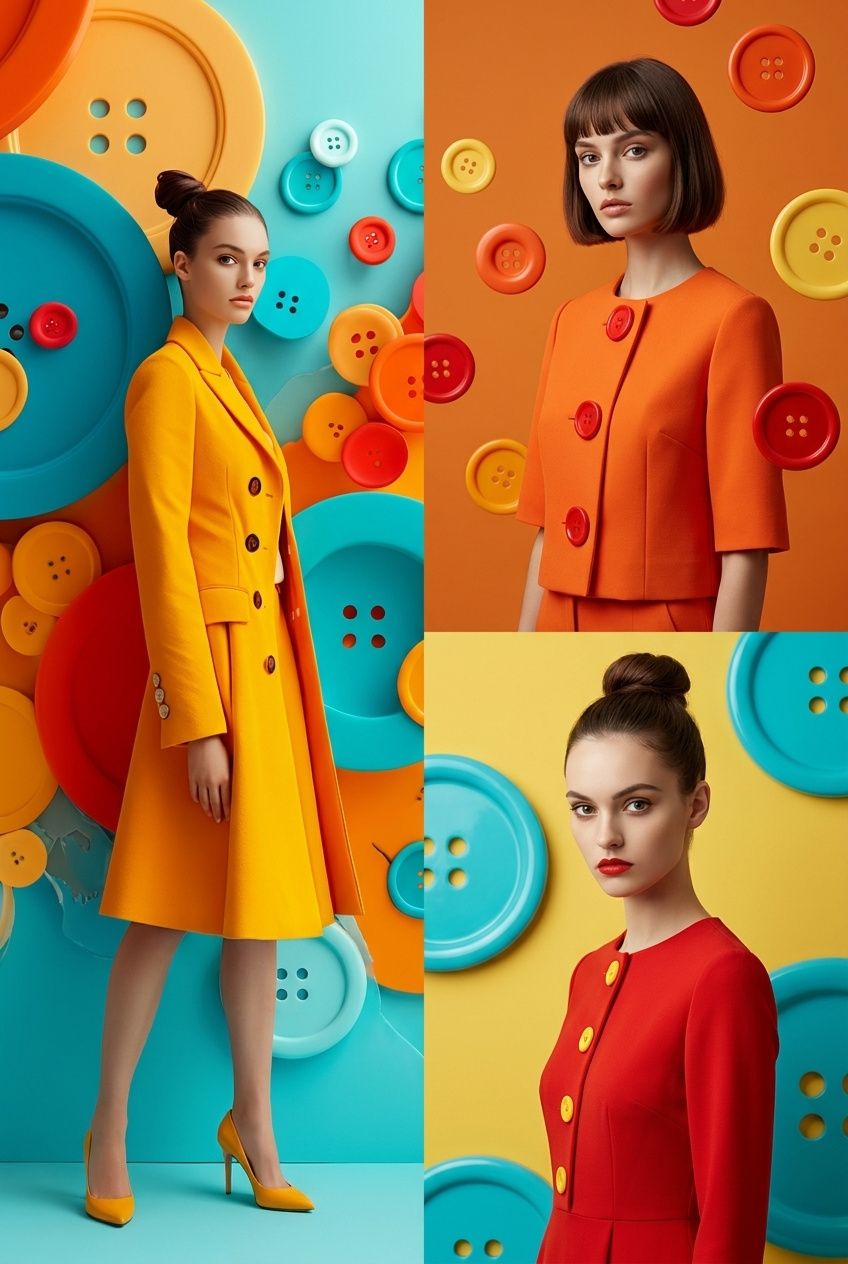
Surreal minimalist fashion editorial photography with vibrant oversized colorful buttons as main visual theme (cyan, orange, yellow, red palette), glossy 3D surface design, clean studio lighting, ultra-smooth gradients, and high-end commercial fashion look.
Split-frame composition:

Left side: full-body female model standing from top to bottom, wearing bold minimalist fashion outfit inspired by reference style, confident pose, clean studio background filled with oversized colorful buttons, cinematic lighting, soft shadows, ultra-clean composition.

Right side (vertically split into two parts):
Top-right: half-body female model, different face, different pose, different outfit variation inspired by same button aesthetic, different background color mood.
Bottom-right: another half-body female model, completely different expression and pose, different styling, different background tone, maintaining same surreal button universe aesthetic.

Each section visually distinct but unified by the colorful button-inspired design language, glossy surfaces, soft studio reflections, and fashion magazine editorial feel.
Hyper-realistic, cinematic lighting, ultra-clean composition, high-end luxury campaign style, depth, contrast, 8k, 1:1 aspect ratio --style raw --v 6 --ar 1:1
Category
Photography & Realism
Model
GPT Image 2
Views2
Source ID
412

Guide

About "彩色按钮时尚 Campaign"

What is this prompt for?

"彩色按钮时尚 Campaign" AI image prompt for GPT Image 2 (Photography & Realism). Use reference image as style guide. Surreal minimalist fashion editorial photography…

The full copyable prompt and example visuals above are ready for AI image generation or one-click recreate in Picva.

How to use this prompt

  1. Step 1

    Open the prompt detail

    Review the example visuals, category, and full prompt text for "彩色按钮时尚 Campaign".

  2. Step 2

    Copy the prompt

    Copy the prompt body from this page, or load it directly in Studio.

  3. Step 3

    Pick a model (GPT Image 2)

    Prefer GPT Image 2. If you switch models, keep subject and composition and tweak style terms.

  4. Step 4

    Generate and export

    Recreate the look in Picva, or export into your workflow for editing and publishing.

FAQ

What is the "彩色按钮时尚 Campaign" prompt?
It is an AI image-generation prompt for GPT Image 2 in the Photography & Realism category. This page includes the full prompt text, example visuals, and a one-click recreate path in Picva.
How do I use this prompt to generate an image?
Copy the prompt from this page, or use Generate / Studio. Paste it into a compatible image model, or recreate the look in Picva with optional reference images.
Which model is this prompt for?
This page lists GPT Image 2. Most descriptive prompts also transfer to nearby image models such as GPT Image, Flux, or Midjourney with light style tweaks.
Can I use the result commercially?
You can usually copy the prompt for creation, but commercial use of the final image depends on the model terms, reference-image rights, and the generated content. Follow the source author and platform rules.