17

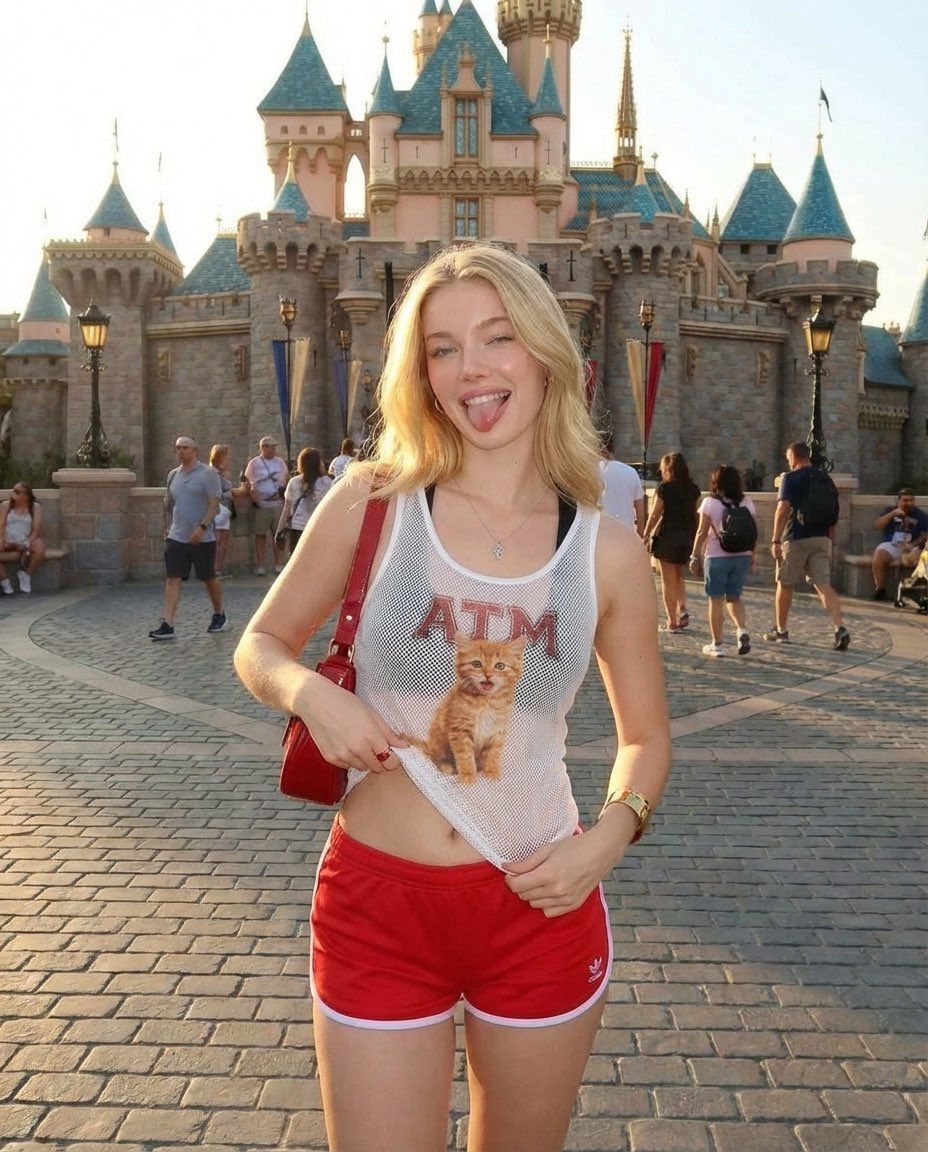
童话城堡中女人的写实摄影
Enlarge

童话城堡中女人的写实摄影

Prompt
{
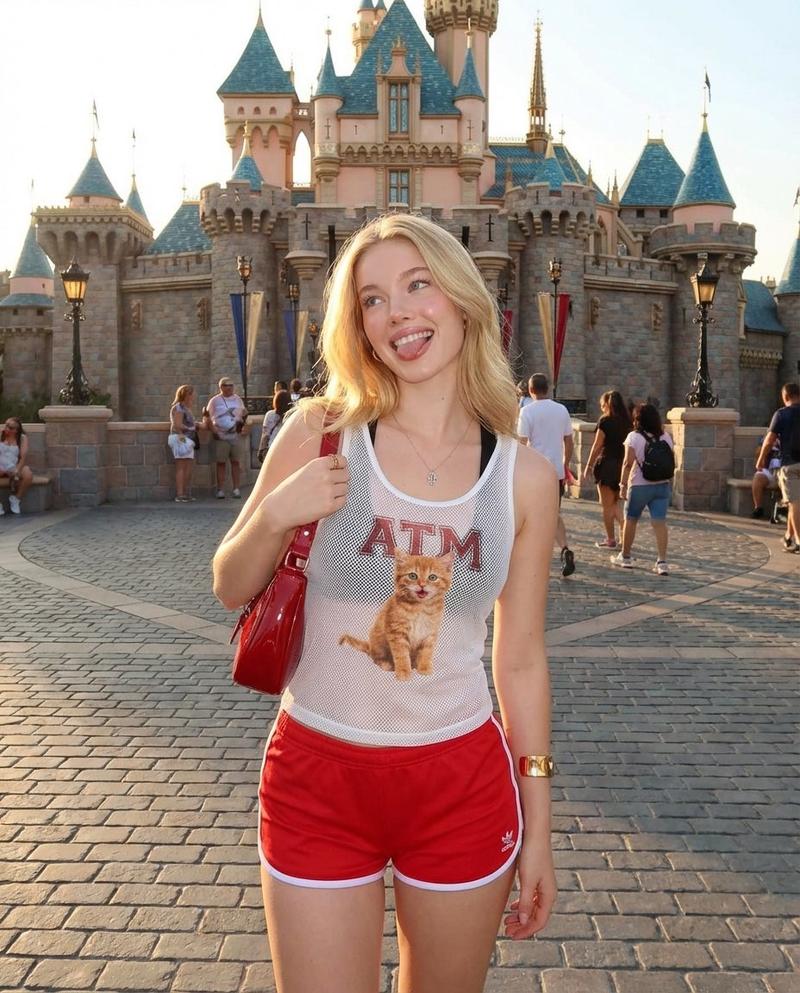
  "prompt": "A playful blonde woman posing in front of a fairytale castle at a theme park during golden hour. She is standing on a cobblestone walkway with the castle’s pink and blue turrets in the background. She is wearing red athletic shorts and a white mesh tank top with a small kitten graphic and the letters 'ATM' on it, slightly lifting the hem of the shirt. She has a red shoulder bag, soft natural makeup, and is smiling with her tongue out in a fun, carefree expression. Warm sunset lighting, vibrant colors, shallow depth of field, high-resolution, candid travel photography style.",
  "negative_prompt": "blurry, low resolution, distorted face, extra limbs, overexposed, underexposed, watermark, text artifacts",
  "settings": {
    "resolution": "1024x1792",
    "lighting": "golden hour",
    "style": "realistic photography",
    "camera": "35mm lens, shallow depth of field"
  }
}
Category
创意图片
Model
Nano Banana Pro
Creator
Dockie
Views0
Source ID
4b80ed6b-cc87-4115-8e26-77ac0ef506ab
Published
Mar 8, 2026

Guide

About "童话城堡中女人的写实摄影"

What is this prompt for?

"童话城堡中女人的写实摄影" AI image prompt for Nano Banana Pro (创意图片). 一个详细、结构化的提示,用于生成一张真实、自然的旅行照片:一位活泼的金发女性在黄金时段,以一座童话般的城堡为背景摆姿势。重点突出其服饰、表情和相机技术设置。 --- ```json { "prompt…

The full copyable prompt and example visuals above are ready for AI image generation or one-click recreate in Picva.

How to use this prompt

  1. Step 1

    Open the prompt detail

    Review the example visuals, category, and full prompt text for "童话城堡中女人的写实摄影".

  2. Step 2

    Copy the prompt

    Copy the prompt body from this page, or load it directly in Studio.

  3. Step 3

    Pick a model (Nano Banana Pro)

    Prefer Nano Banana Pro. If you switch models, keep subject and composition and tweak style terms.

  4. Step 4

    Generate and export

    Recreate the look in Picva, or export into your workflow for editing and publishing.

FAQ

What is the "童话城堡中女人的写实摄影" prompt?
It is an AI image-generation prompt for Nano Banana Pro in the 创意图片 category. This page includes the full prompt text, example visuals, and a one-click recreate path in Picva.
How do I use this prompt to generate an image?
Copy the prompt from this page, or use Generate / Studio. Paste it into a compatible image model, or recreate the look in Picva with optional reference images.
Which model is this prompt for?
This page lists Nano Banana Pro. Most descriptive prompts also transfer to nearby image models such as GPT Image, Flux, or Midjourney with light style tweaks.
Can I use the result commercially?
You can usually copy the prompt for creation, but commercial use of the final image depends on the model terms, reference-image rights, and the generated content. Follow the source author and platform rules.