20

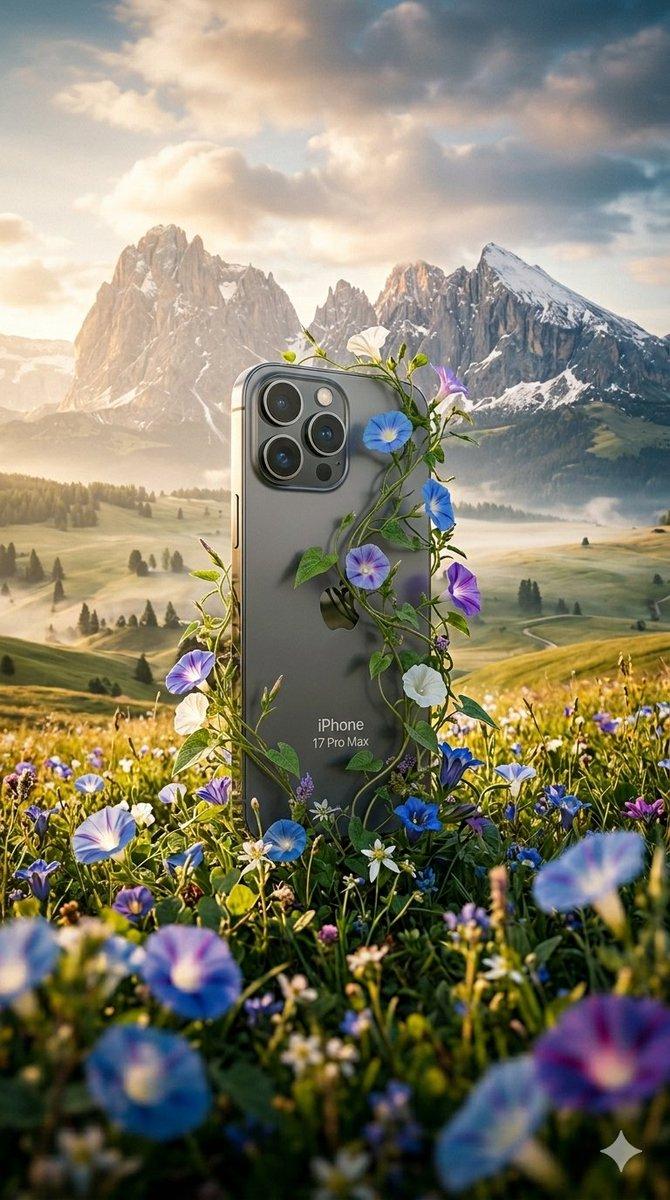
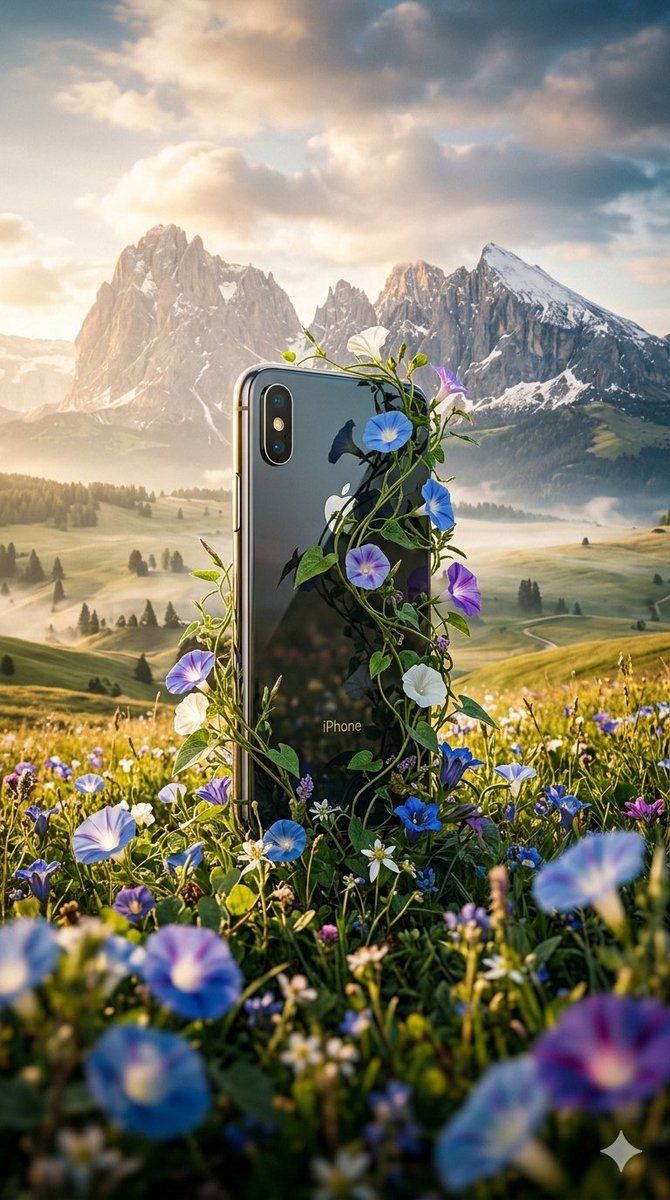
超现实主义自然回收科技海报
Enlarge

超现实主义自然回收科技海报

Prompt
Create a stylish hyperrealistic poster featuring a vibrant, scene with soft lighting and saturated colors. The main subject is a [{argument name="device" default="I phone air"} ] adorned with the [{argument name="logo" default="iphone"}] logo and name, positioned centrally in a blooming alpine meadow. Lush vines and delicate morning glory flowers intricately wrap around the object, as if nature is reclaiming it. The background showcases snow-capped mountains under a cinematic sky. Use a dynamic angle with a shallow depth of field, focusing sharply on the object while blending soft mist and atmospheric haze. The lighting should be sunny contrasting against cool mountain shadows. The color palette combines rich greens, deep blues, and warm tones. Render the scene in a photorealistic DSLR style, with polished details and a cinematic vignette for a high-end editorial look.
Category
创意图片
Model
Nano Banana Pro
Creator
auqib
Views0
Source ID
c2a5b084-8410-4c4e-b5be-7417e5928052
Published
Mar 8, 2026

Guide

About "超现实主义自然回收科技海报"

What is this prompt for?

"超现实主义自然回收科技海报" AI image prompt for Nano Banana Pro (创意图片). 一个用于创作时尚、超现实海报的提示,海报内容为一件被大自然回收的科技产品(iPhone Air),郁郁葱葱的藤蔓和鲜花缠绕其上,背景是戏剧性的高山草甸和山脉,置于电影般的灯光之下。 --- 创作一张…

The full copyable prompt and example visuals above are ready for AI image generation or one-click recreate in Picva.

How to use this prompt

  1. Step 1

    Open the prompt detail

    Review the example visuals, category, and full prompt text for "超现实主义自然回收科技海报".

  2. Step 2

    Copy the prompt

    Copy the prompt body from this page, or load it directly in Studio.

  3. Step 3

    Pick a model (Nano Banana Pro)

    Prefer Nano Banana Pro. If you switch models, keep subject and composition and tweak style terms.

  4. Step 4

    Generate and export

    Recreate the look in Picva, or export into your workflow for editing and publishing.

FAQ

What is the "超现实主义自然回收科技海报" prompt?
It is an AI image-generation prompt for Nano Banana Pro in the 创意图片 category. This page includes the full prompt text, example visuals, and a one-click recreate path in Picva.
How do I use this prompt to generate an image?
Copy the prompt from this page, or use Generate / Studio. Paste it into a compatible image model, or recreate the look in Picva with optional reference images.
Which model is this prompt for?
This page lists Nano Banana Pro. Most descriptive prompts also transfer to nearby image models such as GPT Image, Flux, or Midjourney with light style tweaks.
Can I use the result commercially?
You can usually copy the prompt for creation, but commercial use of the final image depends on the model terms, reference-image rights, and the generated content. Follow the source author and platform rules.