20

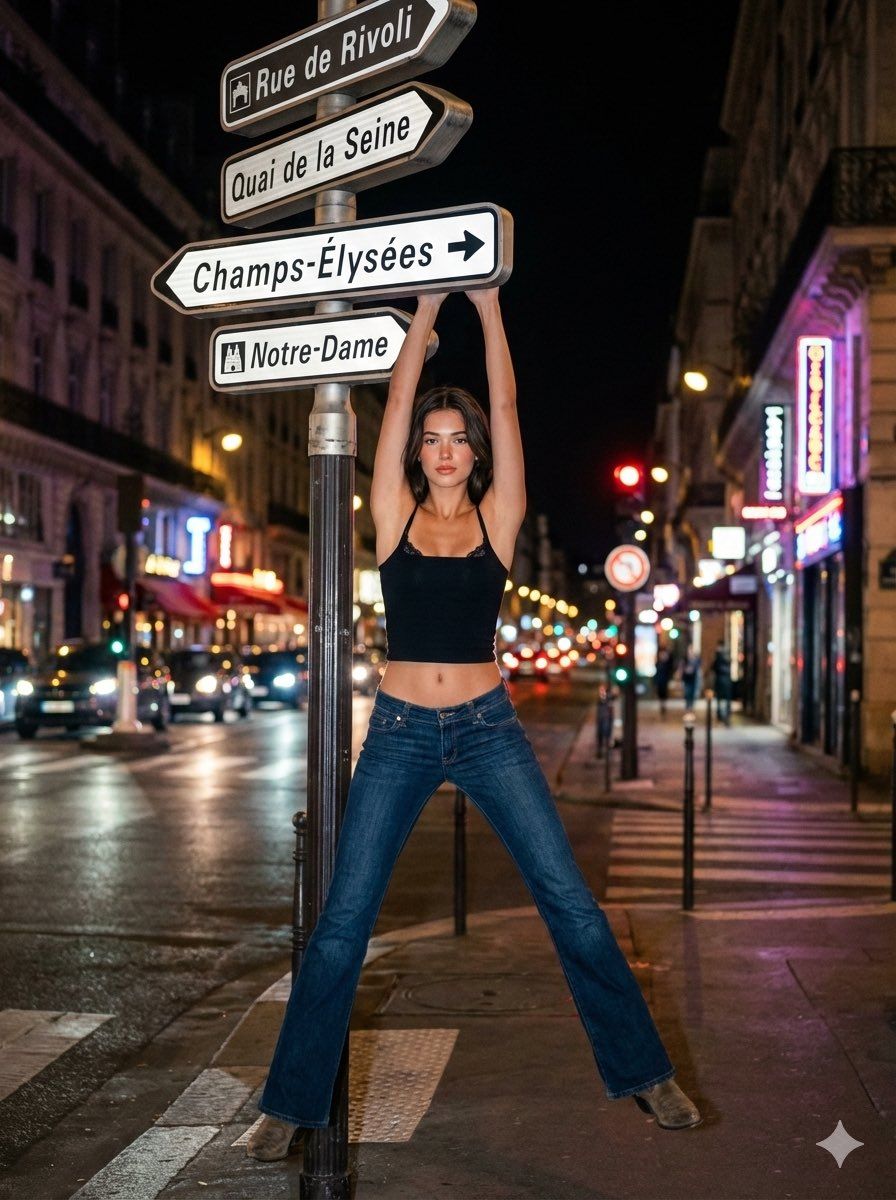
巴黎夜间街头摄影
Enlarge

巴黎夜间街头摄影

Prompt
Girl: 19 years old
Hair: Dark brown, naturally styled, realistic hair strands
Skin: Slightly tanned
Skin: Natural and radiant
Makeup: Peach-toned lipstick, peach-toned blush, eyeliner
Top: Lace bra visible from under the top, thin-strapped black crop top with a square neckline
Bottom: Low-waisted, flared, dark blue jeans
Shoes: Dark beige cowboy boots (under jeans)

Setting: Nighttime, a street in {argument name="city" default="Paris"}, blurry traffic lights, blurry car headlights, sidewalk, a pole with a directional sign on the sidewalk (4 different directional signs, thin and thick)

The girl's pose: She's hanging from the sign above that provides directions, with an attractive yet neutral gaze, spreading her legs slightly to the sides.

Photography: 8k ultra-realistic, night photography, street photography, 9:16 aspect ratio
Category
创意图片
Model
Nano Banana Pro
Creator
Busra
Views0
Source ID
3aa4199c-356b-47a1-8ec8-ca12ffc91354
Published
Mar 8, 2026

Guide

About "巴黎夜间街头摄影"

What is this prompt for?

"巴黎夜间街头摄影" AI image prompt for Nano Banana Pro (创意图片). 一个详细的文本提示,用于生成一张 8k 超逼真夜景照片,场景设定在巴黎的一条街道上。照片中,一位 19 岁的女孩身穿黑色露脐上衣和低腰喇叭牛仔裤,俏皮地挂在一个指示牌上摆姿势,背景是模糊的交通灯。 --- 女…

The full copyable prompt and example visuals above are ready for AI image generation or one-click recreate in Picva.

How to use this prompt

  1. Step 1

    Open the prompt detail

    Review the example visuals, category, and full prompt text for "巴黎夜间街头摄影".

  2. Step 2

    Copy the prompt

    Copy the prompt body from this page, or load it directly in Studio.

  3. Step 3

    Pick a model (Nano Banana Pro)

    Prefer Nano Banana Pro. If you switch models, keep subject and composition and tweak style terms.

  4. Step 4

    Generate and export

    Recreate the look in Picva, or export into your workflow for editing and publishing.

FAQ

What is the "巴黎夜间街头摄影" prompt?
It is an AI image-generation prompt for Nano Banana Pro in the 创意图片 category. This page includes the full prompt text, example visuals, and a one-click recreate path in Picva.
How do I use this prompt to generate an image?
Copy the prompt from this page, or use Generate / Studio. Paste it into a compatible image model, or recreate the look in Picva with optional reference images.
Which model is this prompt for?
This page lists Nano Banana Pro. Most descriptive prompts also transfer to nearby image models such as GPT Image, Flux, or Midjourney with light style tweaks.
Can I use the result commercially?
You can usually copy the prompt for creation, but commercial use of the final image depends on the model terms, reference-image rights, and the generated content. Follow the source author and platform rules.