18

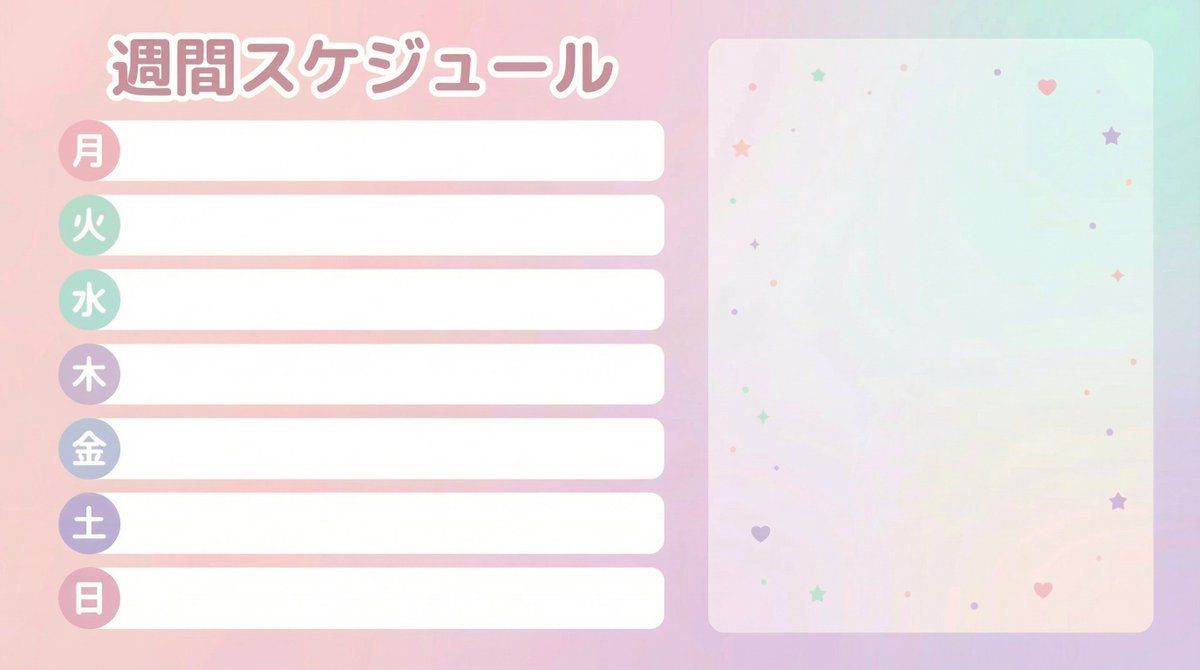
VTuber 周程表模板
Enlarge

VTuber 周程表模板

Prompt
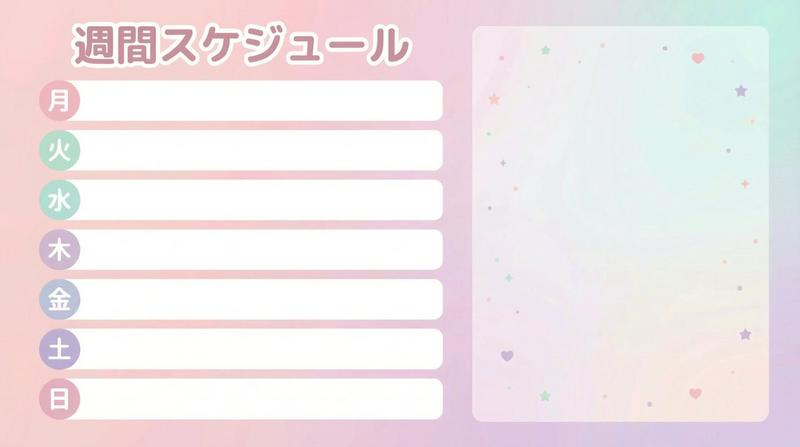
VTuber・配信者向けの「週間スケジュール」テンプレート画像を作成してください。
横長 16:9、サイズは 1920×1080、フラットで印刷物のように整ったデザイン(ベクター風)。全体はかわいいパステル調(淡いピンク・ミント・ラベンダーのやさしい配色)、でもゴチャつかず見やすさ最優先。

レイアウト指定:
・画面左 60% にスケジュール欄を上寄せで配置。
・7行(曜日は「月・火・水・木・金・土・日」)。
・各行は「曜日ラベル(小さな丸いバッジ)」+「予定を書き込むための横長の空白ボックス」。
・空白ボックスの中は完全に空欄。サンプル文字(例:ここに予定、SAMPLE、MEMO 等)は絶対に入れない。
・画面右 40% は立ち絵を後から合成できる空きスペース。人物・動物・マスコット・シルエットは描かない。背景は淡いグラデーションと控えめな小さな星/ハート/ドットの抽象パターンのみ。

文字指定:
・入れる文字は「週間スケジュール」と「月 火 水 木 金 土 日」のみ(日本語)。
・それ以外の文字(SNS、日付範囲、注意書き、ロゴ、ハッシュタグ、ウォーターマーク)は一切入れない。
・文字は丸ゴシック風で読みやすく、白背景でも潰れない。

仕上げ:
・余白は外周にしっかり取り、左右の要素が重ならない。
・ロゴなし。
Category
创意图片
Model
Nano Banana Pro
Views0
Source ID
42cef05c-f54b-4172-8783-57d7965a97ee
Published
Mar 8, 2026

Guide

About "VTuber 周程表模板"

What is this prompt for?

"VTuber 周程表模板" AI image prompt for Nano Banana Pro (创意图片). 一个为 Nano Banana Pro 设计的详细提示,用于创建一个干净、扁平、可爱的马卡龙色系周日程表模板,适用于 VTuber 和主播。它包括具体的布局说明、尺寸规格(1920x1080,16:9…

The full copyable prompt and example visuals above are ready for AI image generation or one-click recreate in Picva.

How to use this prompt

  1. Step 1

    Open the prompt detail

    Review the example visuals, category, and full prompt text for "VTuber 周程表模板".

  2. Step 2

    Copy the prompt

    Copy the prompt body from this page, or load it directly in Studio.

  3. Step 3

    Pick a model (Nano Banana Pro)

    Prefer Nano Banana Pro. If you switch models, keep subject and composition and tweak style terms.

  4. Step 4

    Generate and export

    Recreate the look in Picva, or export into your workflow for editing and publishing.

FAQ

What is the "VTuber 周程表模板" prompt?
It is an AI image-generation prompt for Nano Banana Pro in the 创意图片 category. This page includes the full prompt text, example visuals, and a one-click recreate path in Picva.
How do I use this prompt to generate an image?
Copy the prompt from this page, or use Generate / Studio. Paste it into a compatible image model, or recreate the look in Picva with optional reference images.
Which model is this prompt for?
This page lists Nano Banana Pro. Most descriptive prompts also transfer to nearby image models such as GPT Image, Flux, or Midjourney with light style tweaks.
Can I use the result commercially?
You can usually copy the prompt for creation, but commercial use of the final image depends on the model terms, reference-image rights, and the generated content. Follow the source author and platform rules.