20

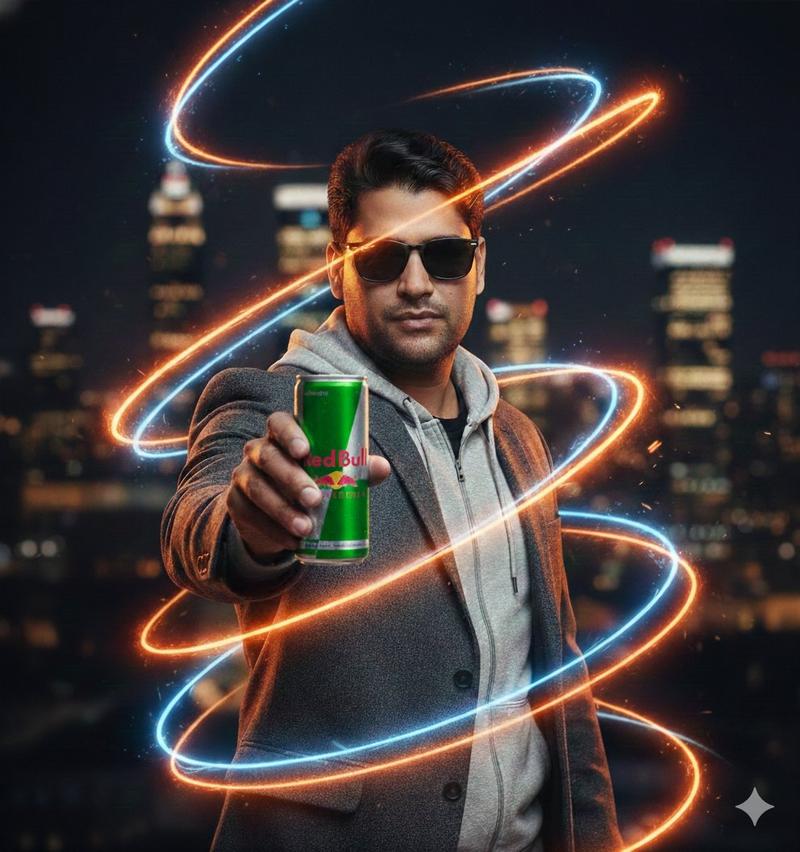
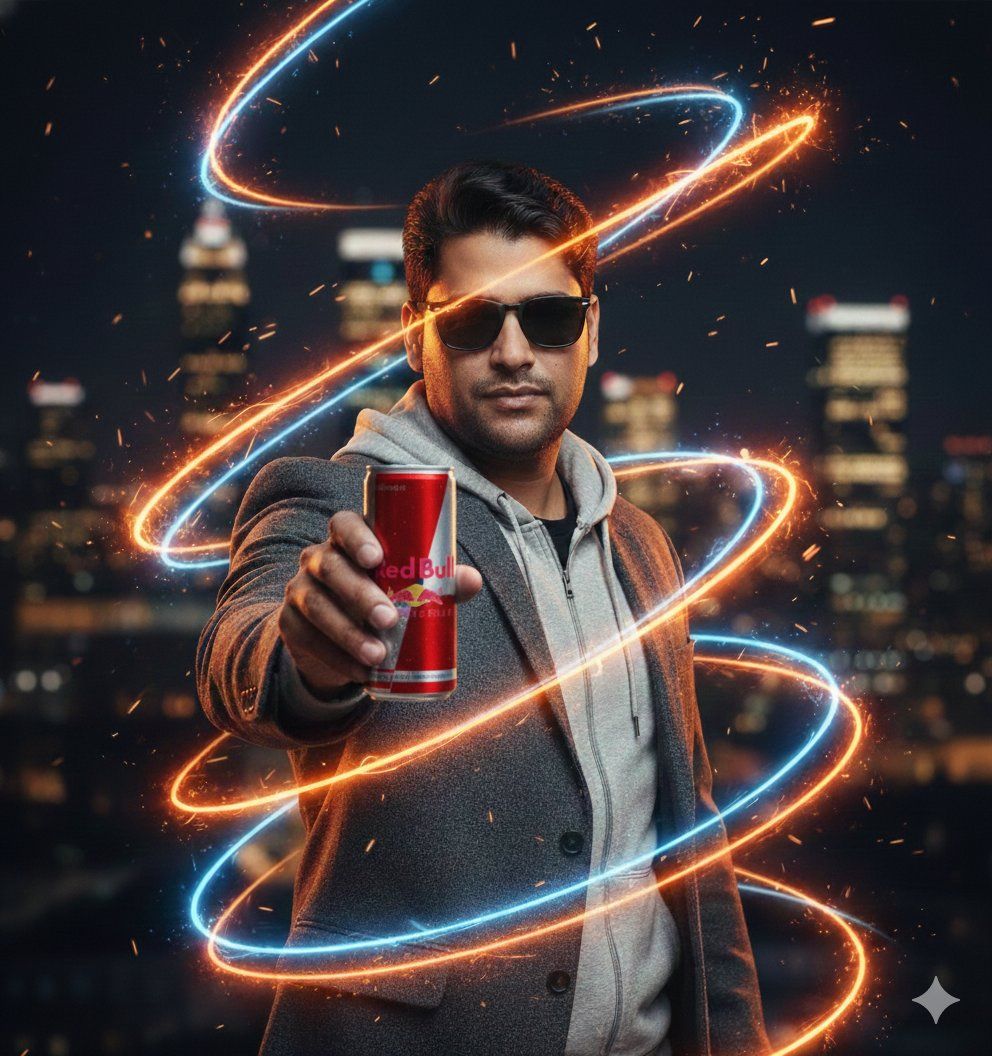
商用能量饮料摄影提示,带霓虹效果
Enlarge

商用能量饮料摄影提示,带霓虹效果

Prompt
​"A professional, ultra-realistic commercial photography shot of a handsome man with styled dark hair and a groomed beard, wearing a textured charcoal blazer over a grey zip-up hoodie. He is extending a blue and silver energy drink can directly toward the viewer, creating a shallow depth of field. The scene is enveloped in dynamic, spiraling light trails—vivid neon orange fire embers and glowing electric blue plasma streaks—that swirl around his body and the product. The background is a blurred night-time cityscape with golden bokeh orbs and dark urban tones. Lighting is dramatic rim-lighting to define his silhouette, with soft key light on his face. Hyper-detailed textures on the fabric, condensation on the can, floating sparks, and cinematic dust particles. Shot on 85mm lens, f/1.8, 8k resolution, Unreal Engine 5 render style, highly sophisticated color grading."
Category
创意图片
Model
Nano Banana Pro
Views0
Source ID
3e5f1563-ed6c-4366-8c76-42ccdba88adc
Published
Mar 8, 2026

Guide

About "商用能量饮料摄影提示,带霓虹效果"

What is this prompt for?

"商用能量饮料摄影提示,带霓虹效果" AI image prompt for Nano Banana Pro (创意图片). 一份用于能量饮料广告的超逼真商业摄影提示。画面中,一位英俊男士正将一罐蓝银相间的饮料伸向观者,周围环绕着动态、螺旋状的霓虹橙色火花和电蓝色等离子条纹,以虚幻引擎 5 (Unreal Engin…

The full copyable prompt and example visuals above are ready for AI image generation or one-click recreate in Picva.

How to use this prompt

  1. Step 1

    Open the prompt detail

    Review the example visuals, category, and full prompt text for "商用能量饮料摄影提示,带霓虹效果".

  2. Step 2

    Copy the prompt

    Copy the prompt body from this page, or load it directly in Studio.

  3. Step 3

    Pick a model (Nano Banana Pro)

    Prefer Nano Banana Pro. If you switch models, keep subject and composition and tweak style terms.

  4. Step 4

    Generate and export

    Recreate the look in Picva, or export into your workflow for editing and publishing.

FAQ

What is the "商用能量饮料摄影提示,带霓虹效果" prompt?
It is an AI image-generation prompt for Nano Banana Pro in the 创意图片 category. This page includes the full prompt text, example visuals, and a one-click recreate path in Picva.
How do I use this prompt to generate an image?
Copy the prompt from this page, or use Generate / Studio. Paste it into a compatible image model, or recreate the look in Picva with optional reference images.
Which model is this prompt for?
This page lists Nano Banana Pro. Most descriptive prompts also transfer to nearby image models such as GPT Image, Flux, or Midjourney with light style tweaks.
Can I use the result commercially?
You can usually copy the prompt for creation, but commercial use of the final image depends on the model terms, reference-image rights, and the generated content. Follow the source author and platform rules.