17

Moss Living 产品渲染提示
Enlarge

Moss Living 产品渲染提示

Prompt
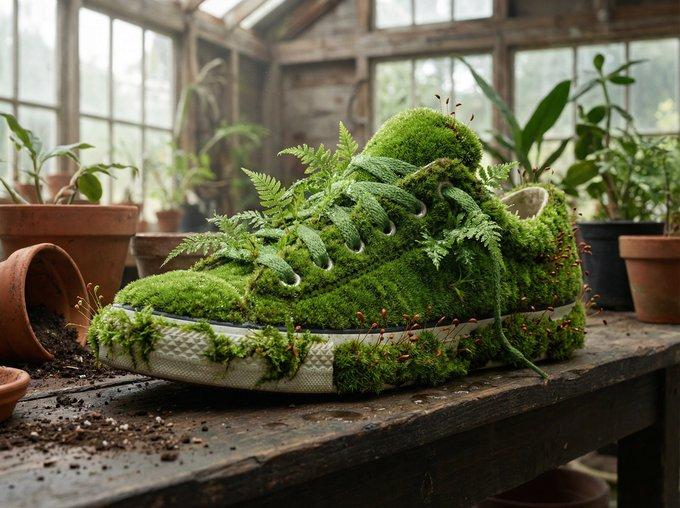
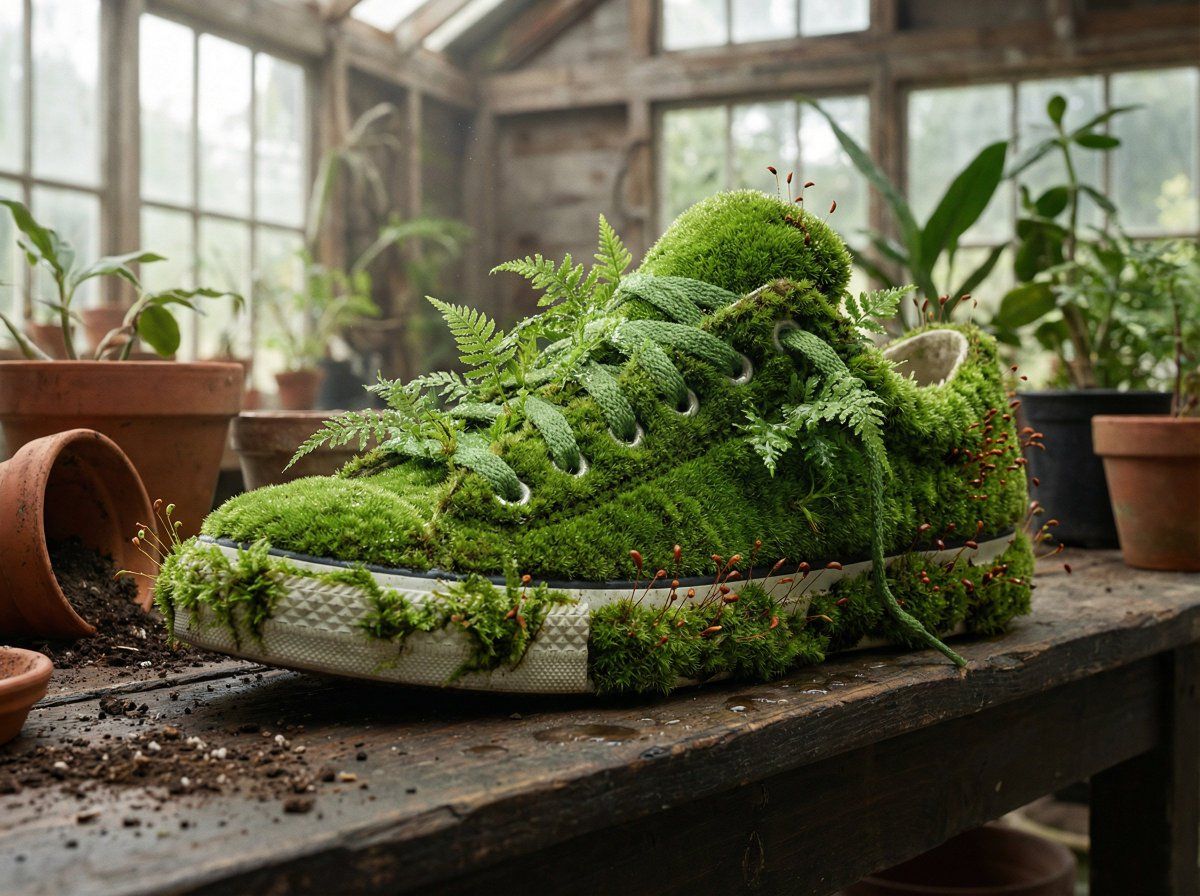
A {argument name="product type" default="[PRODUCT]"} rendered as if entirely grown from living moss, perfectly maintaining product form while being undeniably alive and soft. Different moss varieties create texture variation: smooth cushion moss for flat surfaces, feathery fern moss for details, tiny fruiting bodies as accent points. Damp, verdant, breathing. Positioned in a botanical studio setting or against dark earth tones. Biophilic design meets product photography. Soft natural lighting emphasizing the life, the moisture, the green depth. Sharp focus, saturated natural greens, wellness brand aesthetic, ultra-high resolution, the manufactured made living.
Category
创意图片
Model
Nano Banana Pro
Views0
Source ID
c2be7ec4-6f4c-4fa2-b18a-3cfdbe65389d
Published
Mar 8, 2026

Guide

About "Moss Living 产品渲染提示"

What is this prompt for?

"Moss Living 产品渲染提示" AI image prompt for Nano Banana Pro (创意图片). 一个提示,用于将产品渲染成仿佛完全由活苔藓生长而成,将亲生物设计与产品摄影相结合。它指定使用不同品种的苔藓(垫状苔藓、蕨类苔藓)来增加纹理,将物体放置在植物工作室中,并使用柔和的自然光来强…

The full copyable prompt and example visuals above are ready for AI image generation or one-click recreate in Picva.

How to use this prompt

  1. Step 1

    Open the prompt detail

    Review the example visuals, category, and full prompt text for "Moss Living 产品渲染提示".

  2. Step 2

    Copy the prompt

    Copy the prompt body from this page, or load it directly in Studio.

  3. Step 3

    Pick a model (Nano Banana Pro)

    Prefer Nano Banana Pro. If you switch models, keep subject and composition and tweak style terms.

  4. Step 4

    Generate and export

    Recreate the look in Picva, or export into your workflow for editing and publishing.

FAQ

What is the "Moss Living 产品渲染提示" prompt?
It is an AI image-generation prompt for Nano Banana Pro in the 创意图片 category. This page includes the full prompt text, example visuals, and a one-click recreate path in Picva.
How do I use this prompt to generate an image?
Copy the prompt from this page, or use Generate / Studio. Paste it into a compatible image model, or recreate the look in Picva with optional reference images.
Which model is this prompt for?
This page lists Nano Banana Pro. Most descriptive prompts also transfer to nearby image models such as GPT Image, Flux, or Midjourney with light style tweaks.
Can I use the result commercially?
You can usually copy the prompt for creation, but commercial use of the final image depends on the model terms, reference-image rights, and the generated content. Follow the source author and platform rules.