17

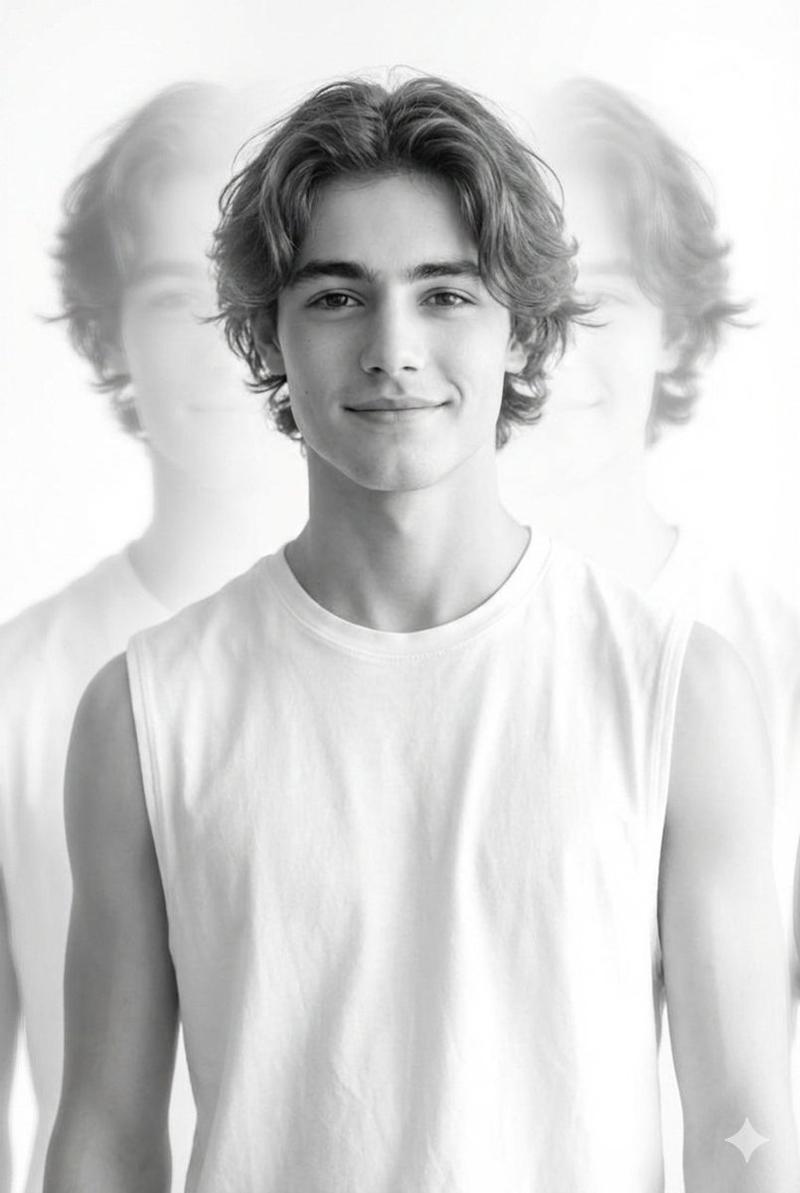
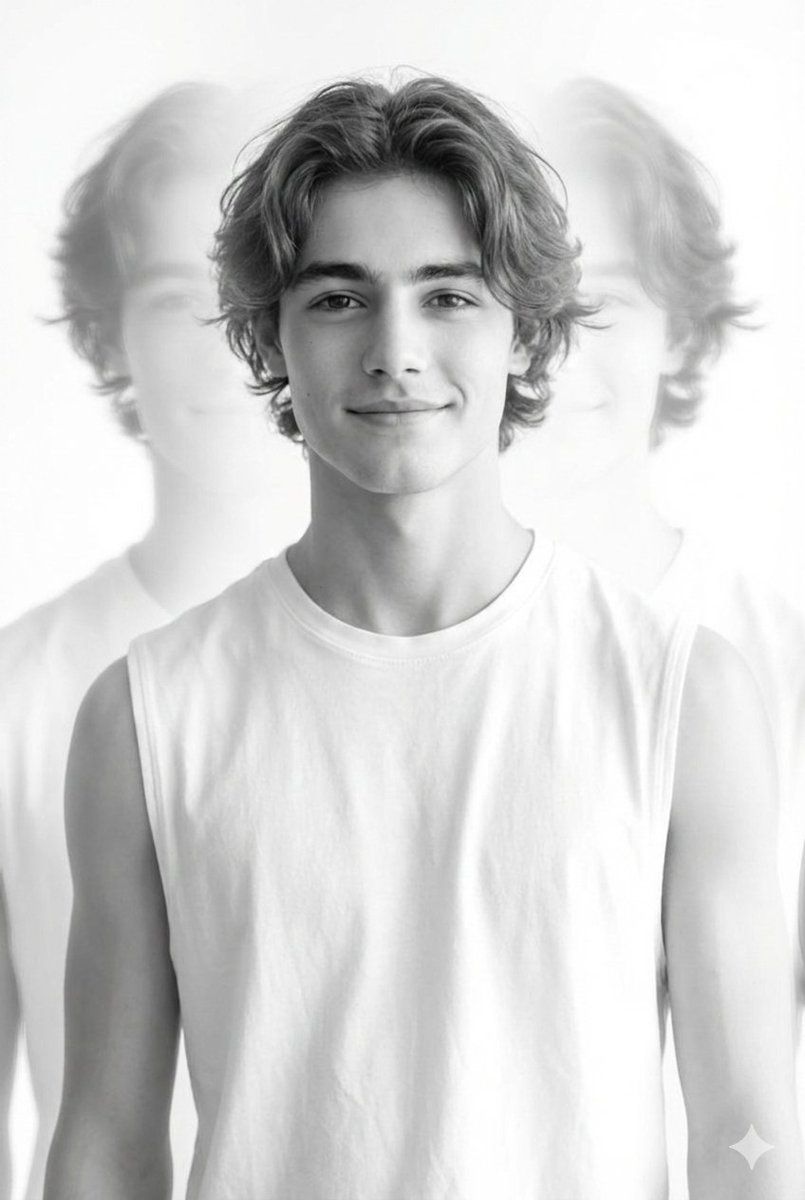
黑白多重曝光肖像
Enlarge

黑白多重曝光肖像

Prompt
{
  "subject": {
    "gender": "male",
    "age_group": "young man",
    "expression": "soft smile",
    "pose": "front facing, relaxed posture"
  },
  "appearance": {
    "hair": "medium length slightly wavy hair",
    "outfit": "simple white sleeveless top",
    "style": "clean and minimal"
  },
  "image_style": {
    "color": "black and white",
    "photography_type": "artistic portrait",
    "composition": "minimalist with strong central focus",
    "background": "bright white high key background"
  },
  "effects": {
    "multiple_exposure": true,
    "description": "soft ghost like echoes of the silhouette on both sides of the main figure",
    "focus": "sharp central subject with blurred surrounding exposures"
  },
  "mood": {
    "feeling": "dreamy and ethereal",
    "atmosphere": "light, calm, contemporary"
  },
  "lighting": {
    "type": "high key lighting",
    "contrast": "soft with gentle highlights"
  }
}
Category
创意图片
Model
Nano Banana Pro
Creator
Harboriis
Views0
Source ID
c2ca327a-53f3-4bd6-9401-c21dd88ba9ad
Published
Mar 8, 2026

Guide

About "黑白多重曝光肖像"

What is this prompt for?

"黑白多重曝光肖像" AI image prompt for Nano Banana Pro (创意图片). 一个 JSON 提示,用于生成一张以年轻男子为主题的艺术黑白肖像。关键元素是“多重曝光”效果,在明亮的白色高调背景上,创造出主体轮廓柔和、幽灵般的重影,营造出梦幻而飘渺的氛围。 --- ```json { "…

The full copyable prompt and example visuals above are ready for AI image generation or one-click recreate in Picva.

How to use this prompt

  1. Step 1

    Open the prompt detail

    Review the example visuals, category, and full prompt text for "黑白多重曝光肖像".

  2. Step 2

    Copy the prompt

    Copy the prompt body from this page, or load it directly in Studio.

  3. Step 3

    Pick a model (Nano Banana Pro)

    Prefer Nano Banana Pro. If you switch models, keep subject and composition and tweak style terms.

  4. Step 4

    Generate and export

    Recreate the look in Picva, or export into your workflow for editing and publishing.

FAQ

What is the "黑白多重曝光肖像" prompt?
It is an AI image-generation prompt for Nano Banana Pro in the 创意图片 category. This page includes the full prompt text, example visuals, and a one-click recreate path in Picva.
How do I use this prompt to generate an image?
Copy the prompt from this page, or use Generate / Studio. Paste it into a compatible image model, or recreate the look in Picva with optional reference images.
Which model is this prompt for?
This page lists Nano Banana Pro. Most descriptive prompts also transfer to nearby image models such as GPT Image, Flux, or Midjourney with light style tweaks.
Can I use the result commercially?
You can usually copy the prompt for creation, but commercial use of the final image depends on the model terms, reference-image rights, and the generated content. Follow the source author and platform rules.