15

Z 世代时尚肖像:Labubu 与猫咪提示词
Enlarge

Z 世代时尚肖像:Labubu 与猫咪提示词

Prompt
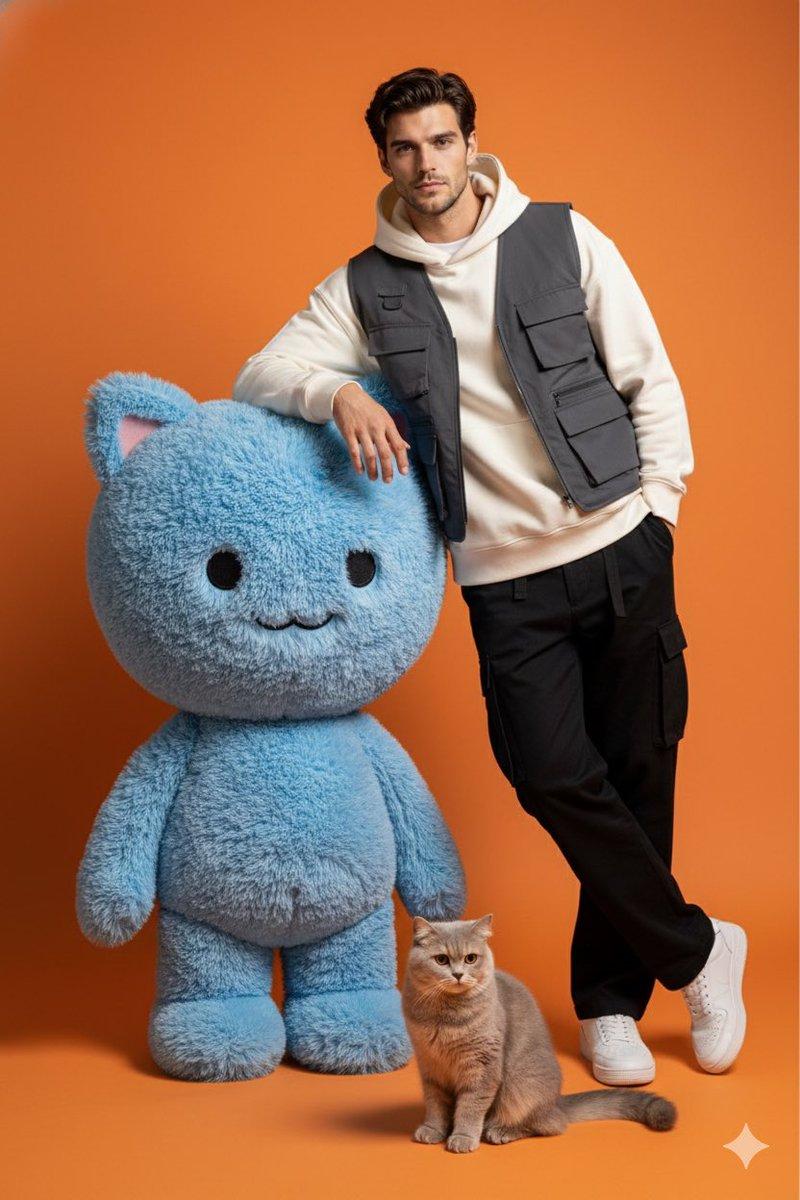
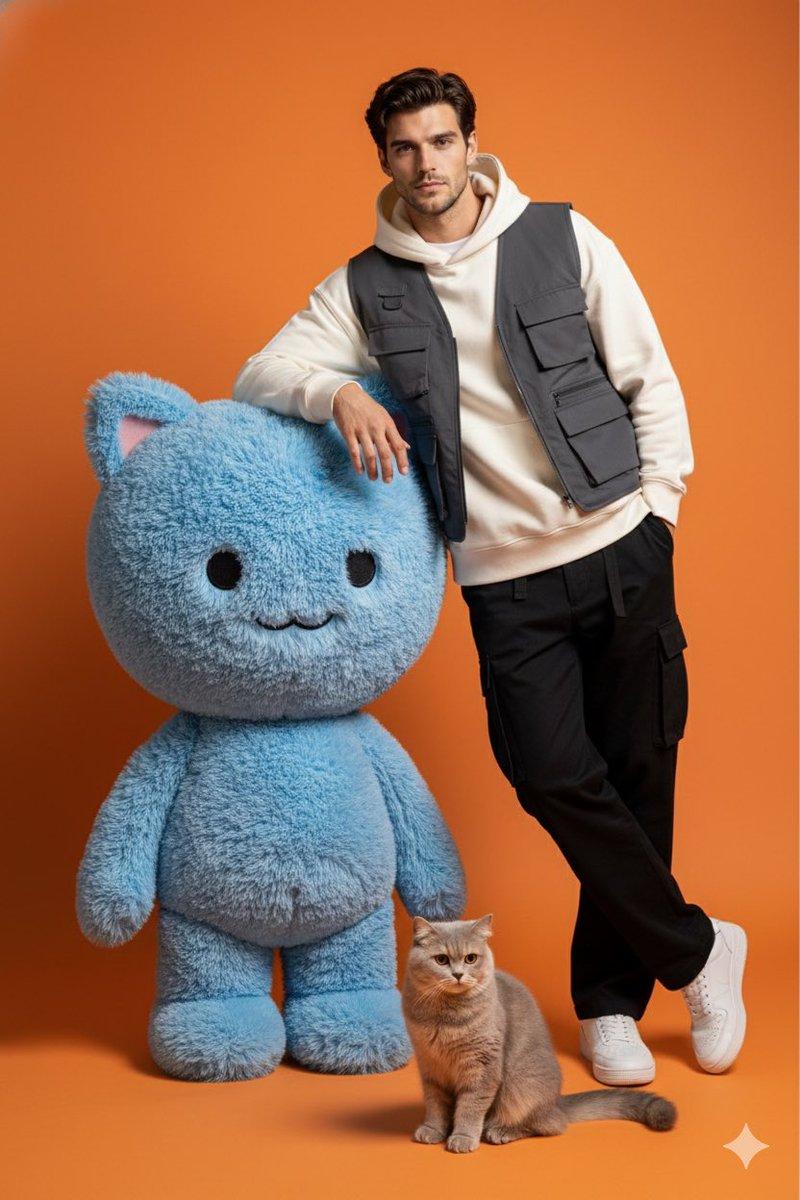
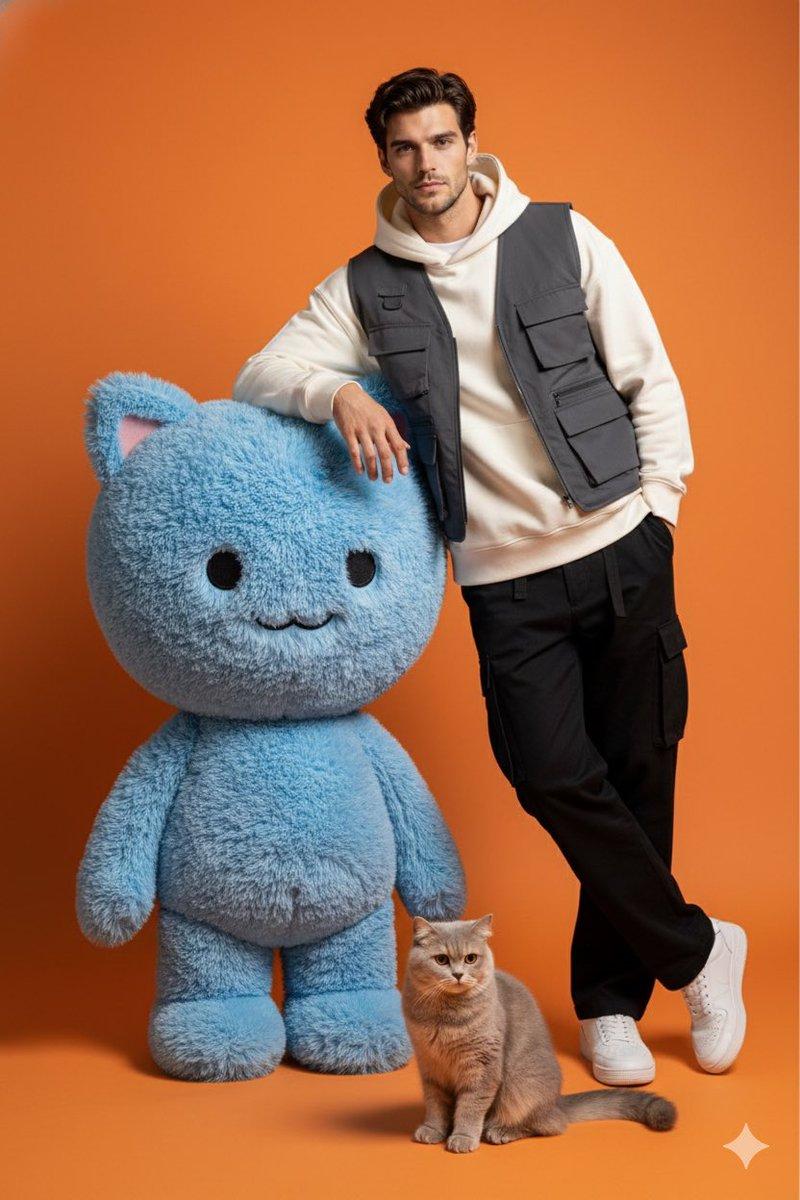
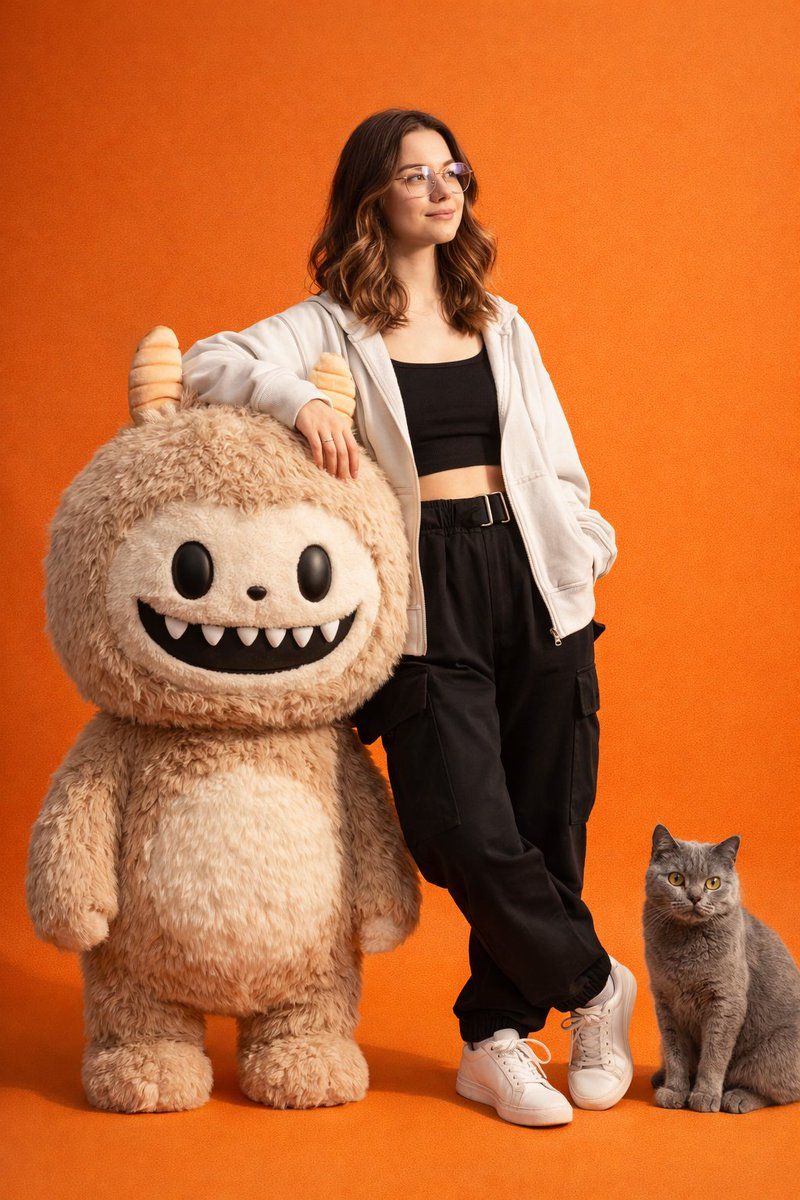
Create a hyper-realistic, high-detail studio photoshoot featuring the same person from the reference photo with the exact facial features, skin tone, hairstyle, proportions, and identity fully preserved (no changes to face or structure). She is wearing stylish Gen-Z fashion attire trendy, minimal, modern streetwear. She is leaning casually on a realistic, fluffy, life-sized Labubu character, rendered in soft fur texture with playful expression. A British Shorthair cat sits or poses nearby, also hyperrealistic with detailed fur and natural posture.

The entire scene is set against a smooth, seamless, vibrant orange studio backdrop with professional studio lighting, crisp shadows, clean highlights, and a premium fashion editorial vibe. Ultra-photorealistic, flawless skin texture (but unchanged identity), high-end photography style, full-body or mid-shot composition.
Category
创意图片
Model
Nano Banana Pro
Views0
Source ID
b2d4266a-44c9-47ea-bc95-4b2e3e63466d
Published
Mar 8, 2026

Guide

About "Z 世代时尚肖像:Labubu 与猫咪提示词"

What is this prompt for?

"Z 世代时尚肖像:Labubu 与猫咪提示词" AI image prompt for Nano Banana Pro (创意图片). 生成一张超现实影棚照片的提示词,照片中人物(身份信息保留自参考照片)身穿 Z 世代街头服饰,倚靠在一个真人大小的毛绒 Labubu 玩偶上,旁边有一只超现实的英国短毛猫,所有元素都…

The full copyable prompt and example visuals above are ready for AI image generation or one-click recreate in Picva.

How to use this prompt

  1. Step 1

    Open the prompt detail

    Review the example visuals, category, and full prompt text for "Z 世代时尚肖像:Labubu 与猫咪提示词".

  2. Step 2

    Copy the prompt

    Copy the prompt body from this page, or load it directly in Studio.

  3. Step 3

    Pick a model (Nano Banana Pro)

    Prefer Nano Banana Pro. If you switch models, keep subject and composition and tweak style terms.

  4. Step 4

    Generate and export

    Recreate the look in Picva, or export into your workflow for editing and publishing.

FAQ

What is the "Z 世代时尚肖像:Labubu 与猫咪提示词" prompt?
It is an AI image-generation prompt for Nano Banana Pro in the 创意图片 category. This page includes the full prompt text, example visuals, and a one-click recreate path in Picva.
How do I use this prompt to generate an image?
Copy the prompt from this page, or use Generate / Studio. Paste it into a compatible image model, or recreate the look in Picva with optional reference images.
Which model is this prompt for?
This page lists Nano Banana Pro. Most descriptive prompts also transfer to nearby image models such as GPT Image, Flux, or Midjourney with light style tweaks.
Can I use the result commercially?
You can usually copy the prompt for creation, but commercial use of the final image depends on the model terms, reference-image rights, and the generated content. Follow the source author and platform rules.