一键转换图像为场景提示工具
提示词
[IMAGE_PROMPT]
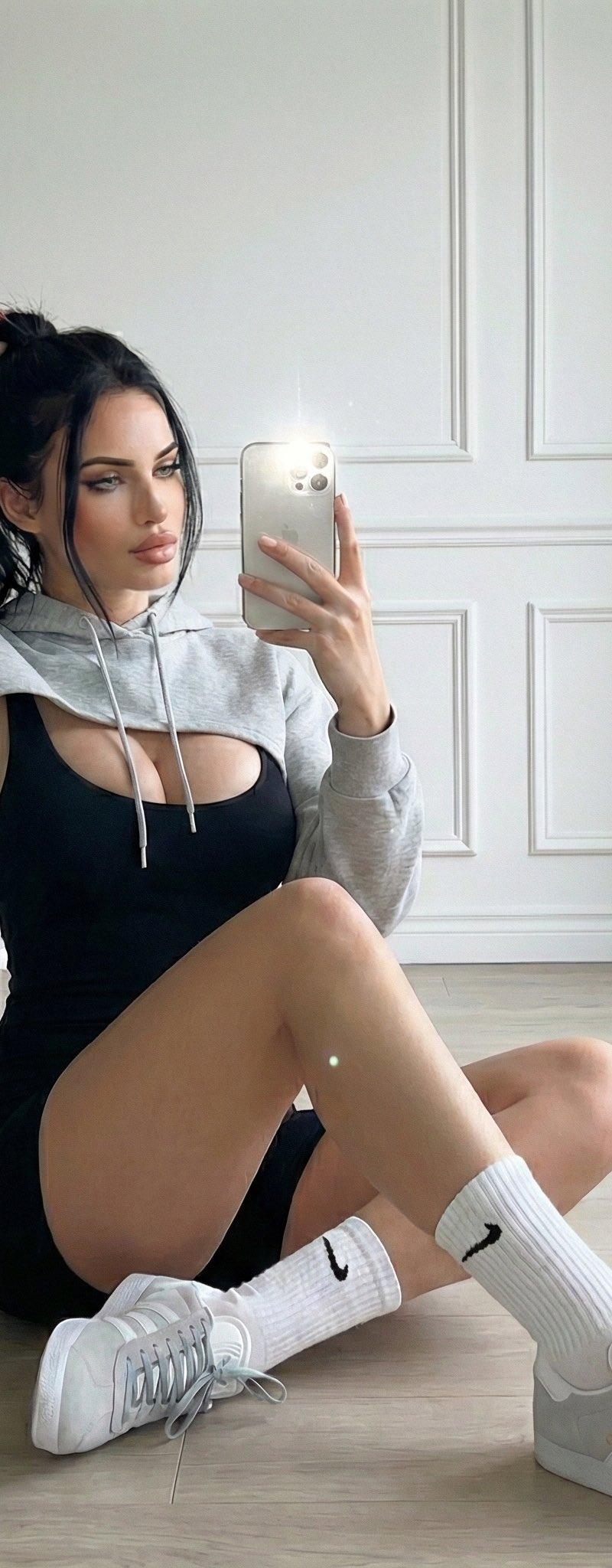
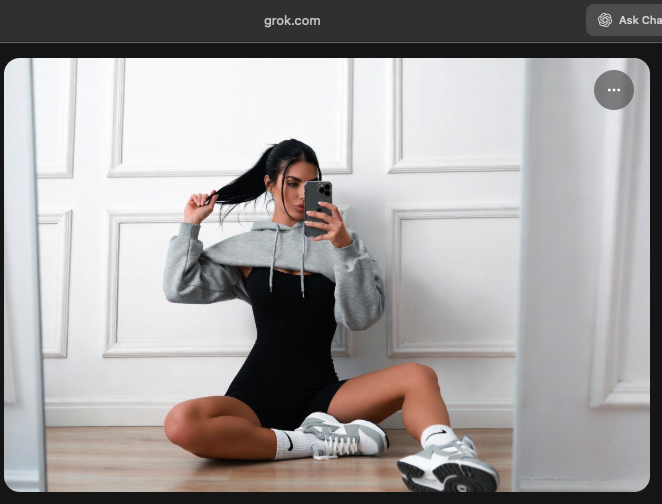
[desc] = Woman sitting cross-legged on a light wood floor, holding a phone up to take a mirror selfie in a room with white paneled walls.
[objs] = Woman, smartphone, mirror (framing the image on the right), white paneled walls, light wood floor, sneakers, socks.
[chars] = Woman, long dark hair pulled into a ponytail by one hand, black bodysuit/romper, grey super cropped hoodie, white socks with black swoosh logo, light grey and white sneakers.
[style] = High-resolution, fashion/fitness aesthetic, soft lighting, sharp focus.
[comp] = Full-body shot, vertical orientation, slightly low-angle perspective, taken via a mirror reflection, subject centered.
[light] = Soft, bright, diffused front lighting (appears to be a flash on the phone/room light), even illumination, no harsh shadows.
[pal] = Monochromatic look (black, grey, white), light wood tones, bright white walls.
[geom] = Subject seated on the floor, legs crossed, torso slightly turned right, facing the mirror/camera, one arm raised.
[micro] = Phone flash reflection on the phone, texture of the wood floor and wall paneling, visible logo on socks and shoes.
[sym] = Logo on socks and sneakers.
[scene] = Subject seated close to a white paneled wall with a decorative molding, mirror on the right reflecting the scene.
[must] = Woman taking mirror selfie, seated position, cropped hoodie and bodysuit, sneakers and socks, white paneled wall background.
[avoid] = Outdoor setting, clutter, other people.
[notes] = The image is a selfie taken in a large mirror, giving a clean, centered composition.
- 分类
- 真实摄影
- 模型
- Unknown
- 来源作者
- Dreams of Mars 🕊❤️🚀🌕
- 原始语言
- zh-CN
- 来源 ID
- one-click-image-to-scene-prompt-tool
浏览量0